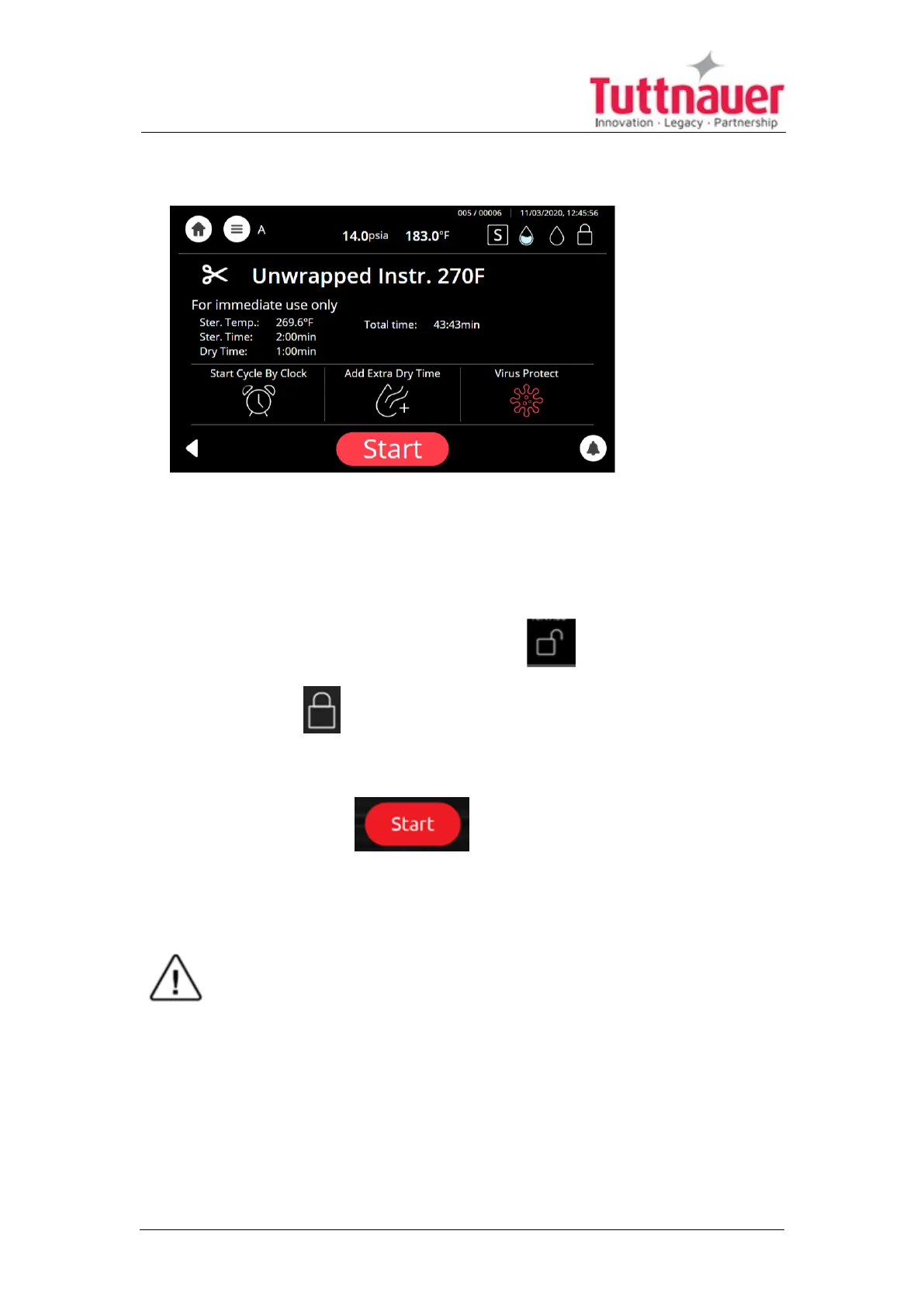
6. The next screen will prompt the selected program information.
7. Close the door by both:
l Pushing the door gently;
l Turning the handle clockwise while pushing the door until it comes to
the closed position, then releasing the handle.
When the door is closed, the open-door symbol is replaced with the
closed-door symbol .
8.
Press the Start button to start the cycle.
For cycle process description, see Sterilization Cycle Description.
Warning!
Do not remove the top cover during a running cycle. Hot water / steam
may exit!
After pressing start, the sterilization process starts
Image 3: screen display while "Unwrapped 134" sterilization program is
in progress
Page 48





 To Next Page