FHD OLED Reference Monitor 9
3. Controls & Functions
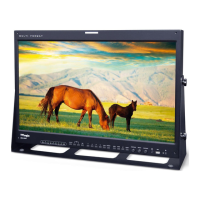
FRONT
● [VIDEO] lamp
- Used when COMPOSITE INPUT is selected.
● [S-VID] lamp
- Used when S-VIDEO INPUT is selected.
● [COMP] lamp
- Used when COMPONENT INPUT is selected.
● [RGB] lamp
- Used when RGB INPUT is selected.
● [DVI-A] lamp
- Used when DVI ANALOG INPUT is selected.
● [DVI-D] lamp
- Used when DVI DIGITAL INPUT is selected.
● [HDMI] lamp
- Used when HDMI INPUT is selected.
● [SDI-A] lamp
- Used when SDI-A INPUT is selected.
● [SDI-B] lamp
- Used when SDI-B INPUT is selected.
● [ANALOG] button/lamp
- Used to select the desired Analog input.
Press the Analog button to activate
the analog input menu selection, then use
the UP and DOWN button to select desired
input.
● [SDI-A] button/lamp
- Used to select SDI-A input.
● [SDI-B] button/lamp
- Used to select SDI-B input.
● [PBP] button/lamp
- Used to select the PBP(Picture by Picture)
function.
- Selects order of operation: PBP -> 1 by 1 ->
FULL Picture in sequence.
● [F1] (In Single Mode) button/lamp
- Used to activate the function.
- The feature selected in “SYSTEM->KEY
FUNCTION1” setting will be activated.
● [F1] (In Multi Mode) button
- Used to select a display in Multi Mode.
(Screen 1, Screen 2, Full Picture)
● [F2] button/lamp
- Used to activate the function.
- The feature selected in “SYSTEM->KEY
FUNCTION2” setting will be activated.
● [F3] button/lamp
- Used to activate the function.
- The feature selected in “SYSTEM->KEY
FUNCTION3” setting will be activated.
● [F4] button/lamp
- Used to activate the function.
- The feature selected in “SYSTEM->KEY
FUNCTION4” setting will be activated.
● [SCAN] button/lamp
- Used to change the scan mode.
Press the button to move through the scan
modes: OVER SCAN -> ZERO SCAN -> UNDER
SCAN -> 2:1 SCAN -> 1:1 SCAN -> FIT WIDTH
-> ZOOM(PBP 16:9 Mode)
● [MARKER] button/lamp
- Used to activate/deactivate the Marker.
The desired marker can be displayed on
the screen properly when the type of marker
selected from the main menu.


 To Next Page