1
2
3
START / STOP
PAPER EJECT
PAPER FEED
START / STOP
PAPER EJECT
PAPER FEED
START / STOP
PAPER EJECT
PAPER FEED
START / STOP
PAPER EJECT
PAPER FEED
START / STOP
PAPER EJECT
PAPER FEED
START / STOP
PAPER EJECT
PAPER FEED
START / STOP
PAPER EJECT
PAPER FEED
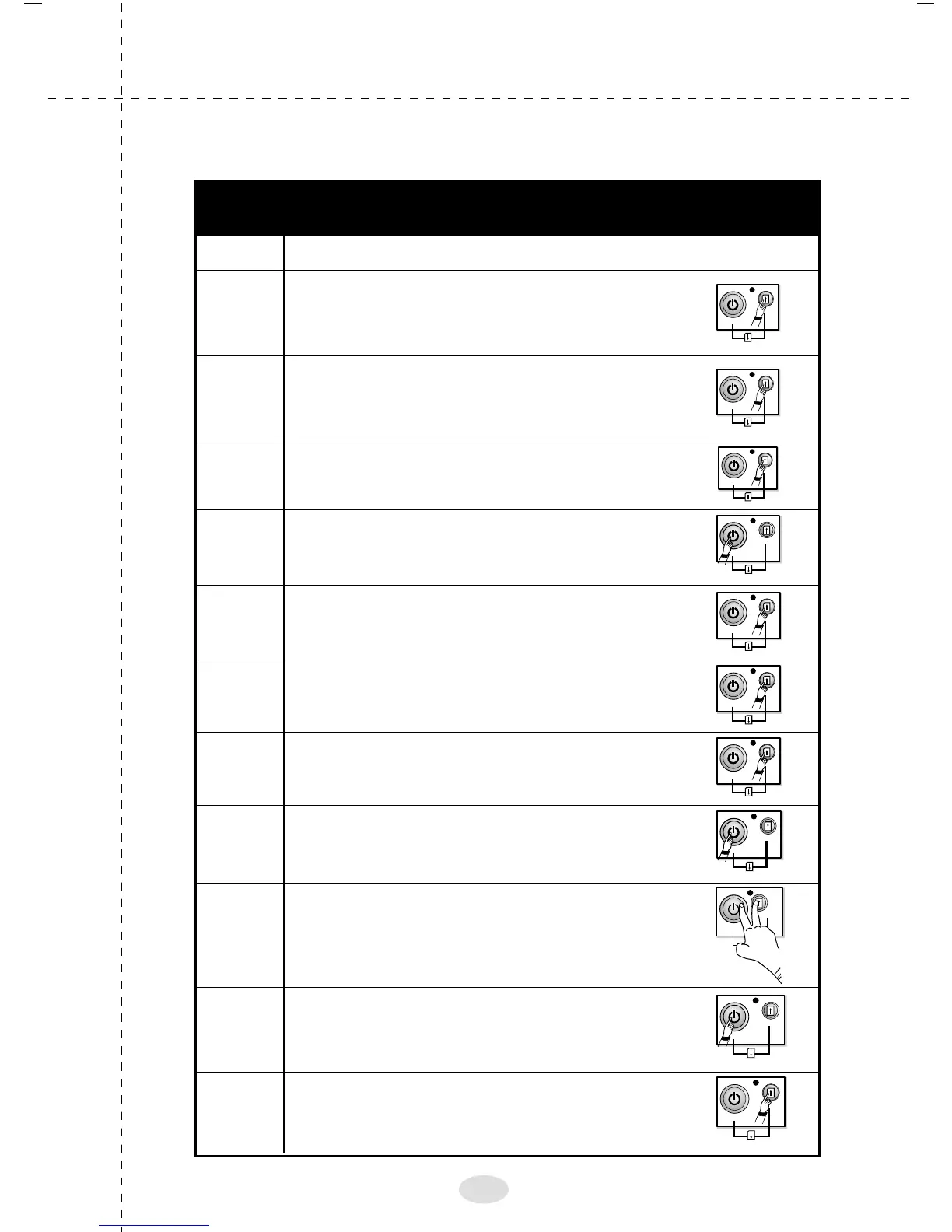
Now, Press the START/STOP Switch
to select 15 CPI PITCH
We have entered the Pitch setting menu,
to skip 10 CPI, press the PAPER FEED Switch
To "SKIP" Font Menu, Press
the PAPER FEED Switch
We now enter into the next menu option
of page layout.To "SAVE & EXIT" Press both
the Switches simultaneously
To "SAVE" Menu Setting,
Press the START/STOP Switch once
To "EXIT" without saving the settings, press
the PAPER FEED Switch once
To "SKIP" 12 CPI
press the PAPER FEED Switch
Load the continuous paper and set the printer ONLINE.
You will enter into "Menu settings". Skip this menu by
pressing the PAPER FEED Switch
As we want to change the pitch, Press the
START/STOP Switch, now the printer has entered
into"STYLE SELECTION"
To select Menu mode,
Press the "PAPER FEED" Switch once
Press the PAPER FEED
Switch for 5 seconds. LED will turn red.
Press
5 Sec
START / STOP
PAPER EJECT
PAPER FEED
PAPER EJECT
PAPER FEED
START / STOP
START / STOP
PAPER EJECT
PAPER FEED
START / STOP
PAPER EJECT
PAPER FEED
Step Directions
4
5
6
7
8
9
10
11
12
Changing the settings
Example to change setting from 10 CPI to 15 CPI
38



 To Next Page