Installing the Driver
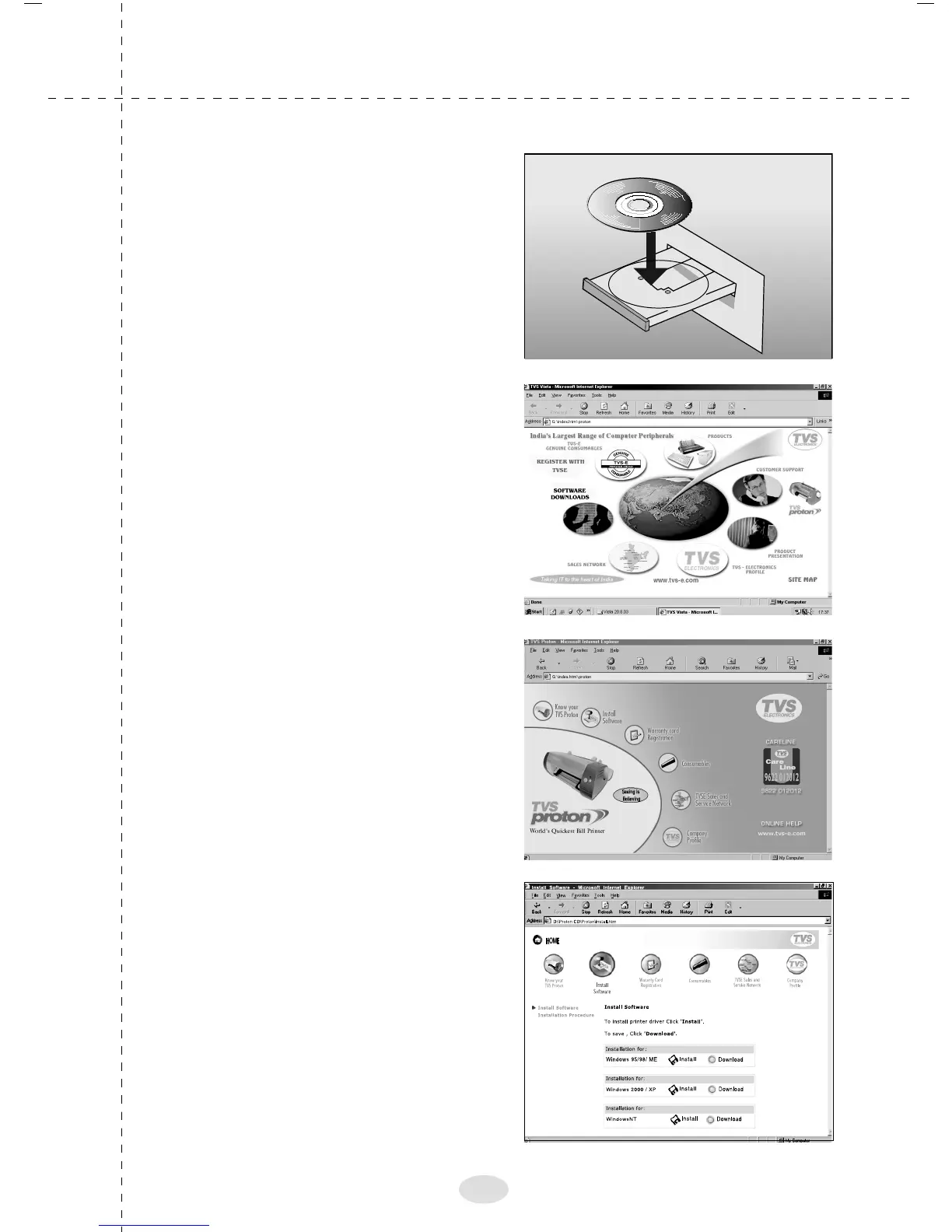
1. Insert CD
2. The adjacent screen will
appear in the desktop. Click
"TVS Proton"
3. The adjacent screen will
appear in the desktop. Click
"Install Software"
4. The adjacent screen will
appear in the desktop. Click
"Install" corresponding to
OS.
16



 To Next Page