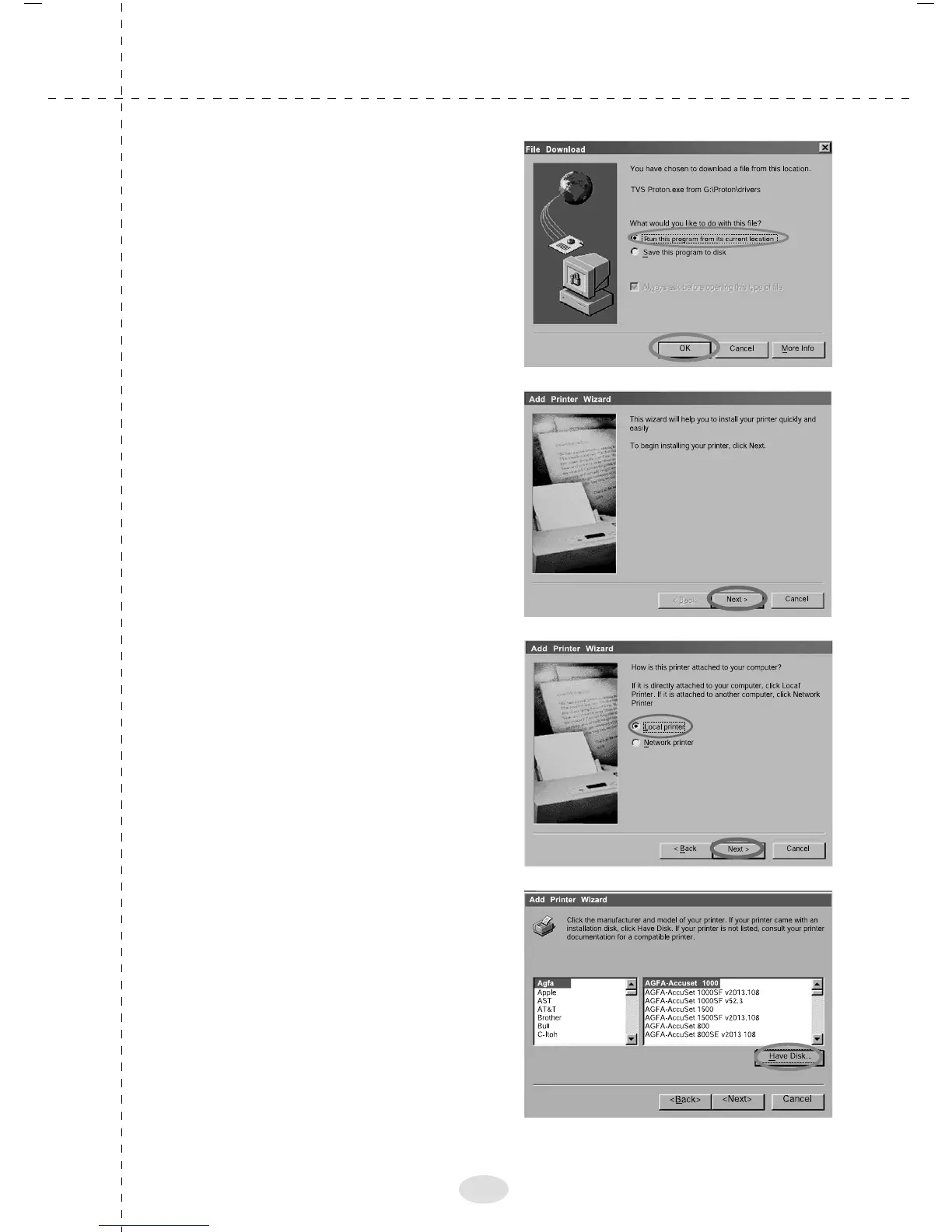
5. The adjacent screen will
appear in the desktop. Click
"Run this program from its
current location" click
"OK".
6. The adjacent screen will
appear in the desktop. Click
“Next”
7. Select the location for the
printer. Click “Next”
8. The adjacent screen will
appear in the desktop. Click
"Have Disk"
17



 To Next Page