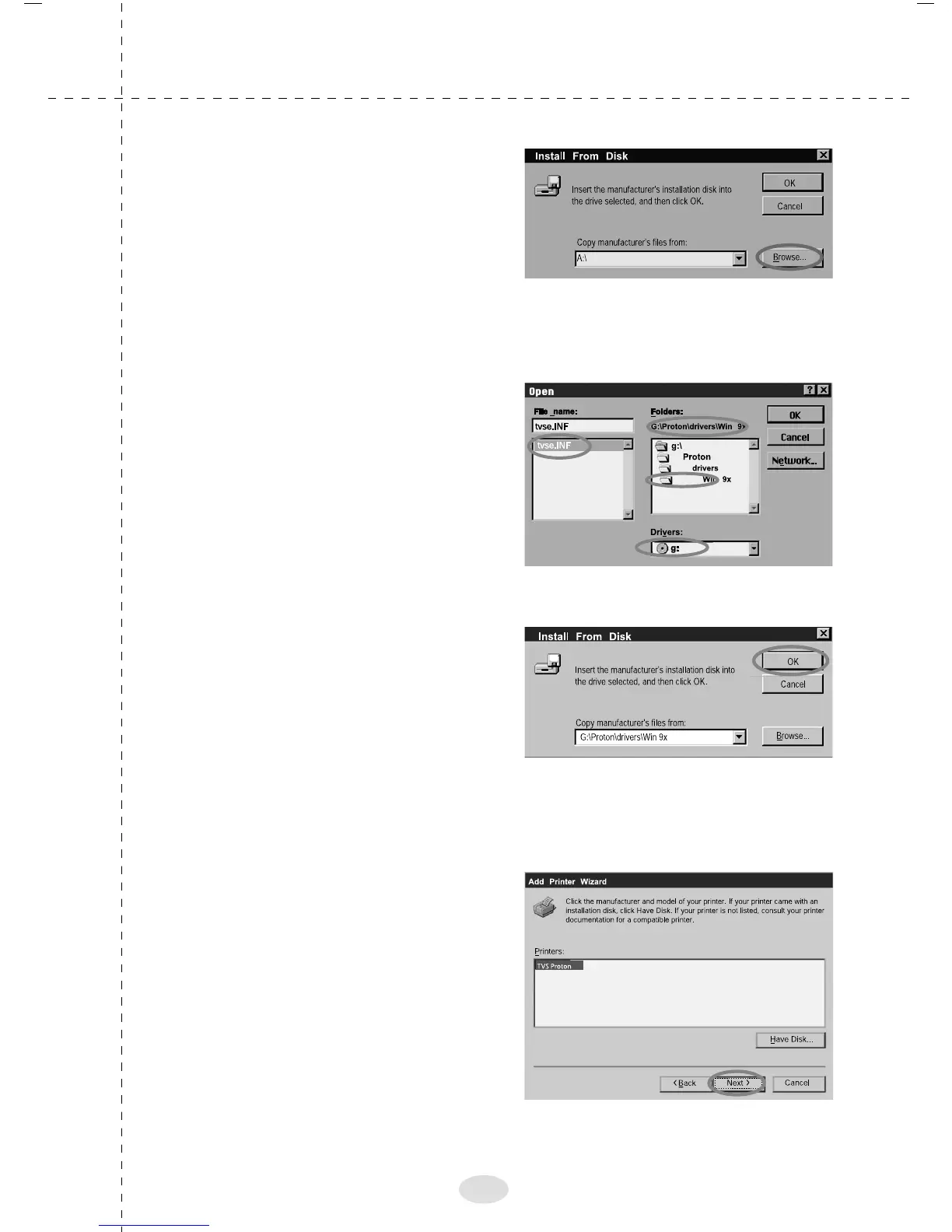
9. The adjacent screen will
appear in the desktop. Click
"Browse"
10. Select CD ROM Select
the "Proton.inf" in the path,
as shown in the adjacent
screen. Click "OK"
11. The adjacent screen will
appear in the desktop. Click
"OK" to select the driver
12. The adjacent screen will
appear in the desktop. Click
"NEXT" The installation files
will be copied
18



 To Next Page