Tyro Go EFTPOS reader user guide 4
Return to table of contents
2. Getting started
Tyro Go is an EFTPOS card reader that will enable you to accept card transactions using your smart device. Connected
via Bluetooth to the Tyro Go App, the Tyro Go is a sleek, pocket-friendly mobile device that allows you to take payments,
make refunds and review the day’s transactions.
Tyro Go requires the Tyro Go App to operate.
2.1 What's in the box?
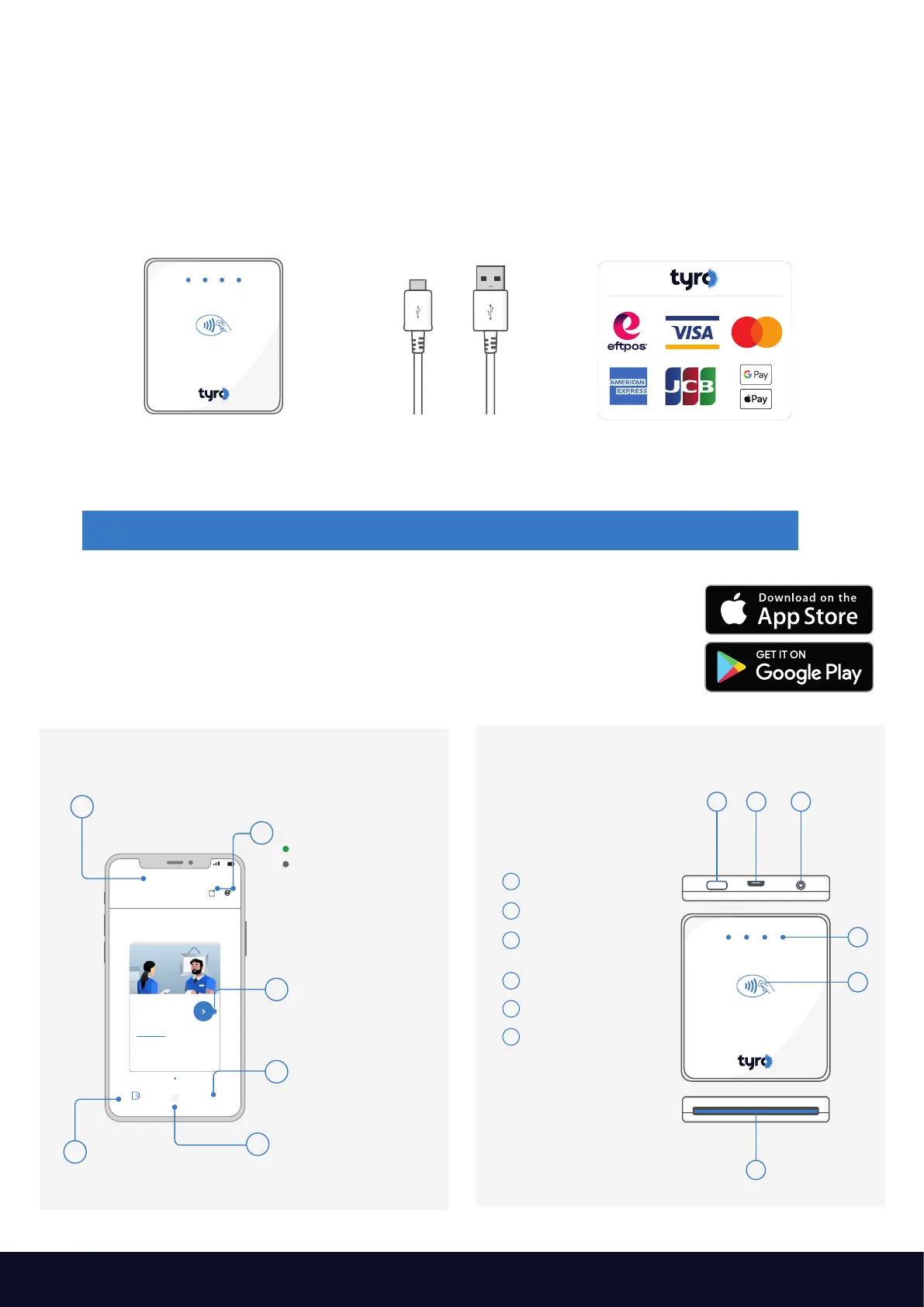
Alongside a Tyro Go EFTPOS reader quick start guide, you will find:
If any of the items are missing, please contact Customer Support on 1300 00 TYRO (8976).
Tyro Go EFTPOS reader Ways to pay stickers,
to display the payment
schemes you accept
1
2
3
4
5
6
On/Off button
Micro USB port
Button for Bluetooth
pairing*
LED indicator
Contactless reader
Opening for inserting
a credit or debit card
321
6
*Not in use. We’ve made Bluetooth pairing
easy by enabling it as soon as the device
is switched on.
USB Charging cable
2.2 Get the Tyro Go App
Search “Tyro Go” and download the app from the App Store or Google Play.
Supported devices and operating system versions are found on the respective
App Store or Google Play.
2.3 Get to know the Tyro Go App 2.4 Get to know your Tyro Go
1
Payment
Reader Internet
Hello, Happy Business
Card payment
One time payment
More option
Payment
acceptance
page
Transaction history
Settings
Initiate card or
mobile payments
Internet/Reader
Registered trading name
Green indicator: Connected
Grey indicator: Disconnected
2
3
4
5
6
10:00
4G
5
4



 To Next Page