Tyro Go EFTPOS reader user guide 9
Return to table of contents
2.9.4 Refunding a transaction
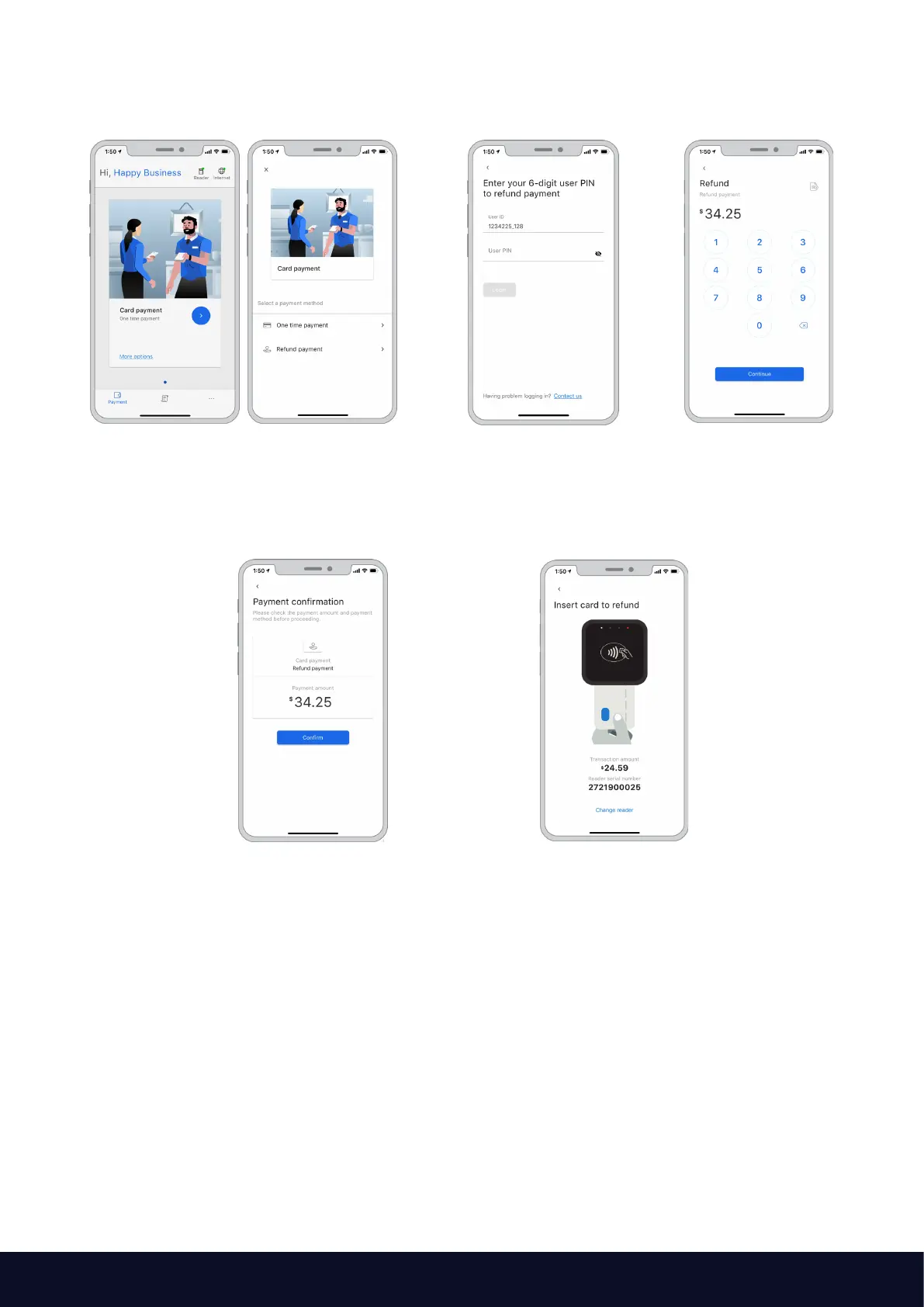
To process a refund:
On the payment screen, select
“More options” at the bottom
Enter your PIN to start
the refund process
Enter the refund amount
Select “Continue”
And then select “Confirm”
to continue the refund
Allow the customer to insert
their card into the reader



 To Next Page