GENERAL HANDLING
User Interface Elements
Power to operate the radio is supplied through the
ignition switch, which must be in the ON, ACC or in
ACC Delay mode in order to operate the radio.
Soft-Keys
Soft-keys are accessible on the touch screen.
Hard-Keys
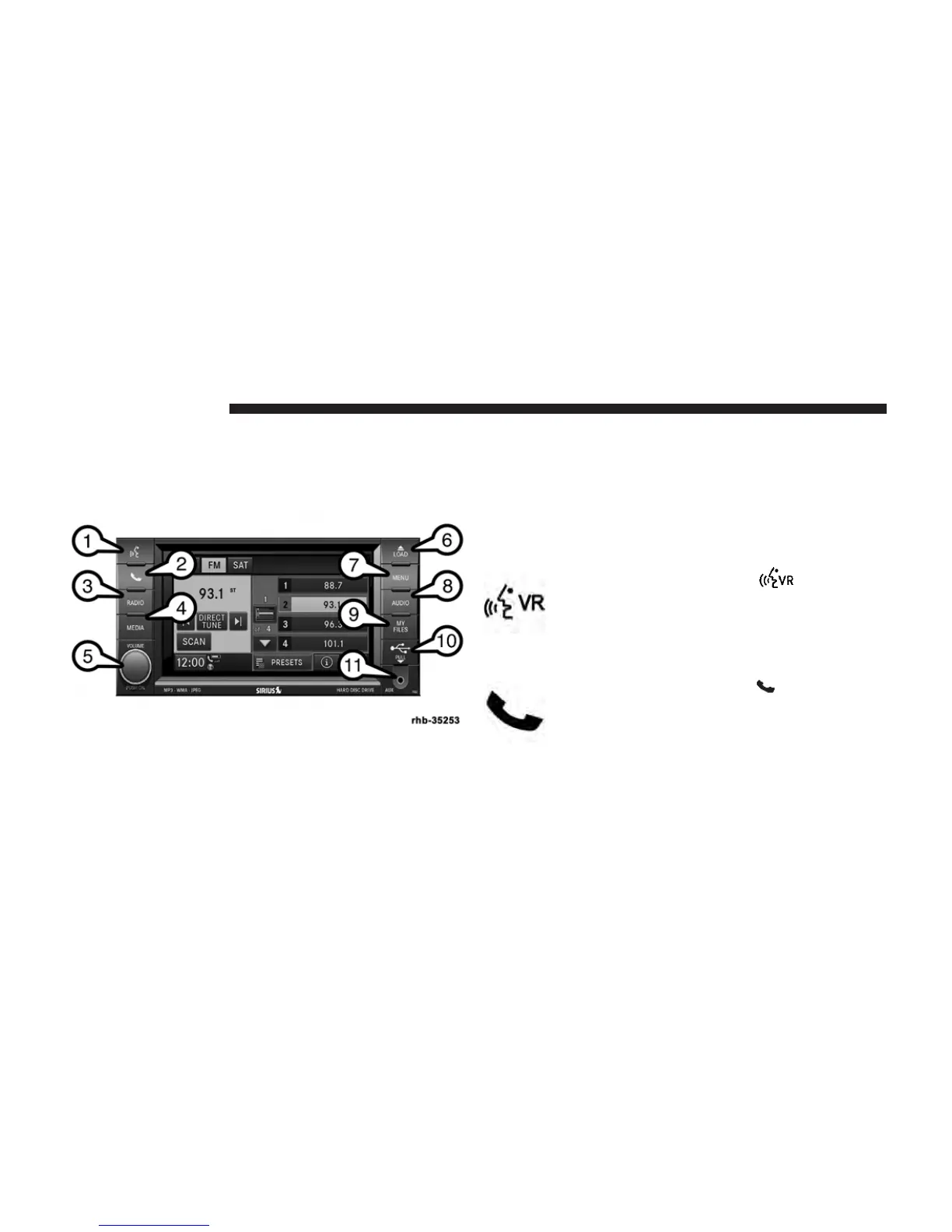
Hard-keys on the left and right side of the radio faceplate.
(1) Voice Command (If Equipped)
Press the Voice Command hard-key (1)
and wait for the confirmation beep before you
say a voice command.
(2) Uconnect™ Phone (If Equipped)
Press the Uconnect威 Phone hard-key (2) to
either activate the Uconnect威 system or to
cancel an active phone call.
8 Uconnect姞 430/430N



 To Next Page