Acquiring Satellites
The bars indicate satellite strength.
Go to an open area, away from tall buildings and trees.
Acquiring satellite signals can take a few minutes.
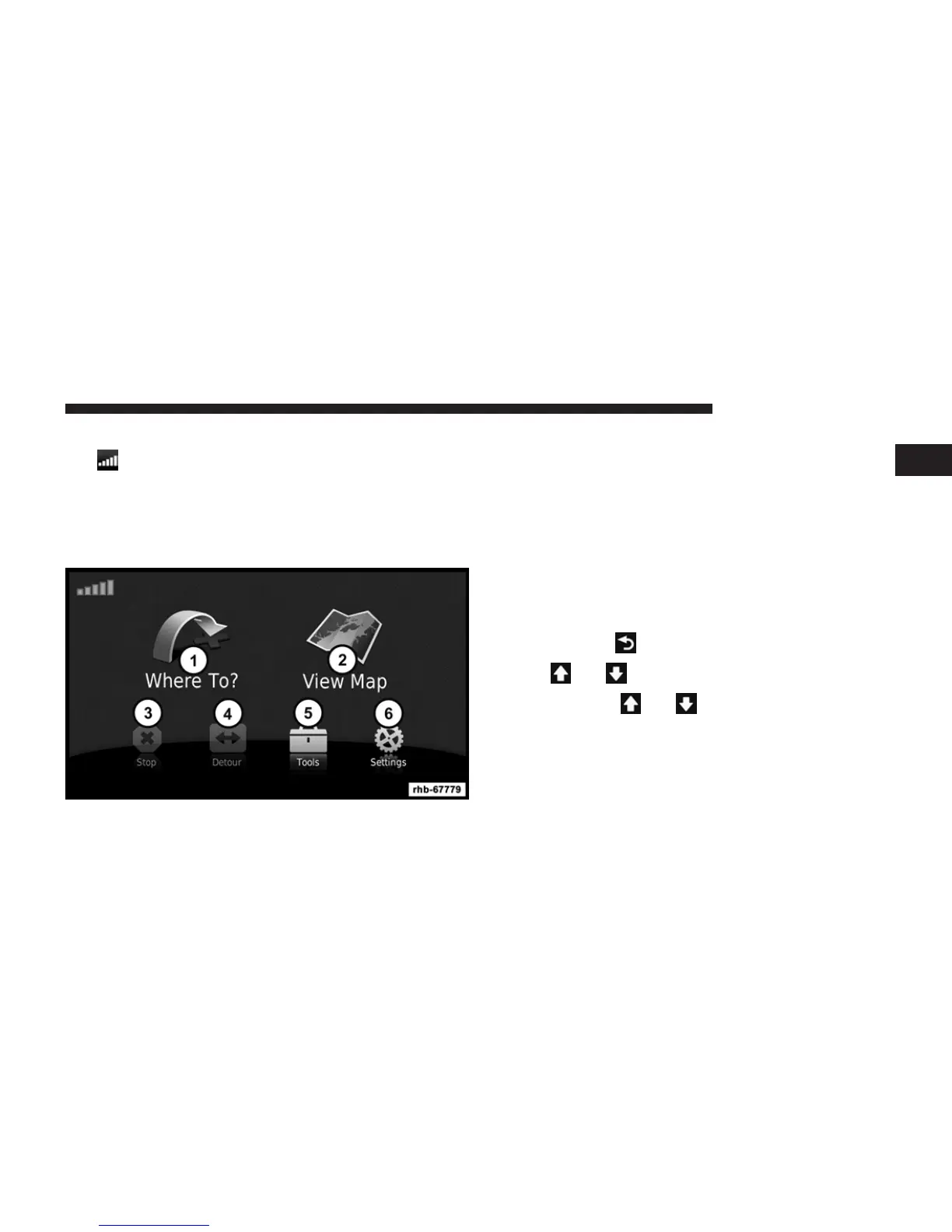
Main Menu
1. Touch to find a destination.
2. Touch to view the map.
3. Touch to stop a route.
4. Touch to detour a route.
5. Touch to open the menu of tools.
6. Touch to open the menu of settings.
Using the On-screen Buttons
• Touch and hold to quickly return to the main menu.
• Touch
and to see more choices.
• Touch and hold
and to scroll faster.
1
Uconnect姞 430/430N 89



 To Next Page