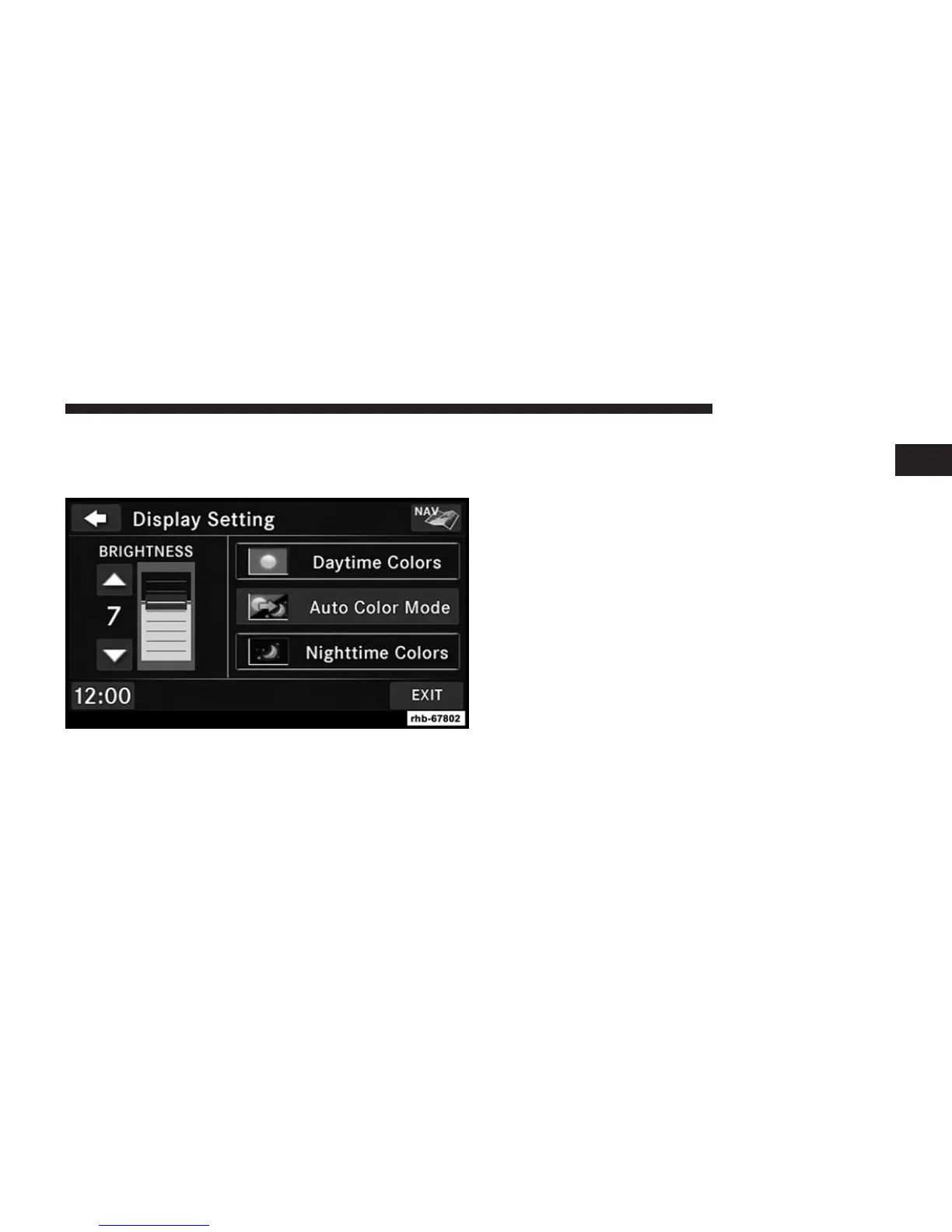
Display Settings
Press the MENU hard-key and touch the Display Setting
soft-key to access the Display Settings menu.
Select the Daytime Colors soft-key to switch to manual
daytime mode and to adjust the brightness of the display
using daytime colors.
Select the Nighttime Colors soft-key to switch to manual
nighttime mode and to adjust the brightness of the
display using nighttime colors.
Select the Auto Color soft-key to switch to automatic
daytime/nighttime mode and to control the brightness of
the display using the light switch of the vehicle.
Touch the Up or Down arrows to adjust the Brightness.
Touch the DONE soft-key to save your settings and to
return to the AM/FM/SAT Menu.
Screen Off
To turn off the screen (so only the clock is shown, and
audio is still heard through the vehicles speakers), press
the MENU hard-key and touch the Screen Off soft-key.
Once the Screen Off is active, press any hard-key or touch
the display to deactivate it.
1
Uconnect姞 430/430N 29



 To Next Page