40
Ulead COOL 3D Production Studio
Light
Various materials or textures respond to light differently. Add realism to your titles by simulating
the way light sources illuminate objects in the real world. COOL 3D not only allows you to
direct various light sources but also adjust surface and ambient lighting.
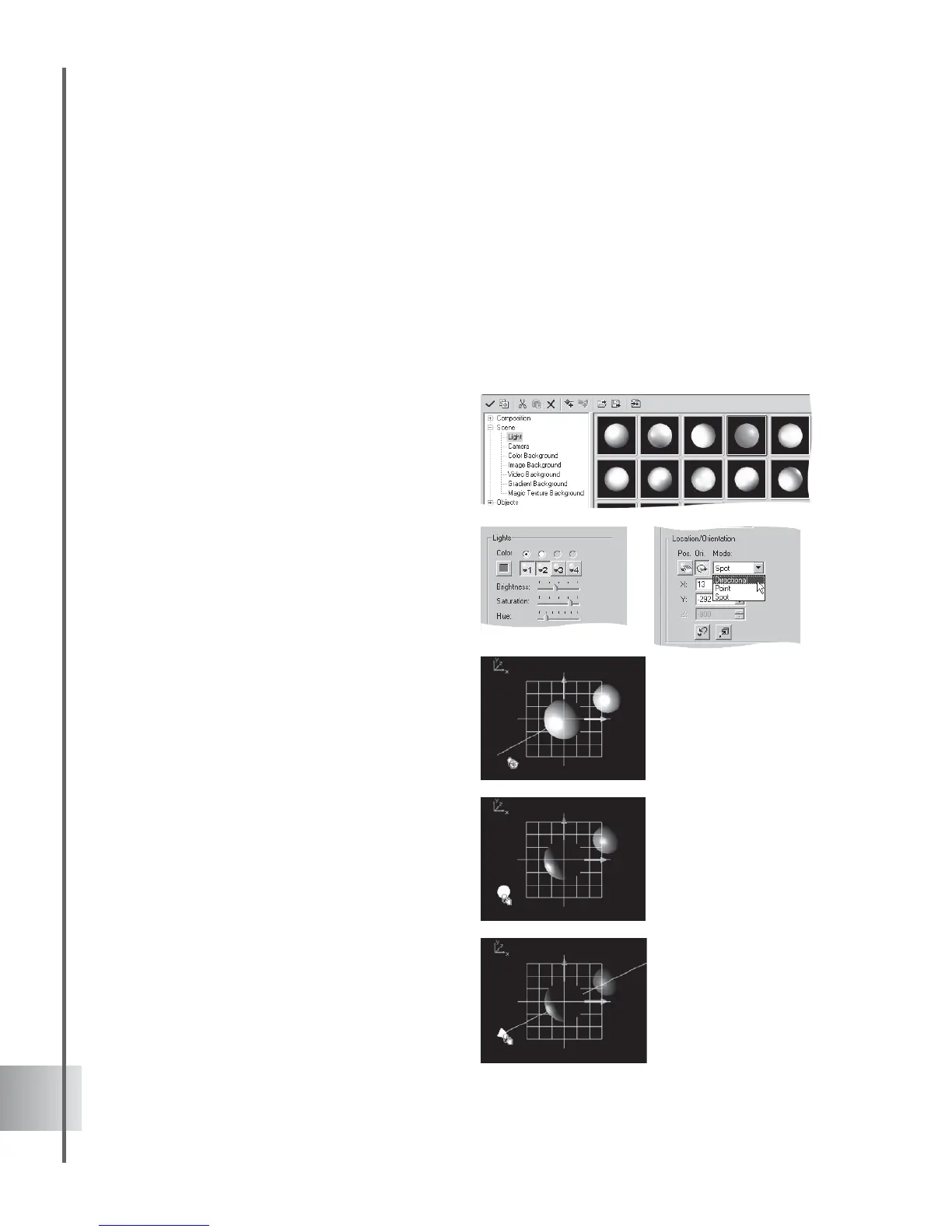
To apply light to a scene, select Scene: Light category in the EasyPalette file directory and
drag a preset thumbnail from the EasyPalette to the Edit Window. You can customize or adjust
your lighting by using the Attribute Panel.
To adjust lighting in a scene:
1 Select Lights in the Property List of the
Attribute Panel.
2 Click a Light Source to activate it. Then
click the radio button above it to edit its
properties.
3 Click the Color square to open the Color
dialog box and change the color of the
currently selected light.
Adjust Brightness, Saturation, and Hue by
dragging their sliders.
4 Select a Mode for the light:
Directional Shines a direct beam of parallel
light rays with a constant strength. The
light source orientation is based on the
angle of rotation around the X- and Y-axes.
Point Shines diffused light with variable
strength on the object. The further the light
is from objects, the weaker the light
appears. The light source position is based
on its location along the X-, Y-, and Z-axes.
Spot Shines a focused, cone-shaped beam
like a theater spotlight. The light source
position is based on its location along the
X-, Y-, and Z-axes and its orientation is
based on the angle of rotation around the
X- and Y-axes. Because the beam is cone
shaped, moving the source closer to the
object reduces the area of illumination.
Directional mode often
creates more vivid
highlights and shadows.
Point shines a diffused,
variable strength light
similar to the sun.
You can either set
the light position or
select a target
object to apply the
Spot mode.



 To Next Page