58
Ulead COOL 3D Production Studio
Magic Texture Background
Magic Texture is a feature that helps create complex gradient patterns that serve as a colorful
animated backdrop for your projects. This feature is fully customizable, so you can create your
own color patterns.
To apply a Magic Texture Background:
1 Create a new document and select
Background from the Property List in the
Attribute Panel.
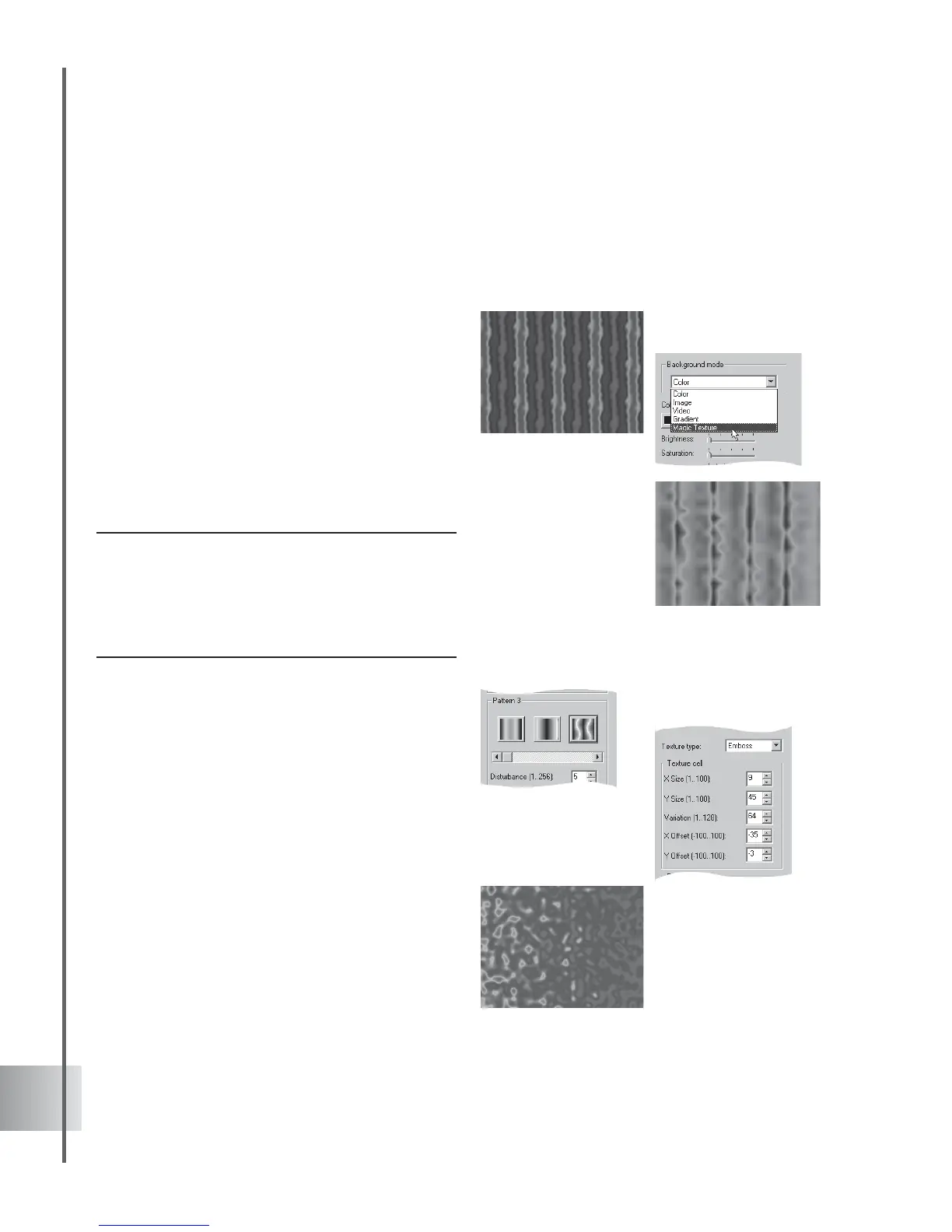
2 Select Magic Texture under Background
mode.
3 Choose the look of your pattern in Texture
Type. Emboss makes the background appear
stamped or imprinted on a solid surface.
Turbulence gives your selected pattern a
wild, disorderly appearance.
Note: Each texture is three-dimensional with sections
along the X-, Y-, and Z-axes. Only the XY plane are
shown. Variation is the Z-value that determines which
XY plane of the selected background will be displayed.
The degree of variation is therefore affected by the X
and Y values that you set.
4 Click the thumbnail of the pattern to use as
background.
5 Under Texture Cell, set the extent by which
the pattern is stretched or compressed
horizontally or vertically in X Size or Y Size.
In X Offset or Y Offset, enter how far along
the horizontal or vertical plane you want to
shift the image in pixels.
6 Disturbance computes the final cell size
that will be used for generating the pattern.
Set a higher value to have a closer look at
the selected pattern’s details.
7 Change the hue value of each pixel in Shift.
You can modify this attribute when the
texture type you are using is Turbulence.
A high Disturbance
value of 250 shows the
pattern’s details (left)



 To Next Page