64
Ulead COOL 3D Production Studio
Twist
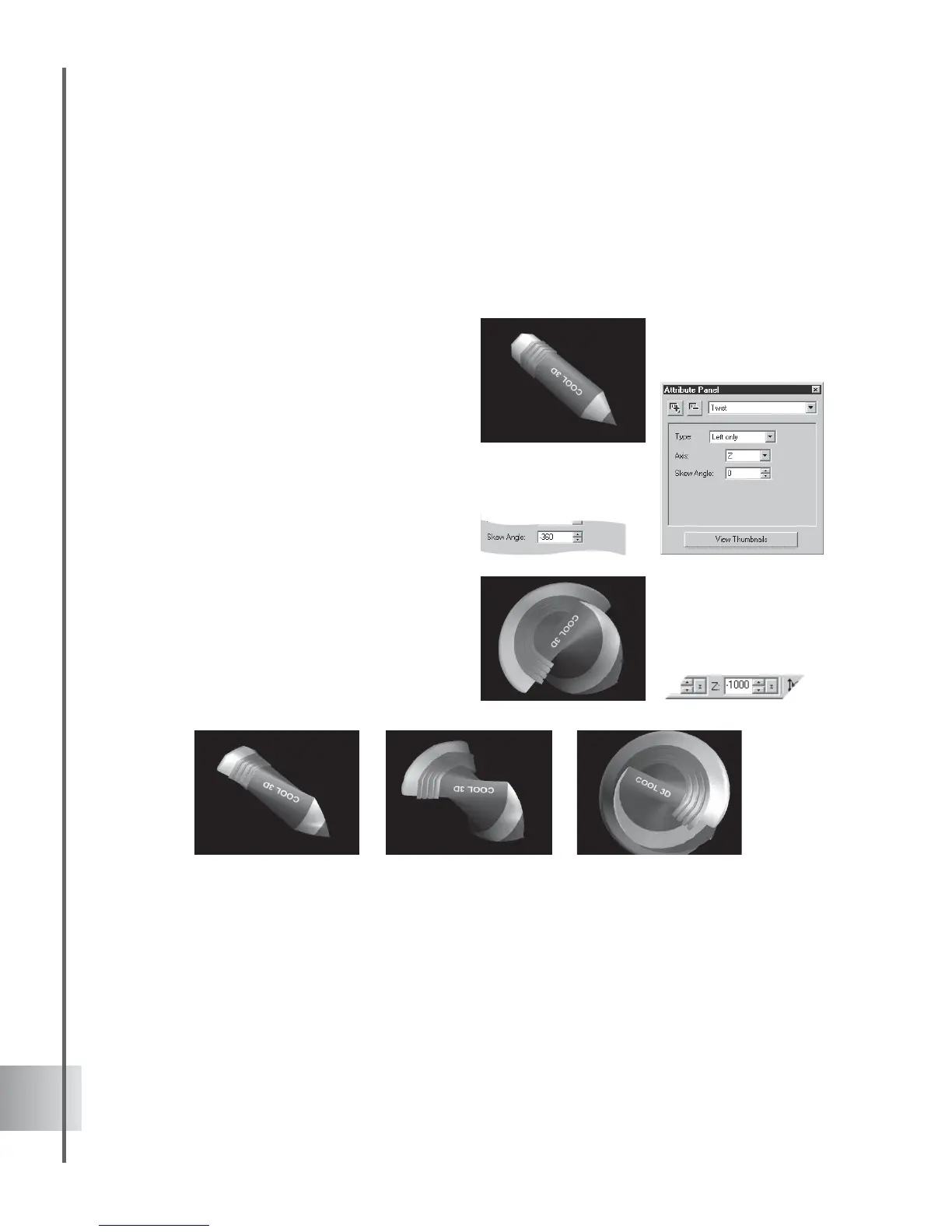
This effect lets you coil up a title in a number of different directions and styles. Twist the object
beyond recognition along the X- or Y-axis, or make the title coil out towards you along the Z-
axis. In this project, learn how to combine the Twist effect with a basic Size animation for extra
impact. (Settings: 30 frames, 15 fps.)
To twist an object:
1 Insert a text object in the Edit Window and
rotate it slightly on the Y-axis. Click Add
plug-in and select Twist in the Attribute
Panel.
2 At frame 1, select Left only as the twist
Type. This twists the object starting with its
left side. Select also Z as the Axis so that
the depth of the object is twisted, and set
the Skew Angle to 0.
3 At frame 30, set the Skew Angle to
-360.
4 On the Location Toolbar, click Resize. At
frame 1, the Size coordinates on the
Location Toolbar should be 100 (default).
At frame 30, set the Z coordinate to 1000.
5 Click Play to preview the animation. The
title should twist clockwise and coil towards
you.



 To Next Page