74
Ulead COOL 3D Production Studio
Token Skew (G)
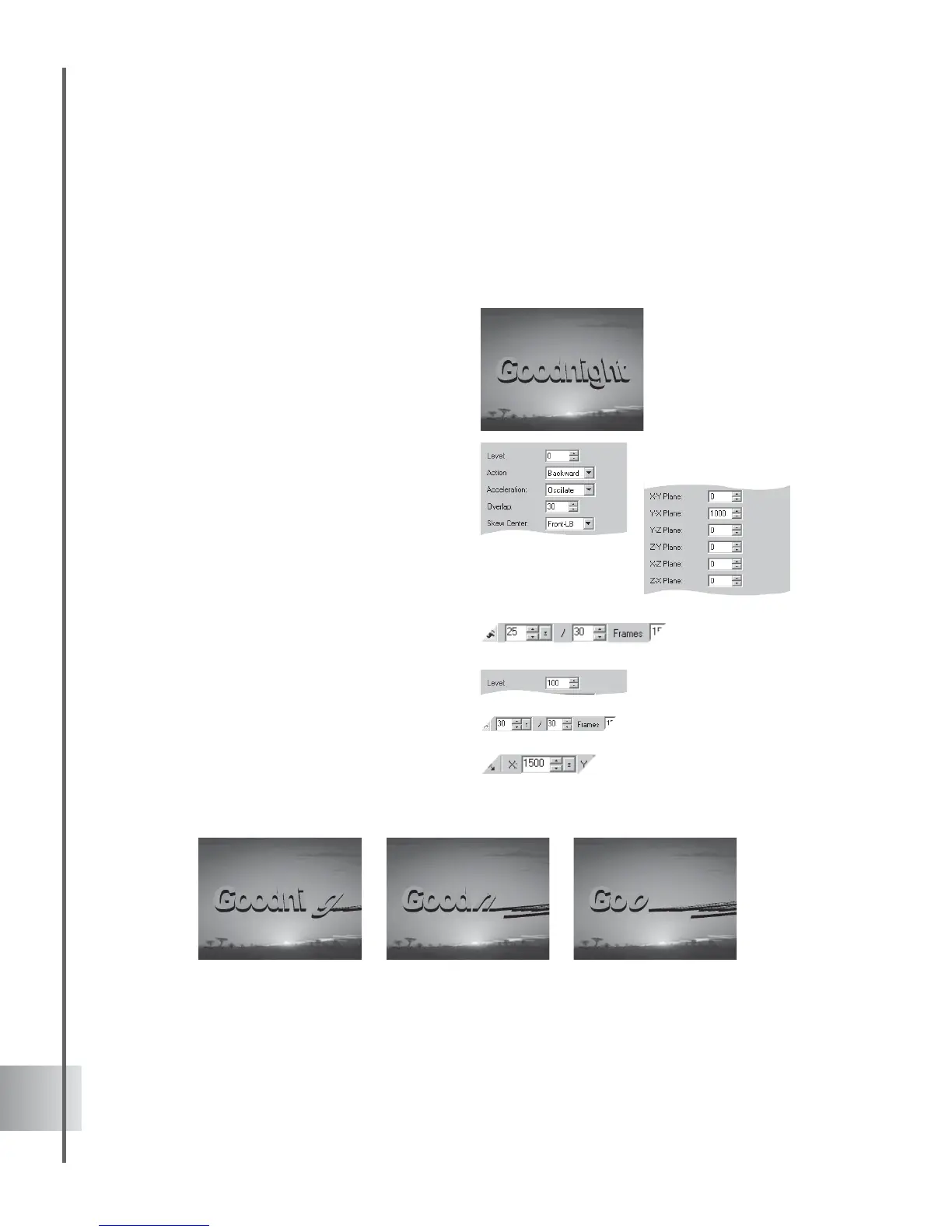
You can stretch text and objects in any direction with this plug-in effect. In this tutorial,
combine the Skew effect with a simple Position animation to make an object appear as if it were
being sucked off the screen. (Settings: 30 frames, 15 fps.)
To apply the Token Skew (G) effect:
1 Insert a text object in the Edit Window. Click
Add plug-in and select Token Skew (G) in
the Attribute Panel.
2 Add a key frame at frame 25.
3 At frame 1, set the Level to 0 in the
Attribute Panel. Select also Backward as
the Action sequence. Set the Acceleration
to Oscillate.
4 Enter 30 as the Overlap value. Choose
Front-LB as the Skew Center to fix a point
from which letters skew.
5 These are the planes along which objects
can be skewed. Under Y-X Plane, enter
1000, and leave all the others at 0.
6 At frame 25, set the Level to 100.
7 Next, animate the position of the object.
Select Position from the Property List, and
add key frames at frames 20 and 30.
8 At frames 1 and 20, view the coordinates in
the Location Toolbar for Position. They
should all be set to 0. At frame 30, set the X
coordinate to 1500.
9 Click Play to preview the animation.



 To Next Page