68
Ulead COOL 3D Production Studio
Distort
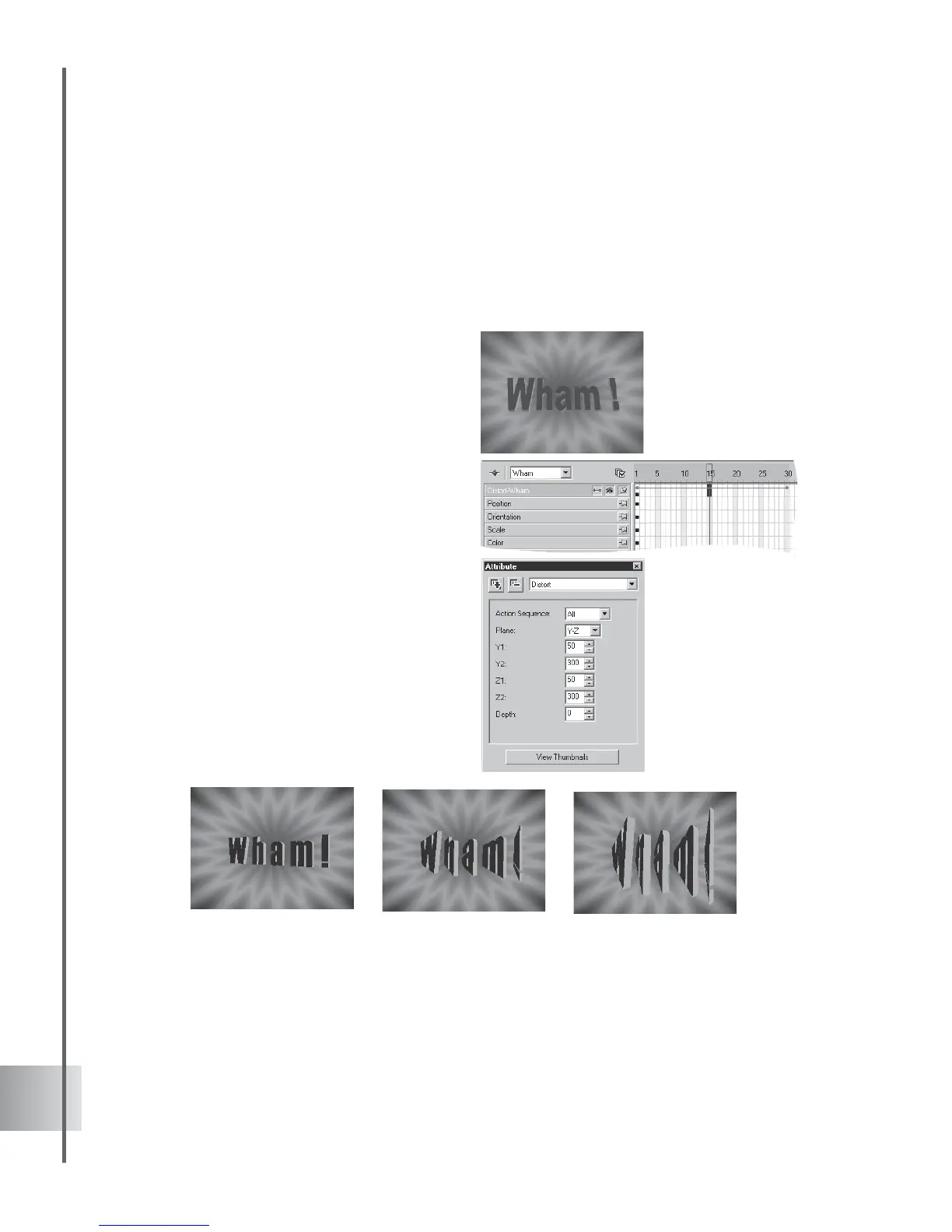
Put a new perspective on your title by using the Distort plug-in. You can either distort the
perspective of the entire object, or distort the letters individually. When applied in an animated
sequence, this can be useful for emphasis. Create a basic Distort animation in this tutorial.
(Settings: 30 frames, 15 fps.)
To distort an object:
1 Insert a text object in the Edit Window. Click
Add plug-in and select Distort in the
Attribute Panel.
2 Add a key frame at frame 15 on the Distort
timeline.
3 At frame 1, select Individual for Action
sequence in the Attribute Panel so that
each letter is treated as an individual object.
4 Select Y-Z as the Plane along which the
perspective will be distorted. Leave all other
distortion variables at their default values
(100).
5 At frame 15, set the Y1 and Z1 values to
50, and set the Y2 and Z2 values to 300.
Frame 30 should have the same values as
frame 1.
5 Click Play to preview the animation.



 To Next Page