73
User Guide
Text Wave
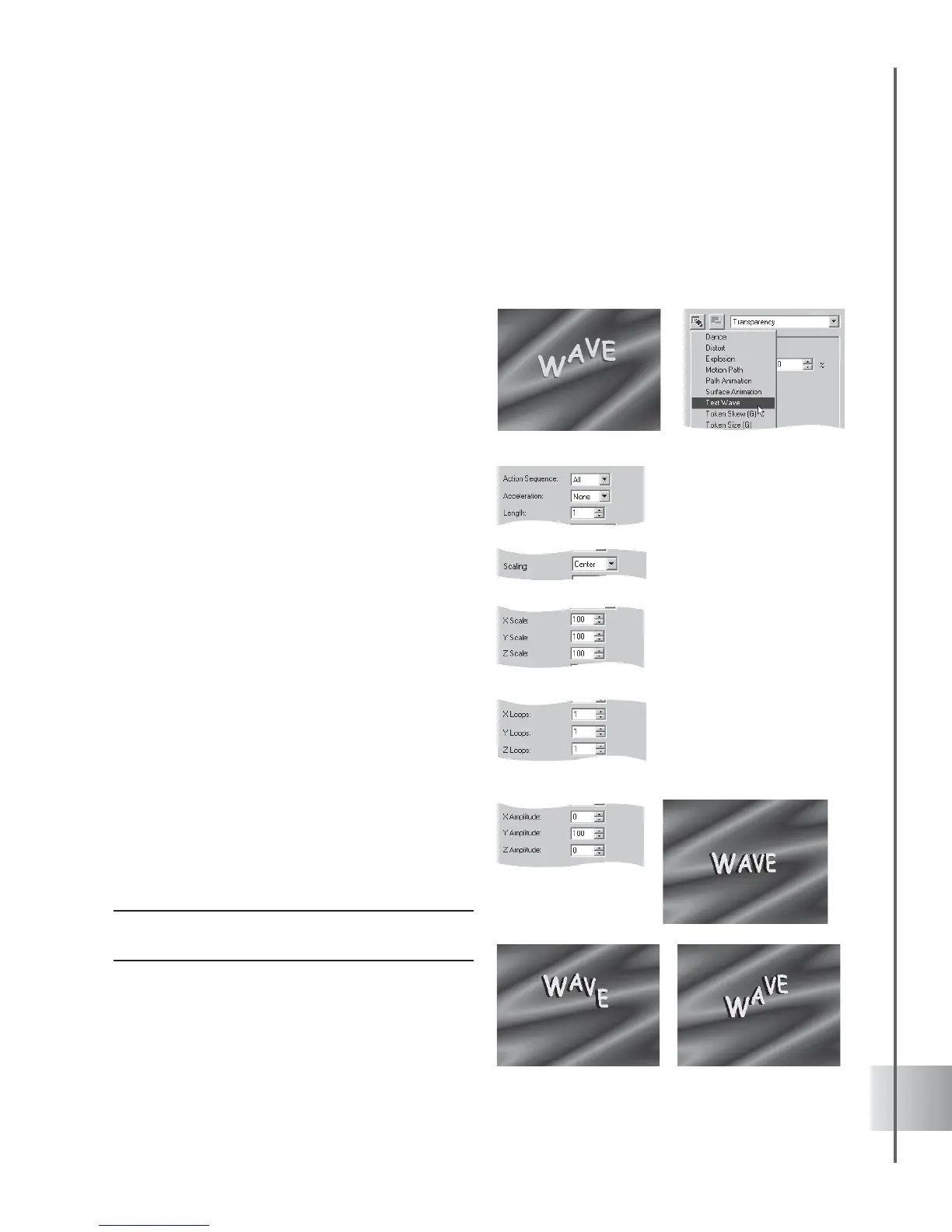
The Text Wave plug-in provides templates to create complex wave animations with text objects.
Animate them through three-dimensional planes, character by character: with variable
acceleration, scale, loop frequency and more.
To create a Text Wave animation:
1 Insert a text object in the Edit Window. Click
Add plug-in and select Text Wave in the
Attribute Panel.
2 Select Forward in Action Sequence. This is
the initial direction of the animation.
3 Select Normal in Acceleration. This is the
way characters speed up and slow down
while starting and completing a wave.
4 Set Length at 5. A higher setting creates a
more expansive wave where characters
move more closely in tandem together. A
lower setting creates a more compact wave
where characters move more disjointedly in
relation to each other.
5 Adjust also the following attributes:
• Scaling To focal point from which the
characters are expanded and compacted.
• X, Y & Z Scale The dimensions of
the characters in each axis. These
settings are percentages of the text
object’s native dimensions.
• X, Y & Z Loops The number of
loops completed between key frames.
• X, Y & Z Amplitude The amplitude, or
extent, of the waves in each axis. A
negative amplitude will cause the wave
to move in the opposite direction.
Note: Settings applied to a key frame will take effect
until the following key frame.



 To Next Page