Ver. 01NL okt19
16
GC Amsterdam
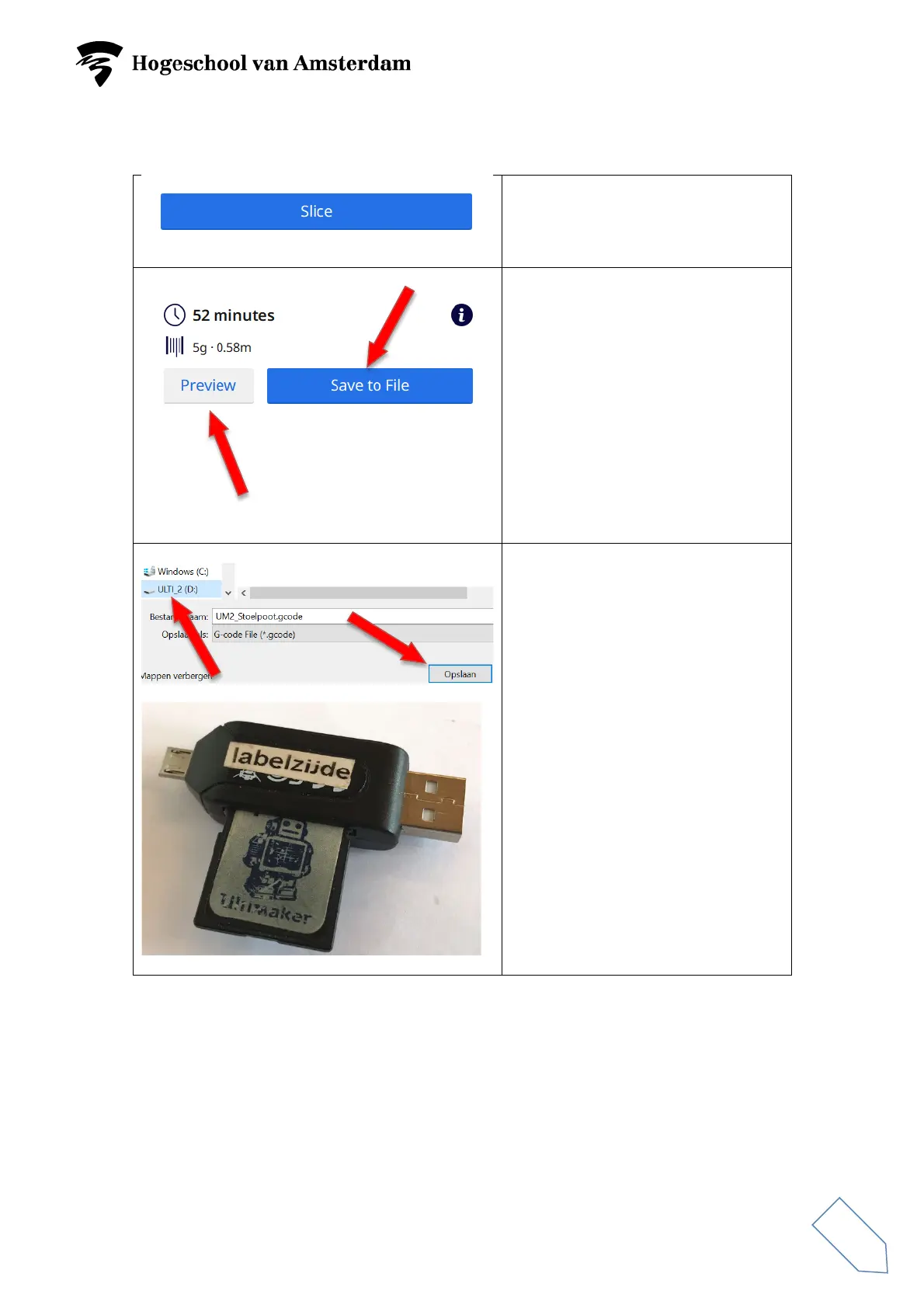
Click on ‘Slice’ if all of the settings
are as desired.
Action menu
The ‘Action’ menu indicates how
long printing will take and the
amount of material being used.
Click on ‘Preview’ for an image of
what the print will look like. To do
so, use the sliding switch on the
right side.
Click on ‘Save to File’ to save the
prepared .stl or .obj file as .gcode.
Use the SD / USB adapter to do so.
Click on ‘Save’.
Remove the SD card from the
adapter and insert it into the 3D
printer.



 To Next Page