Ver. 01NL okt19
17
GC Amsterdam
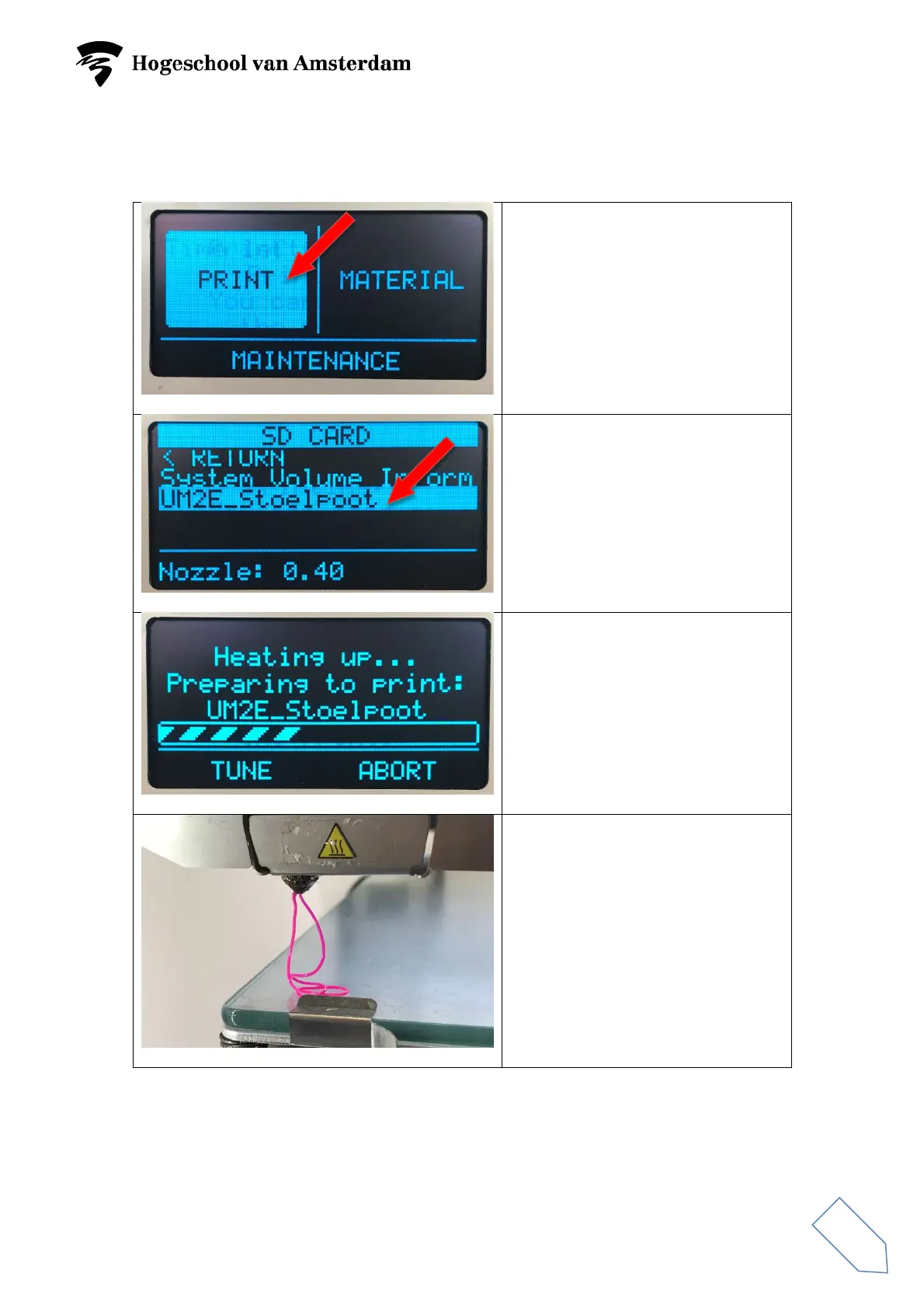
Begin printing
Select ‘PRINT’ and press the
button.
Select desired file and press the
button.
The build plate will be heated up to
60° Celsius.
Once the build plate has reached
the right temperature, it will move
upwards and the nozzle will be
heated. The nozzle will extrude
some material and 3D printing will
begin.



 To Next Page