Ver. 01NL okt19
7
GC Amsterdam
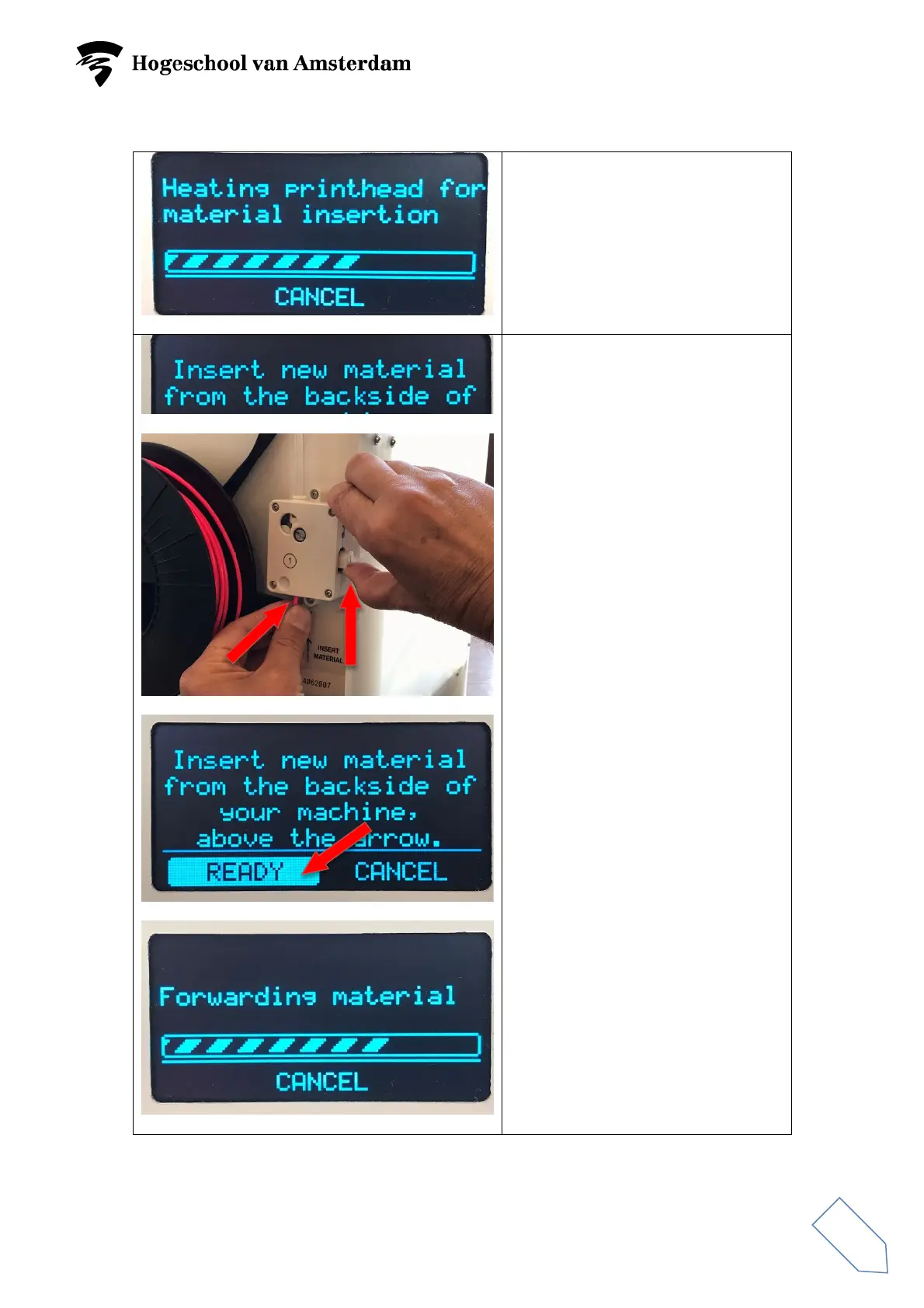
The printer head will heat up.
Wait until the menu ‘Insert new
material from the…..’ appears.
Now insert material into the bottom
of the feeder until the feeder grasps
the material. If necessary, you can
press up the switch on the side.
Select READY and press the
button.
The material will be led through the
Bowden tube.



 To Next Page