Home
Ultimaker
3D Printers
2+
Manual
Page 8 (Hazards)
Ultimaker 2+ - Hazards
18 pages
Manual
Save Page as PDF
To Next Page
To Next Page
To Previous Page
To Previous Page
Loading...
Ver. 0
1
NL
okt
19
8
MAKERS LAB
Benno Premselahuis
Rhijnspoorplei
n 1
1091
GC Amsterdam
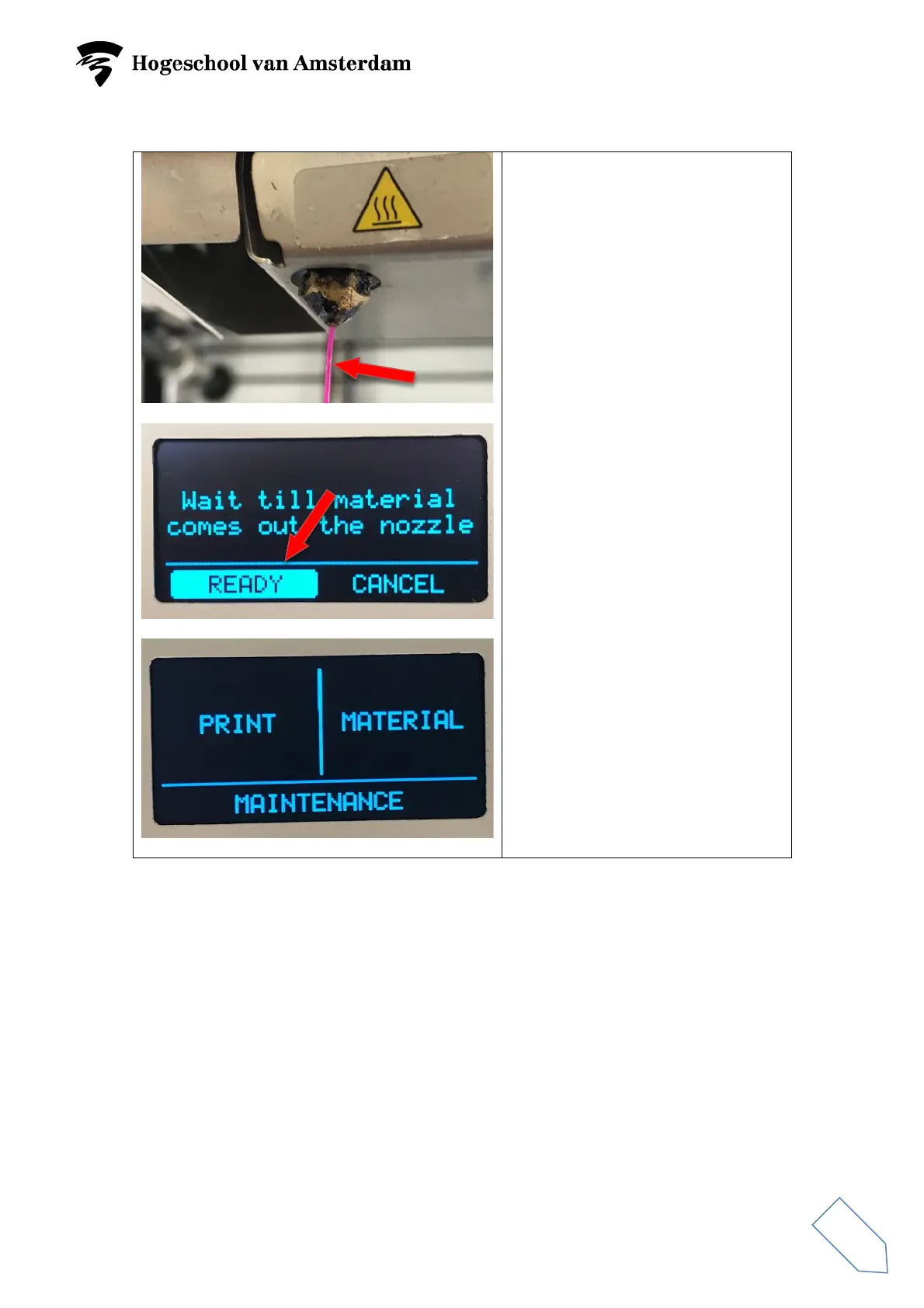
Wait until the material leaving the
nozzle is the same colour as the
material that was introduced.
Select
READY
and press the
button.
Select
‘Return’
and press it twice.
You have now returned to the
Start
menu.
7
9
Table of Contents
Main Page
Begin 3D printing
3
Removing and introducing material
4
Introducing material
9
Preparing build plate
12
Preparing 3D print in Cura 4.2.1
13
Begin printing
17
3D print ready
18
Other manuals for Ultimaker 2+
Installation And User Manual
46 pages
Calibration Guide
9 pages
Installation Guide
4 pages
Related product manuals
Ultimaker 2
34 pages
Ultimaker 2 Go
34 pages
Ultimaker 2 PLUS
8 pages
Ultimaker 2+ Connect
39 pages
Ultimaker 2 Extended
30 pages
Ultimaker 3
50 pages
Ultimaker S5
68 pages
Ultimaker S3
33 pages
Ultimaker Original
35 pages
Ultimaker ORIGINAL+
20 pages
Ultimaker 3 Extended
50 pages
Ultimaker S5 Pro Bundle
52 pages



 To Next Page