17
iColor Coater - Digital Control Panel (continued)
NOTE: The Control Panel is “NOT” a touchscreen and is only controlled by the function keys.
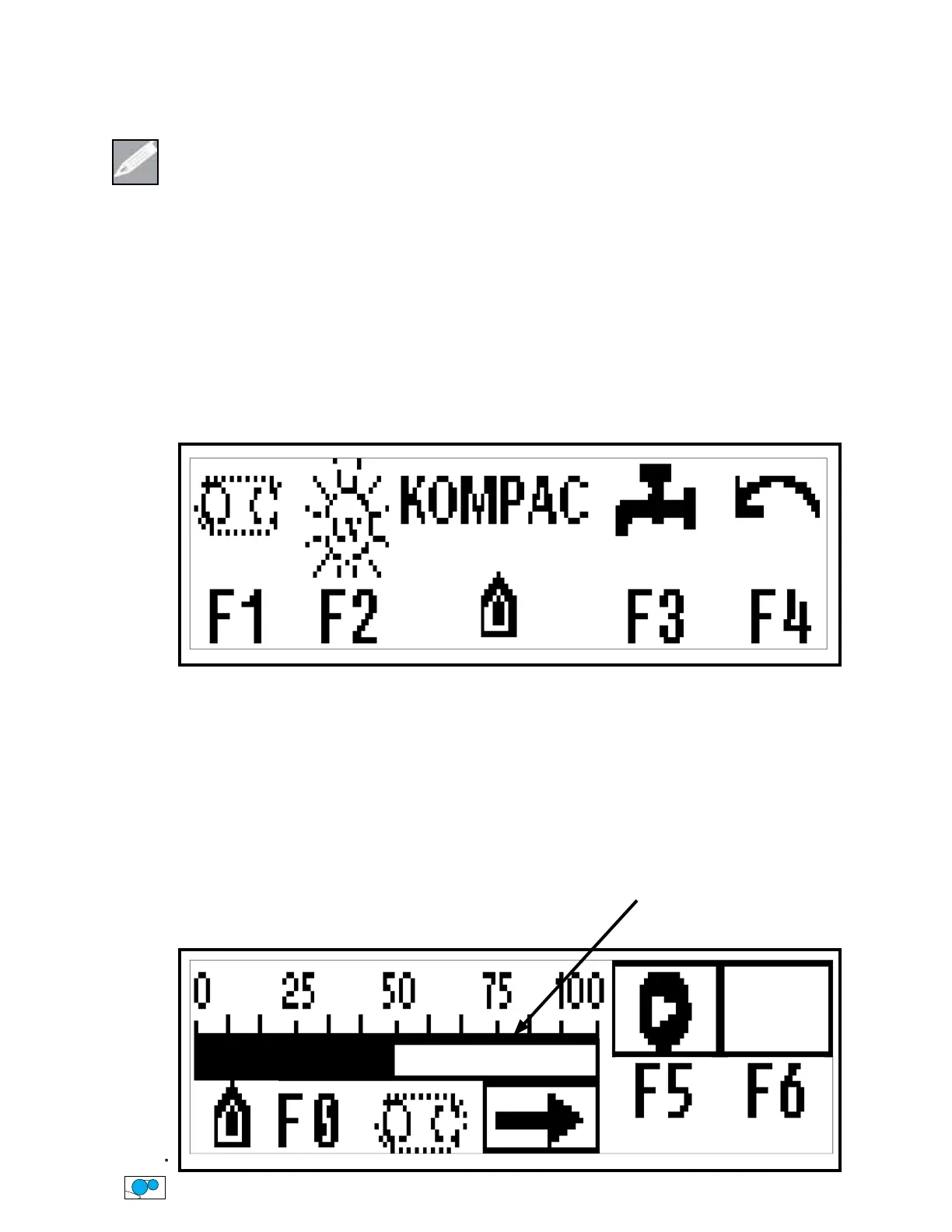
HOME SCREEN
Get to this screen by pressing the “F0” Function Key in any screen
F1 = Belt Screen
F2 = UV Lamp Screen
F3 = Coating Pump Screen
F4 = Forward / Reverse Job Screen
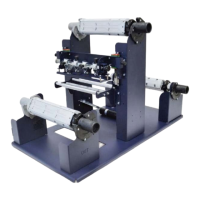
BELT SCREEN
Get to this screen by pressing “F1” Function Key from the Home Screen
• The speed is controlled by the Left & Right Arrow Keys, whether the belt is ON or OFF
• Press “F5” Function Key to Turn ON Belt (The belt will not turn on if the Front Guard is “OPEN”)
• Press “F6” Function Key to Turn OFF Belt
• Press “F0” Function Key to return to the Home Screen
Belt Speed Scale
(Shown in percentage
of machine speed)


 To Next Page