EasyManua.ls Logo

Uniphone 1150 - Setting Display Contrast

Uniphone 1150
62 pages
Print Icon
To Next Page IconTo Next Page
To Previous Page IconTo Previous Page
Loading...
12
•
SET-UP
Shift
1 2 3 4 5 6 7 8 9 0
! £ # % ^ & ( )
X
Q W E R T Y U I O P
A S D F G H J K L
Z X C V B N M
;
,
"
'
?
/
+
=
:
.
Dial Menu
Vol
Shift
CONTRAST:
1 2 3 [4] 5 6 7 8
C
On
/Off
TTY
ANNOUNCER
PRESS
Shift
1 2 3 4 5 6 7 8 9 0
! £ # % ^ & ( )
X
Q W E R T Y U I O P
A S D F G H J K L
Z X C V B N M
;
,
"
'
?
/
+
=
:
.
Dial Menu
Vol
Shift
DISPLAY:
[backLight] Contrast
D
PRESS
On
/Off
TTY
ANNOUNCER
Shift
1 2 3 4 5 6 7 8 9 0
! £ # % ^ & ( )
X
Q W E R T Y U I O P
A S D F G H J K L
Z X C V B N M
;
,
"
'
?
/
+
=
:
.
Dial Menu
Vol
Shift
OPTIONS: [Display]
Timer Wait
O
On
/Off
TTY
ANNOUNCER
PRESS
Shift
1 2 3 4 5 6 7 8 9 0
! £ # % ^ & ( )
X
Q W E R T Y U I O P
A S D F G H J K L
Z X C V B N M
;
,
"
'
?
/
+
=
:
.
Dial
Vol
Shift
On
/Off
MENU: [Greeting] Clear
Auto-ans Options codE
Menu
PRESS
TTY
ANNOUNCER
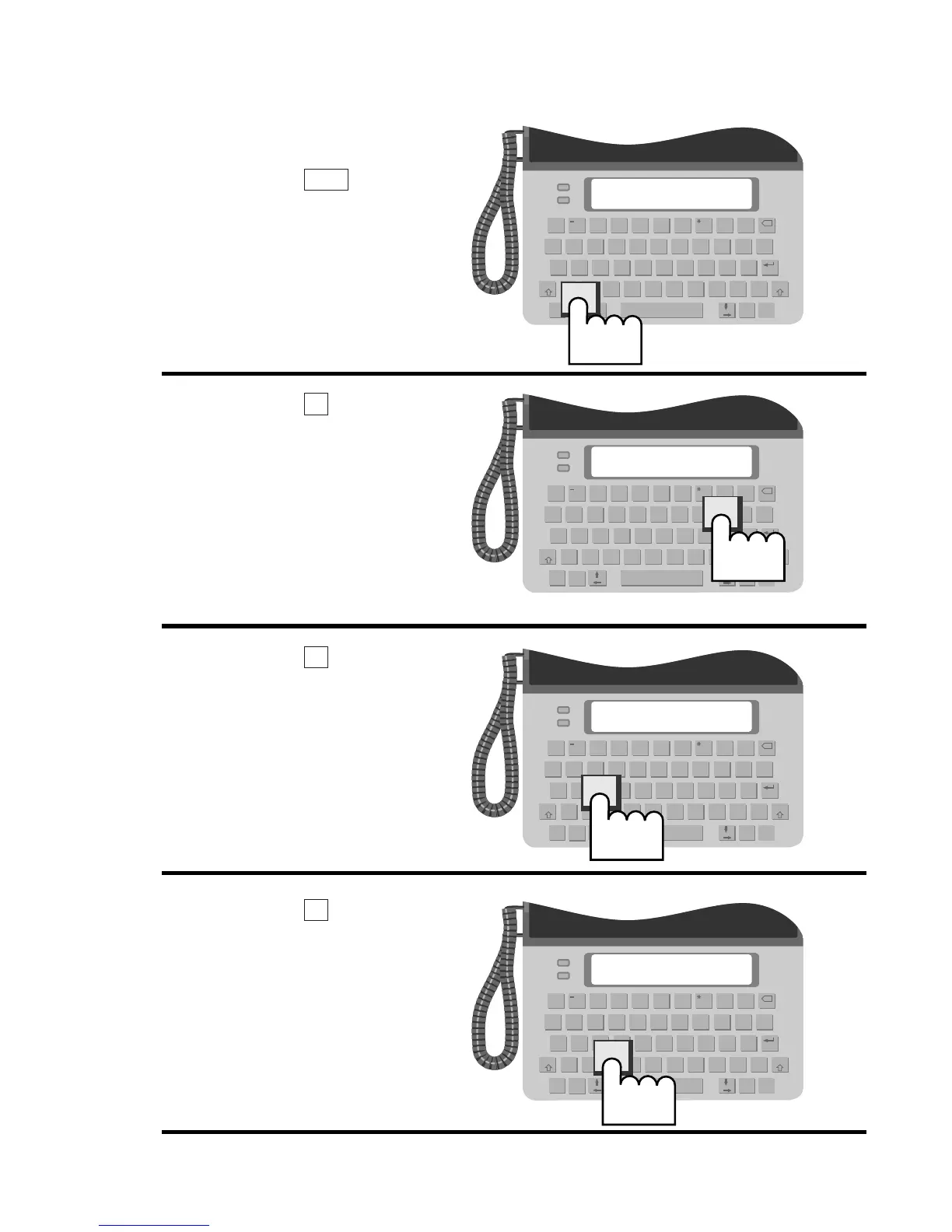
Setting display contrast
1.
Press the key.
2.
Press the key to
select OPTIONS.
3.
Press the key to
select DISPLAY.
4.
Press the key to
select CONTRAST.
C
D
O
Menu