EasyManua.ls Logo

Uniphone 1150 - CHAPTER 5 Using Textdirect; CHAPTER 6 Auto-Answer; Turning on Auto-Answer

Uniphone 1150
62 pages
Print Icon
To Next Page IconTo Next Page
To Previous Page IconTo Previous Page
Loading...
34
AUTO-ANSWER
TTY
ANNOUNCER
Shift
1 2 3 4 5 6 7 8 9 0
! £ # % ^ & ( )
X
Q W E R T Y U I O P
A S D F G H J K L
Z X C V N M
;
,
"
'
?
/
+
=
:
.
Dial Menu
Vol
Shift
On /Off
AUTO-ANSWER ON 0 MSG(S)
N
PRESS
TTY
ANNOUNCER
Shift
1 2 3 4 5 6 7 8 9 0
! £ # % ^ & ( )
X
Q W E R T Y U I O P
;
,
"
'
?
/
+
=
:
.
Dial Menu
Vol
Shift
On /Off
AUTO–ANSWER:
[oN] Read Clear Ring
A S D F G H J K L
Z X C V B N M
A
PRESS
Shift
1 2 3 4 5 6 7 8 9 0
! £ # % ^ & ( )
X
Q W E R T Y U I O P
A S D F G H J K L
Z X C V B N M
;
,
"
'
?
/
+
=
:
.
Dial
Vol
Shift
On / Off
MENU: [Greeting] Clear
Auto-ans Options codE
Menu
PRESS
TTY
ANNOUNCER
Turning off auto-answer
Press the key to turn off auto-answer.
Interrupting auto-answer
If you see the Uniphone 1150 sending the auto-answer message
or receiving a message and you want to answer the call yourself,
press any key. Auto-answer will go off and you can start typing.
Menu
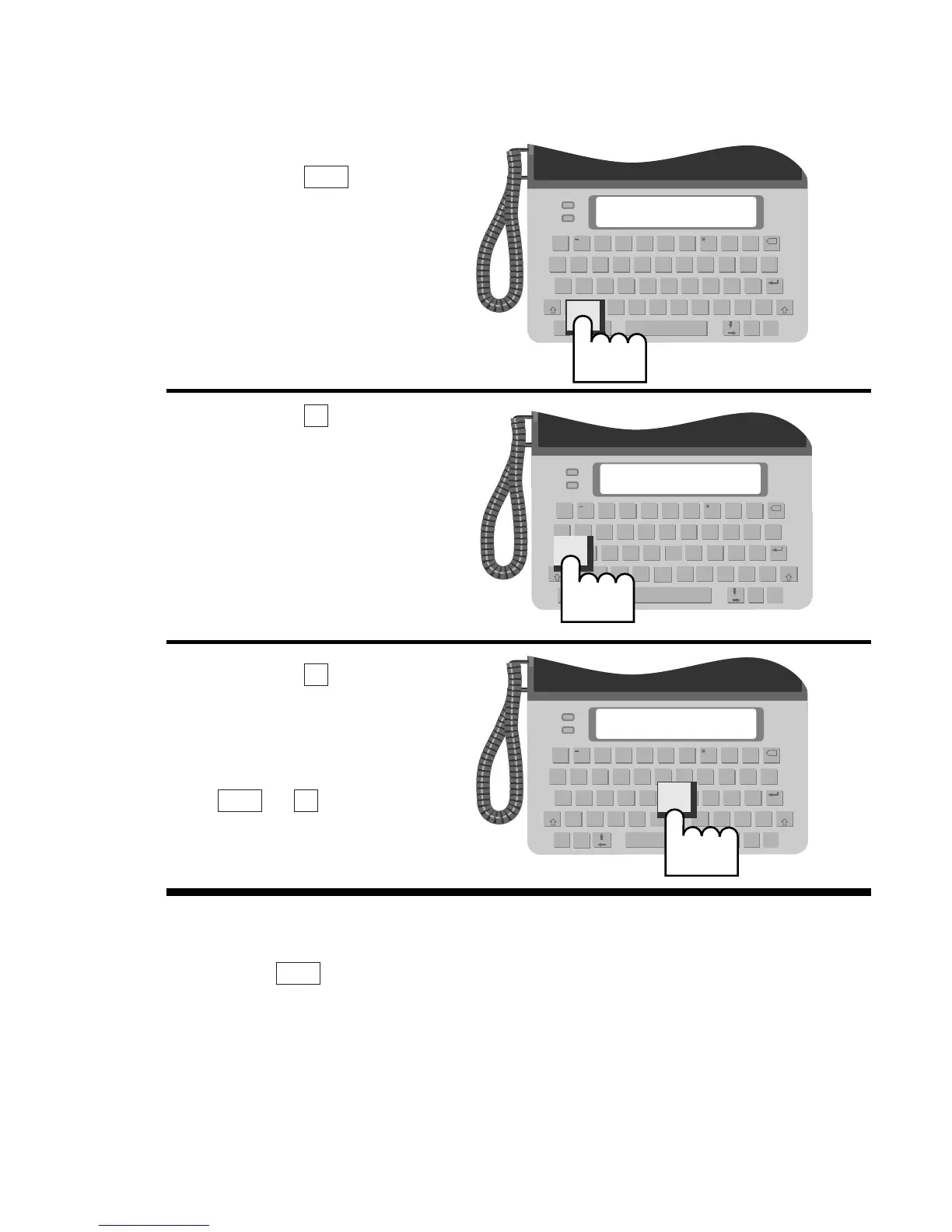
Turning on auto-answer
1.
Press the key.
2. Press the key to select
AUTO-ANS.
3.
Press the key. Auto-
answer is on.
Note: You can also turn on
auto-answer using its hot
key:
+
.
NMenu
N
A
Menu