SET-UP
•
13
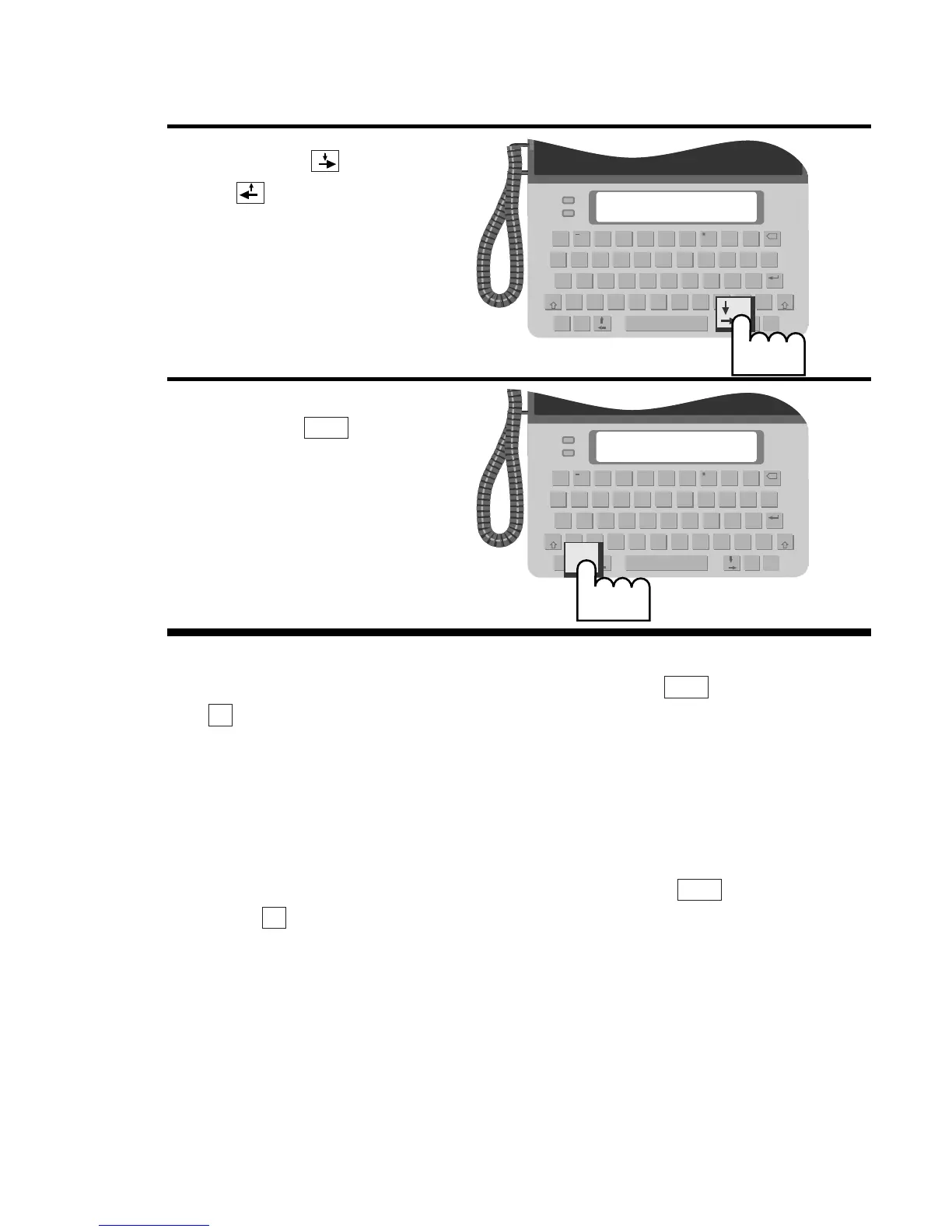
You can save steps when you adjust the display contrast by
using the display contrast hot key. Press the key and then
the key to display the contrast screen, then press a number
key to change the setting.
Display backlight
You can turn on or off the display backlight by following steps 1–3
above and choosing backlight instead of contrast. You can also
use the backlight on/off hot key by pressing the key and
then the key.
When you turn on the backlight, it comes on whenever you make
a call, change settings, or turn on auto-answer. It goes off imme-
diately when you hang up or after a few seconds when you
change settings or turn on auto-answer. When you turn the back-
light off, it stays off all the time. The backlight will turn off if the
Uniphone 1150 loses external power to save battery power. You
can turn the backlight on again after external power is restored.
L
Menu
D
Menu


 To Next Page