EasyManua.ls Logo

Uniphone 1150 - Page 55

Uniphone 1150
62 pages
Print Icon
To Next Page IconTo Next Page
To Previous Page IconTo Previous Page
Loading...
THE DANISH GATEWAY
53
1 2 3 4 5 6 7 8 9 0
! £ # % ^ & ( )
X
Q W E R T Y U I O P
A S D F G H J K L
Z X C V B N M
;
,
"
'
?
/
+
=
:
.
Menu
Vol
Shift
Dial
UNIPHONE–1150
BY ULTRATEC
ANNOUNCER
TTY
On/Off
Shift
On /Off
TTY
AND
PRESS
HOLD
DOWN
Shift
1 2 3 4 5 6 7 8 9 0
! £ $ % ^ & ( )
X
Q W E R T Y U I O P
A S D F G H J K L
Z X C V B N M
;
,
"
'
?
/
+
=
:
.
Menu
Vol
Shift
Dial
Hello GA Hello John this is
TIm calling from the UK GA
ANNOUNCER
TTY
On/Off
TYPE
Shift
1 2 3 4 5 6 7 8 9 0
! £ $ % ^ & ( )
X
Q W E R T Y U I O P
A S D F G H J K L
Z X C V B N M
;
,
"
'
?
/
+
=
:
.
Menu
Vol
Shift
Dial
Opkald igang!
ANNOUNCER
TTY
On/Off
PRESS
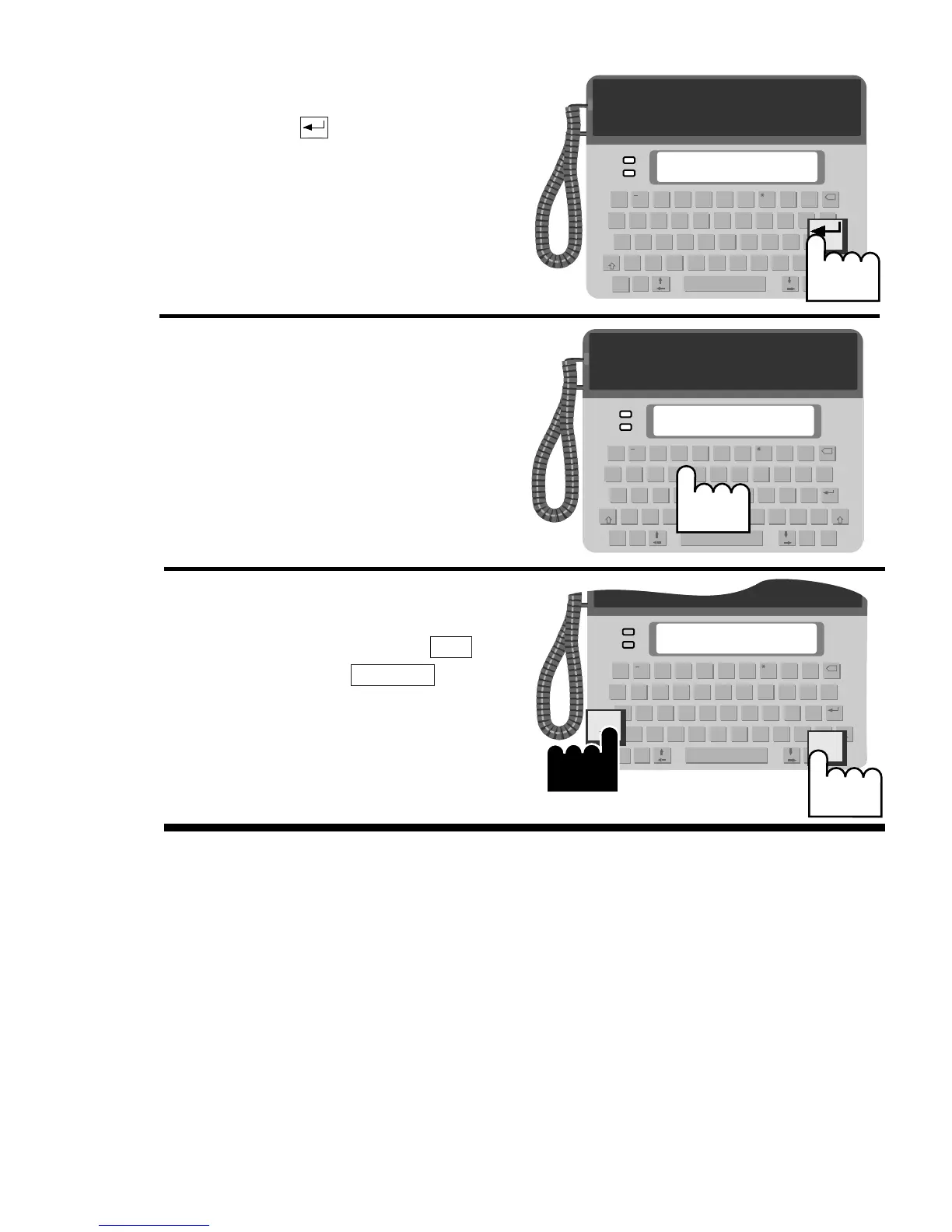
5. Press the key. You will see
this display screen, which
means: calling started.
Wait while your call is con-
nected.
6. When you see a greeting, you
can begin your conversation.
7. When the conversation is fin-
ished, hold down the key
and press the key to
hang up.
TTY On/Off
Shift
Note: The translation of CCITT code to DTMF code and vice
versa causes slight delays when waiting for a response during
your text-telephone call.