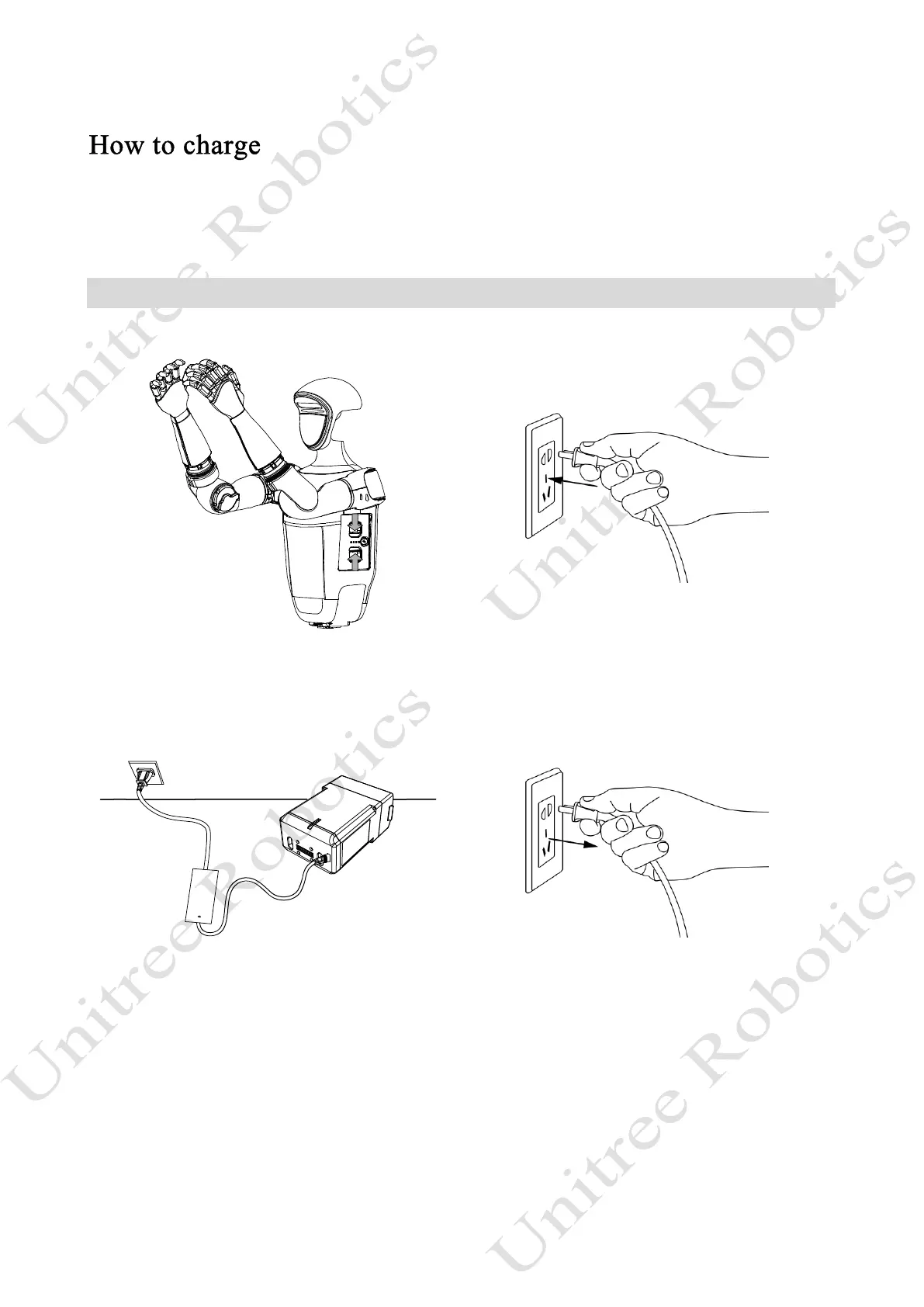
Due to factors such as battery self-discharge during transportation and storage, it is normal for the battery
to have low or no power when first used. You can charge it as follows.
Charge the battery
1) Connect the charger to an AC power source (100-240V, 50/60Hz). It must be ensured that the external
power supply voltage matches the rated input voltage of the charger before connecting. Otherwise, the charger
will be damaged (the rated input voltage of the charger is marked on the nameplate of the charger).
2) Plug in the input AC power first before charging the battery, then connect the charger to the battery.
3) Before charging the battery, ensure that the battery pack is switched off. Otherwise, the battery and
charger may be damaged.
4) The users need to remove the battery pack from the robot itself when charging the battery pack.



 To Next Page