UAD Console Software 62
UAD Console Software
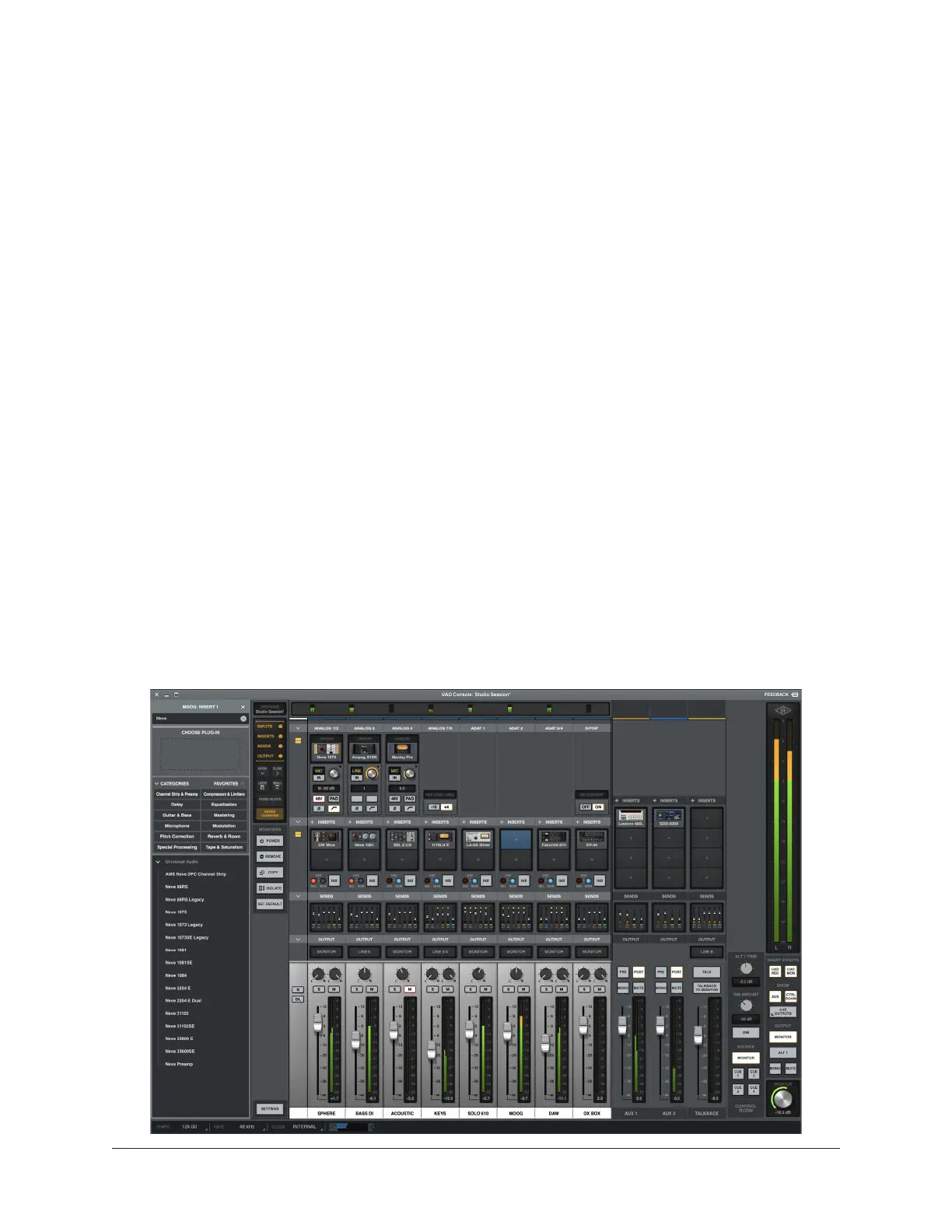
UAD Console is the companion software application for Apollo audio interface hardware.
UAD Console’s analog-style workflow is designed to provide quick access to the most
commonly needed features in a familiar, easy-to-use application.
UAD Console’s function is to control up to four Apollo hardware units and their digital
mixing and low-latency monitoring capabilities. UAD Console is where you configure and
operate Unison and Realtime UAD Processing with UAD-2 plug-ins.
UAD Console remotely controls the digital mixing and signal processing functions that
are performed within the Apollo hardware. Although UAD Console runs on the host
computer, the computer’s CPU is not performing these audio functions. All audio mixing
and signal processing occurs on the DSP inside Apollo.
Important Fundamental Concept: The primary function of UAD Console is to
control Apollo’s low-latency hardware input monitoring, Unison plug-ins, and
Realtime UAD Processing when using third-party DAWs such as Logic Pro, Live,
and Pro Tools. UAD Console replaces the software input monitoring feature of
the DAW’s mixer. UAD Console or LUNA Recording System must be used to take
advantage of these Apollo features.
Complete documentation for UAD Console is available online in the Universal Audio
Knowledge Base:
UAD Console Manual
https://help.uaudio.com/hc/sections/25052396869908















 To Next Page