Apollo Solo Manual Using UAD Plug-Ins 79
Controls View
Some DAW applications have an alternate plug-in display mode feature called Controls
View, Parameter Mode, or similar terminology. This mode displays the control parameters
as a list with simple sliders, switches, and menus (the appearance is controlled by the
DAW), which some users may prefer. Consult the DAW documentation for how to display
this view. Controls view is not available within Console.
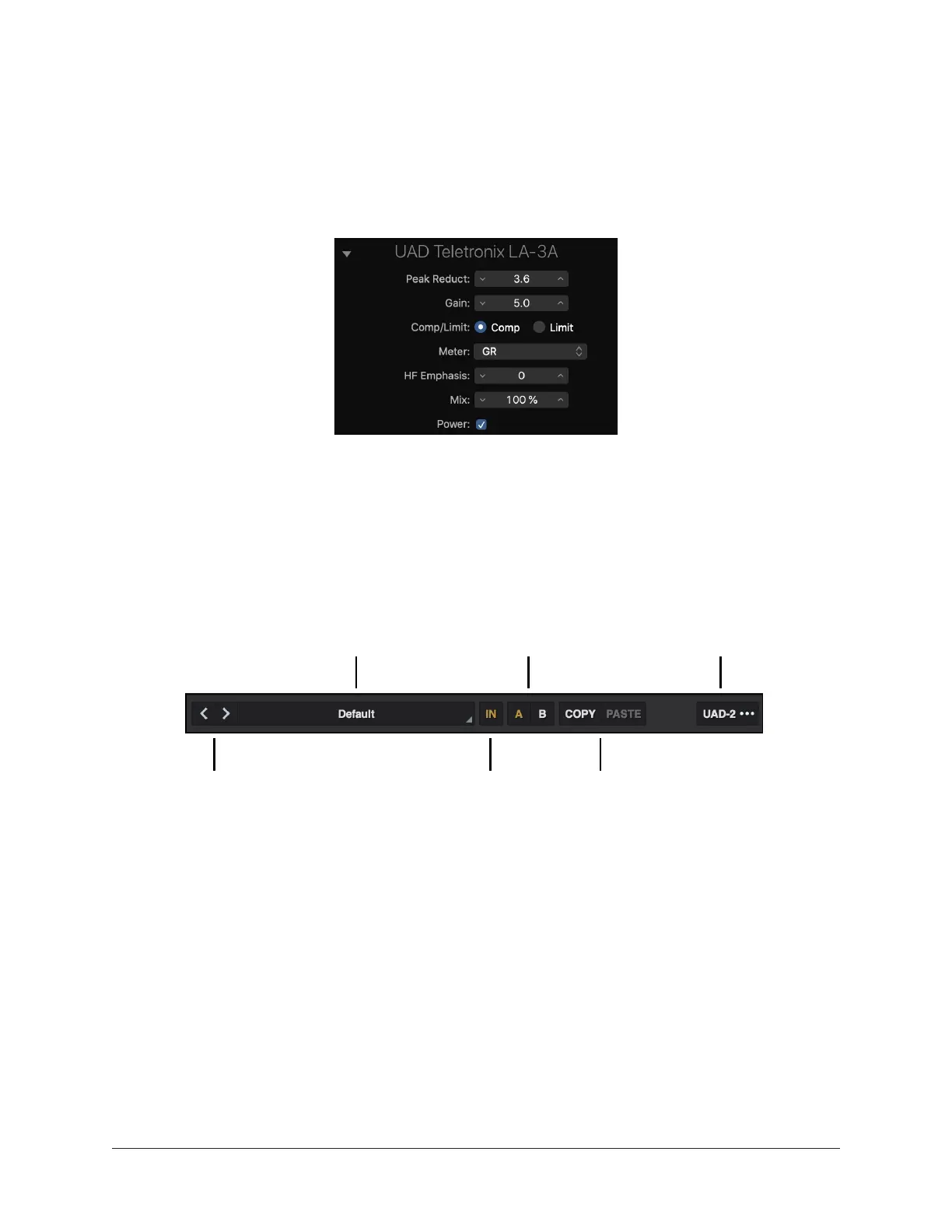
Typical UAD plug-in as displayed in controls view
UAD Toolbar
The UAD Toolbar is located at the top of every UAD plug-in (when the plug-in is not in
Controls View). Refer to the illustration below for control descriptions in this section.
A/B compare
Copy/paste settings
Options menuPreset title (click to browse)
Previous/next preset Bypass
UAD Toolbar elements
Previous/Next Preset
Use the < > buttons to quickly select the previous or next preset in the Preset Browser
without opening the browser window.
Preset Title
The active preset title is displayed here. If the preset settings have been modified, the
title is displayed in italics.
Tip: Click the preset title to open the Preset Browser.















 To Next Page