Apollo Solo Manual Using UAD Plug-Ins 81
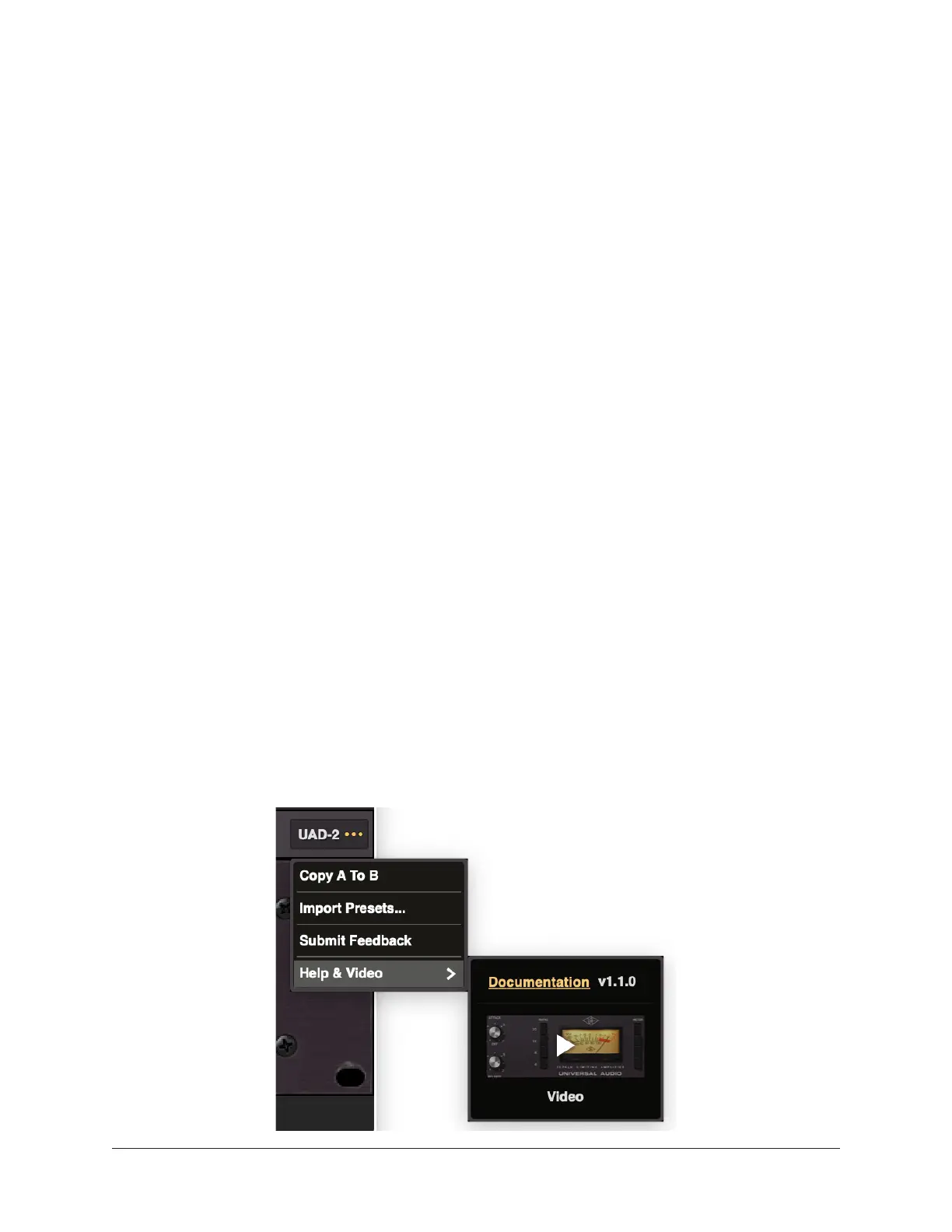
Copy A To B
Use this function to copy the A/B compare sounds from one slot to the other. You can
choose Copy A To B or Copy B To A.
Import Presets...
Use this feature to share presets with another user or between computers. You can
locate a user preset on the file system, and easily import a preset from another system or
another user into your plug-in presets. See Sharing user presets between systems below
for details.
To locate a user preset:
• Right-click on the user preset and choose “Show in Finder” (macOS) or “Show
in Explorer” (Windows). A window opens with the preset selected. UAD plug-in
presets can be freely shared between macOS and Windows systems.
To import (load) a preset:
1. Select Load a Preset...
2. Select the preset on your file system, and click Open.
The preset is imported and opened in the plug-in, and automatically stored in the user
presets location on your system.
Submit Feedback
You can submit UAD plug-in feature requests, bugs, or general feedback. There
are options to include any relevant details in the feedback submission form, and
automatically include your current log files and system information files. You can also
attach files (for example, a screenshot).
Help & Video
You can access the online documentation page or a short video from this menu. The
video gives quick tips on the operation of the plug-in, and the documentation page
details the operation and controls of the plug-in.















 To Next Page