
EasyManua.ls Logo

Utax CD 1016 - User Manual

Utax CD 1016
122 pages
Print Icon
To Next Page IconTo Next Page
Loading...
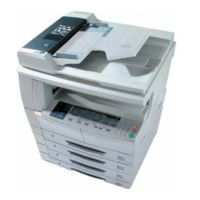
UTAX CD 1016
INSTRUCTION HANDBOOK
UTAX Product Management 2003
please read the instruction handbook
carefully before using this machine. keep it
close to the machine for easy reference.

Table of Contents

Questions and Answers

  • M
    Martha GregoryAug 16, 2025
    What to do if the Replenish Toner display blinks and “E33” appears on my Utax Copier?
    • W
      William HernandezAug 16, 2025
      If the Replenish Toner display blinks and “E33” is shown on the copy quantity display, it means copies cannot be produced because there is no toner. Replace the toner container with a new one.
  • D
    Danielle MontgomeryAug 19, 2025
    What should I do if the Toner Waste display blinks and “E31” appears on the Utax Copier?
    • C
      Carol SmithAug 19, 2025
      When the Toner Waste display blinks and “E31” appears on the copy quantity display, this indicates that the waste toner box is full. Replace it with a new waste toner box.
  • C
    cfuentesAug 22, 2025
    Why does the Replenish Toner display blink on my Utax Copier?
    • A
      allengreenAug 22, 2025
      If the Replenish Toner display blinks on and off, it indicates that there is very little toner remaining. Replace the toner container with a new one as soon as possible.
  • M
    Martha GloverAug 25, 2025
    What to do if “E14” appears on the Utax CD 1016 display?
    • M
      melissaholmesAug 25, 2025
      If “E14” appears on the copy quantity display, it means an original size that cannot be copied has been set. Here’s what to check: * The original was set in a vertical direction during the Book Border Erasure copying operation. Set the original horizontally. * An irregular size original was set during the Border Erase or Merge Copy operation. * An original size other than 8 1/2" × 11", 11" × 17", A3, A4R, A5R, B4 or B5R was set to make a split copy or a 2-Sided Copy from a double-page spread original. * The original was not set during the Merge Copy operation. Set the original and then use the Merge Copy function.
  • V
    vasquezvictoriaAug 27, 2025
    What does “E70” mean on my Utax Copier?
    • M
      mendozadavidAug 28, 2025
      If “E70” appears on the copy quantity display and the optional Document Processor is being used, there are originals left on the original table. Remove the originals, return them to the original table, and try copying them again.
  • D
    Diane DunnAug 30, 2025
    What should I do if “E71” appears on the Utax CD 1016 Copier display?
    • X
      Xavier DavisAug 30, 2025
      If “E71” appears on the copy quantity display: * The copier will try to make copies of the originals it could not copy before. Return all of the originals to the original table and try copying them again. * When the optional Document Processor is used and [2-Sided ? 1-Sided] or [2-Sided ? 2-Sided] is selected, set the original on the Original Table.
  • T
    Tara BradfordSep 2, 2025
    What does error “E12” mean on my Utax CD 1016 Copier and how do I fix it?
    • J
      jasmine79Sep 2, 2025
      If “E12” appears on the copy quantity display, it means that 11" × 8 1/2"/A4 size paper was not available in either the drawer or the Paper Feeder (multi-bypass tray) when the report was attempted to be output. To resolve this, press the [Paper Select] key, select the supply drawer, and then press the [Start] key. Paper will then be supplied from the selected drawer.
  • B
    bzhangSep 4, 2025
    How do I fix error “E13” on my Utax CD 1016?
    • H
      hilllisaSep 5, 2025
      If “E13” appears on the copy quantity display, it indicates that a paper size that can be used in the currently set mode has not been set. To correct this, press the [Paper Select] key and select the supply drawer, then press the [Start] key. Paper will be supplied from the drawer selected.
  • J
    Jenna CrawfordSep 7, 2025
    What does “E32” on the copy quantity display of my Utax CD 1016 mean?
    • R
      richardgregorySep 7, 2025
      If “E32” appears on the copy quantity display, it means that the Toner Container has not been set. Please set the Toner Container.
  • S
    Stephanie BellSep 10, 2025
    What does “E15” error mean on my Utax Copier?
    • M
      melissa54Sep 10, 2025
      If “E15” appears on the copy quantity display, it means a size that cannot be copied on both sides has been specified. Specify a paper size that can be used.

Summary

Section 1 IMPORTANT! PLEASE READ FIRST.

Caution Labels

Identifies safety labels attached to the product for preventing accidents.

INSTALLATION PRECAUTIONS

Power supply;Grounding the copier

Safe connection and grounding procedures to prevent fire or electric shock.

PRECAUTIONS FOR USE

Cautions when using the copier

General safety warnings during operation to prevent fire or electrical shock.

Laser Safety

Section 3 PREPARATIONS

Section 4 BASIC OPERATION

Section 5 COPY FUNCTIONS

Making 2-Sided copies

Instructions for duplex copying from various original types.

Section 6 COPIER MANAGEMENT

Department Management Modes

Managing copies by department using codes for tracking usage.

Default Setting Mode

Configuring default operational parameters for the copier.

Procedure for Changing the Default Settings

Step-by-step guide to modify the copier's default settings.

Section 8 TROUBLESHOOTING

If one of the following indications is Displayed

Troubleshooting based on specific error codes shown on the display.

If other trouble occurs

General troubleshooting for issues not related to error codes.

Paper Jam Resolution

Procedures for clearing paper jams from various locations in the copier.

Section 9 MAINTENANCE AND OPERATION INFORMATION

Cleaning the Copier

Instructions for cleaning various copier parts like platen and covers.

Replacing the Toner Container and Waste Toner Box

Procedure for replacing the toner and waste toner consumables.

Utax CD 1016 Specifications

General IconGeneral
Print Resolution600 x 600 dpi
Copy Resolution600 x 600 dpi
Copy Magnification25-400 %
Print Speed16 ppm
Copy Speed16 ppm
Paper Capacity250 sheets

Related product manuals
