ENGLISH 23 / 74 CAP. 5 - GENERAL DESCRIPTION
ClimFill Maxi
5.8 TOUCHSCREEN
All settings, controls and service functions are available on the touchscreen display. It
also displays the service equipment’s status, the progress of A/C system service and any
alarms and error messages.
The touchscreen is the basic operator interface and can be operated with the fingers
or some other object, such as a pen.
When a button is pressed, a beep sounds.
The following functions are available:
scroll left: previous menu
scroll up: top menu
scroll down: lower menu
press: confirm / enter
press and hold: open the function to change it or press the ''home'' button
double press: supplementary functions
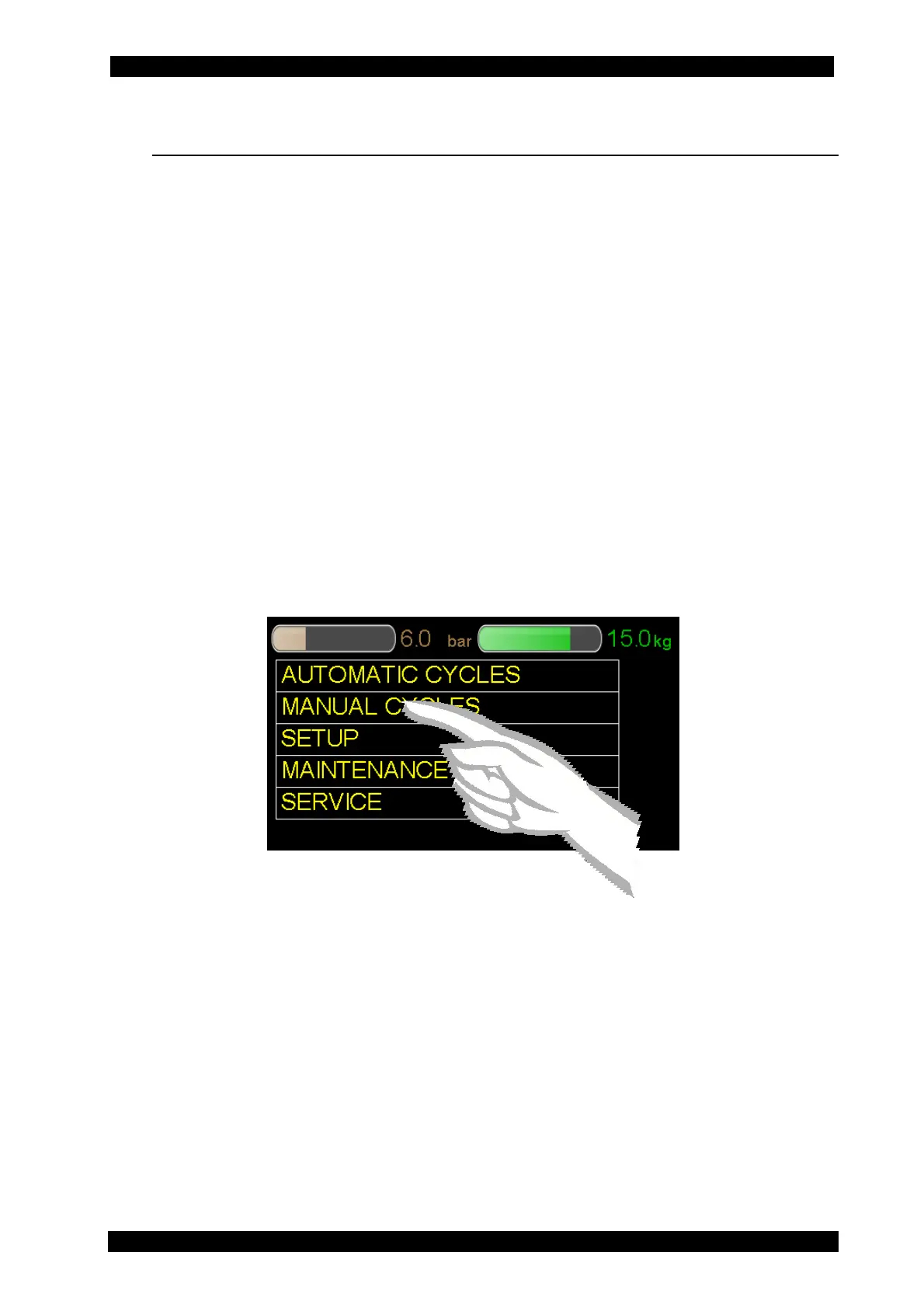
To select a MENU (e.g. MANUAL CYCLES), press the text MANUAL CYCLES: the selection
occurs when the finger is released, the selected entry is pointed out with a different
colour and the menu screen page changes.
If there are descriptions that need more space on the screen page, for example the
manual cycles list (see the screen page below), or in case of setup, it is possible to
display the different entries by moving the scroll bar to the side. For this reason, it is
necessary to touch the grey point on the scroll bar and slide up or down with the finger.
Lift the finger when you are on the desired position.
By touching the scroll bar once, the menu moves one line up or down depending on
whether it is touched over or under the grey dot.
The “home” icon is the button to “interrupt/return to the main menu’’.
To access to the main menu you have to touch it for 2 seconds. Sliding to the left with
the finger you can access to the previous menu.


 To Next Page