ENGLISH 49 / 74 CAP. 12 - MANUAL CYCLES
ClimFill Maxi
12.4 INJECTION
In the main menu, select MANUAL CYCLES and then INJECTION.
You can then set the injection values either from
• the electronic database (excluding BUSES) or
• from the last cycle, or
• from the database saved by the user, or
• by searching using the vehicle registration plate number.
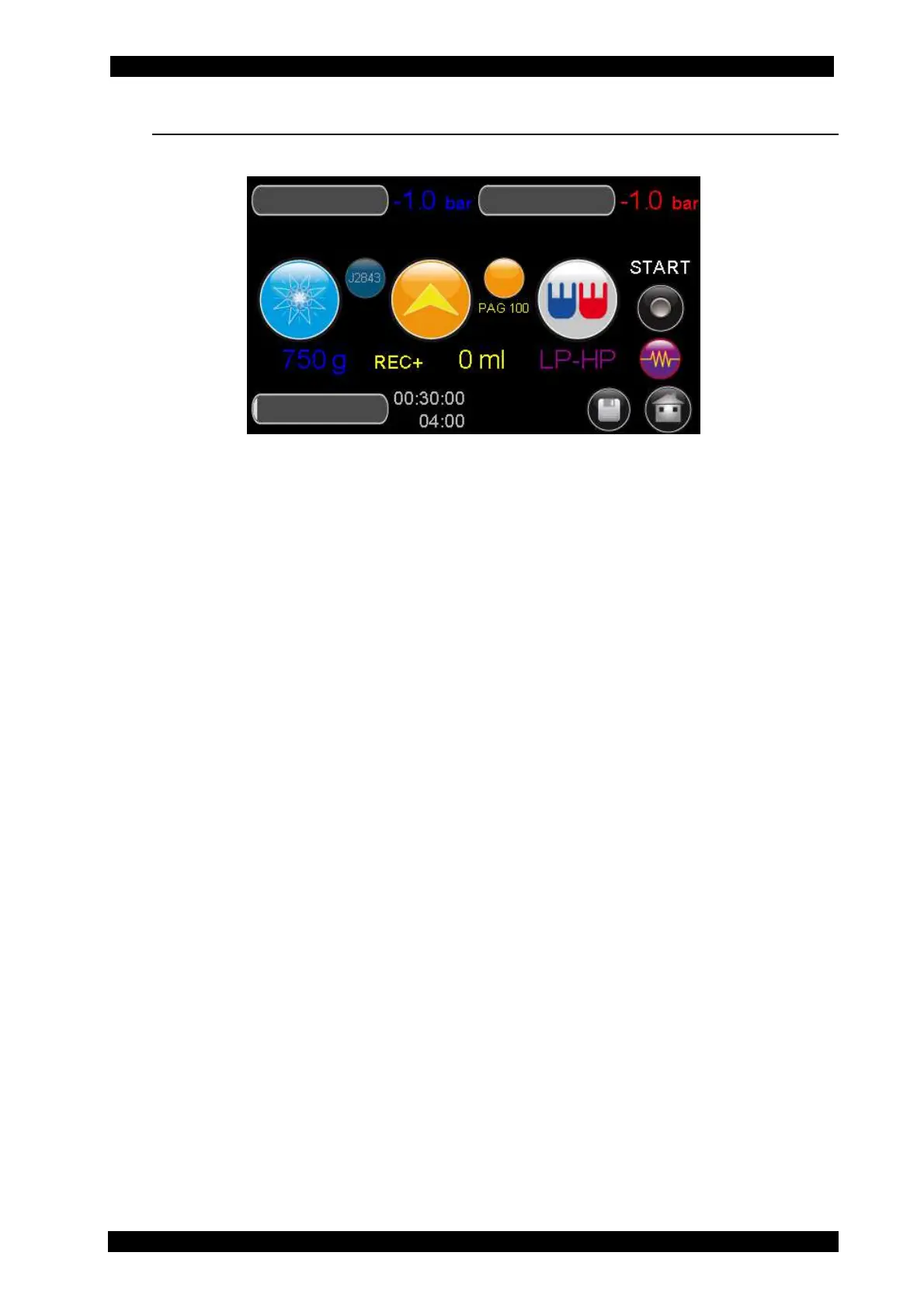
The main page will be displayed with the following preset values: amount of refrigerant
that will be charged into the system and the amount of refrigerant contained in the
inner tank of the product.
You can change the settings shown on the display as needed, select Start and then
press the START button to start the phase .
Set the following items (see Section 5.10):
• amount of refrigerant that will be charged into the system and the amount of
refrigerant contained in the inner tank of the product.
• Injection mode and quantity of oil that will be injected into the system
o OIL <value> g. It injects the quantity of oil that has been set.
o REC. + <value> g. It injects the quantity of recovered oil plus the quantity
of oil that has been set
o NO OIL. No oil is injected during the injection cycle
• Oil type: It sets the oil type being used. PAG (ISO46/100/150) or POE
• UV: Option for the injection of detection dye
• Injection type: It allows selecting from which hose the service is carried out,
according to the type of system.
o Injection from HP hose (red)
o Injection from LP hose (blue)
o Injection from HP hose (red) and LP hose (blue)
o Injection from HP hose (red) on the system low pressure side. Specific for
some Renault models.
Connect the couplers to the vehicle fittings and follow the instructions on the screen
page.
Press START to begin the refrigerant filling phase.


 To Next Page