27
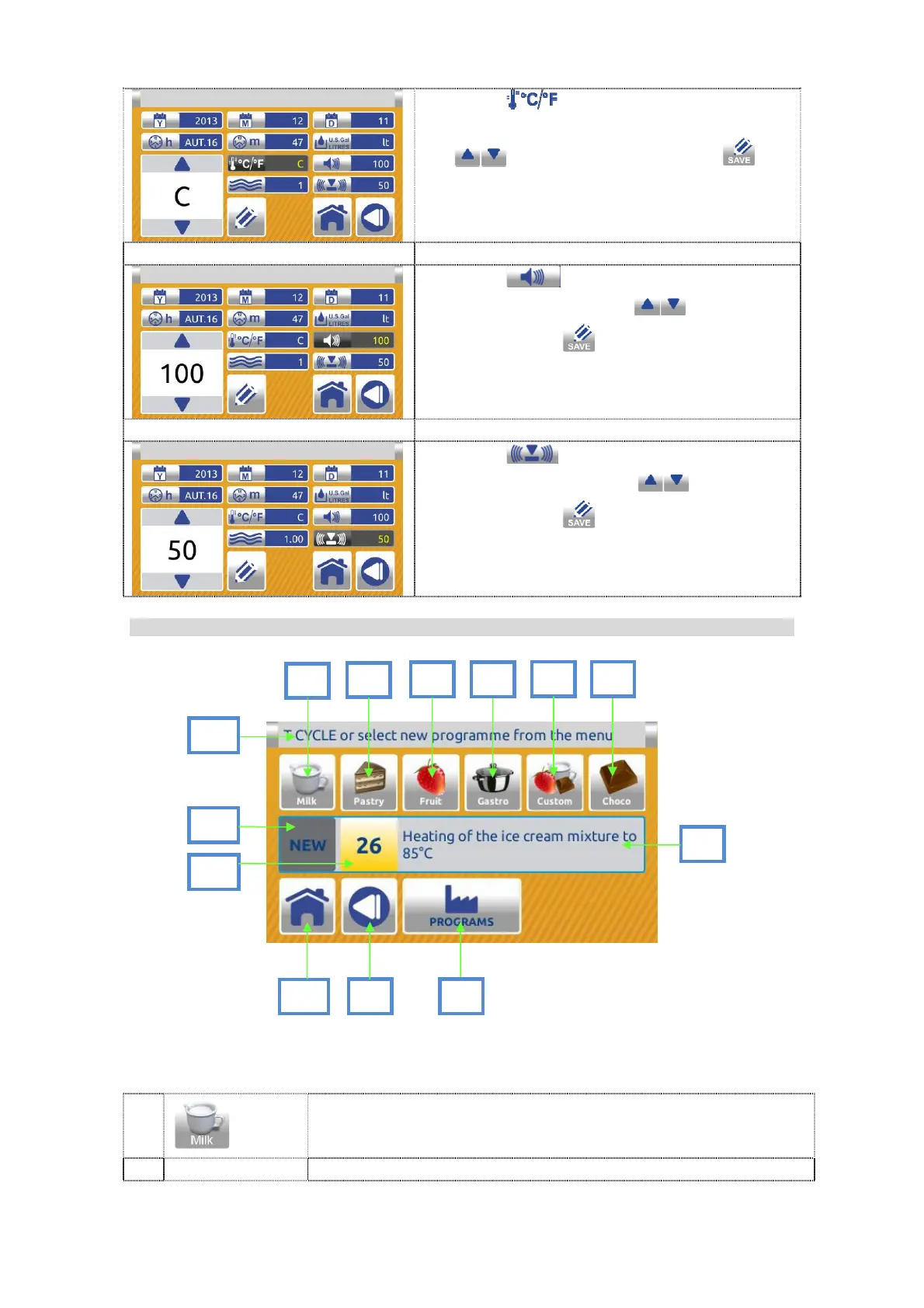
Press the button. Select Celsius or
Fahrenheit as unit of measurement by using
the arrows. Confirm with the
button.
Factory default – Celsius.
Press the button. Adjust the volume
of the signal by using the arrows.
Confirm with the button.
Factory default – value 100.
Press the button. Adjust the volume
of the button by using the arrows.
Confirm with the button.
Factory default – value 70.
Program menu screen:
DESCRIPTION:
1
ICE CREAM PROGRAM MENU
Select the MILK button to enter the list of programs for milk
ice cream.
12
10
1
2
8
9
5
7
3
11
4
6
13


 To Next Page
 Loading...