66
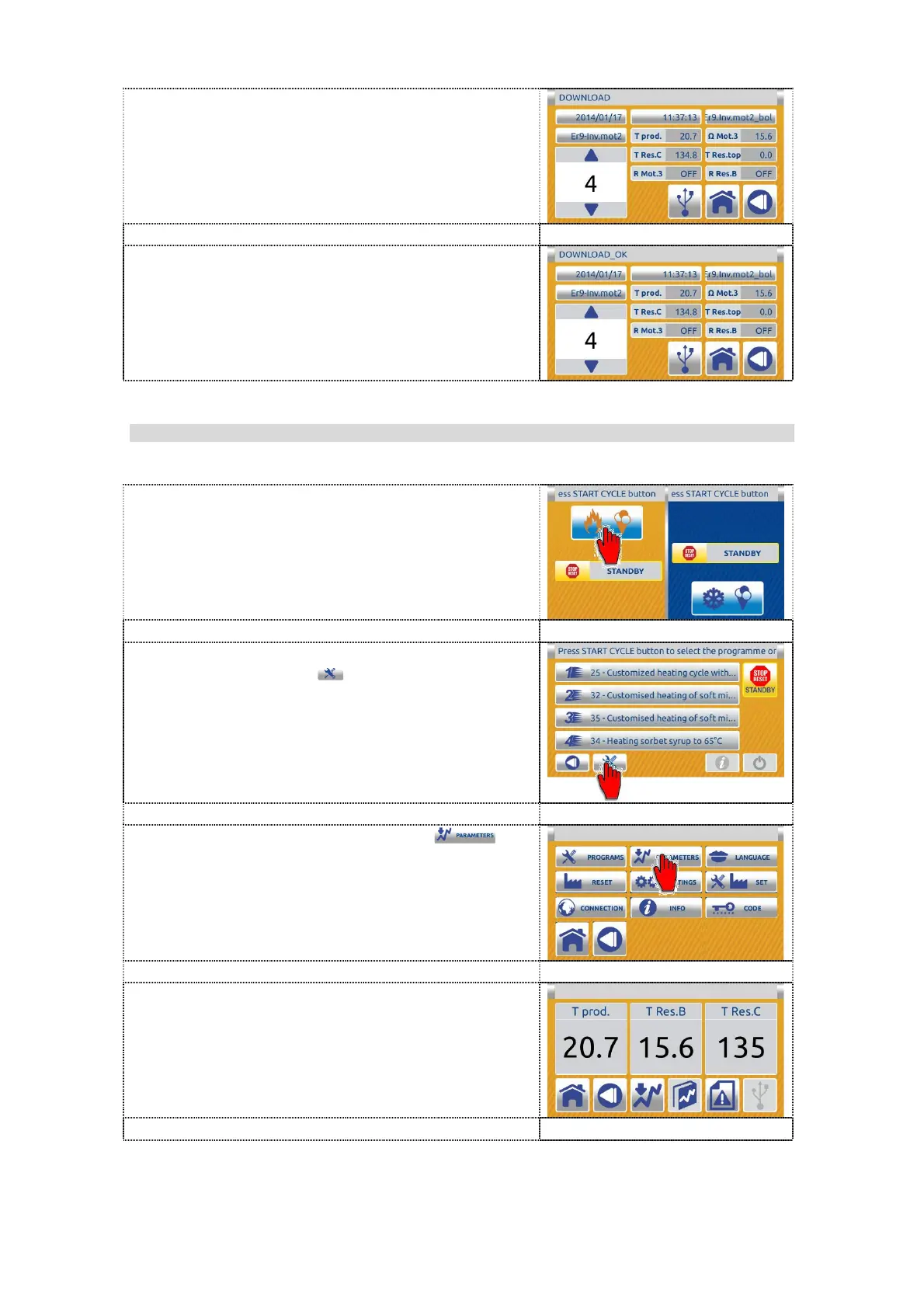
8. On the message bar appears message
DOWNLOAD.
9. When the download is complete appears on
the message bar message DOWNLOAD
OK. Pull out the USB key.
Data from USB key (file type: xml) you can
open on computer with xml viewer (Excel,
Libre Ofice Calc, Browser, text editor...).
7.6.1.3 OPTION (surcharge) - download data of the machine, cycle (customer)
1. Press the right part (colling) on the dual
inactive HOME screen to enter in the single
inactive home screen.
2. On the single inactive home screen press
the TOOLS button to enter in SETTING
menu.
3. Press the PARAMETERS button to
enter the PARAMETERS screen.
4. Insert the USB key into the relevant USB
port.


 To Next Page
 Loading...