31
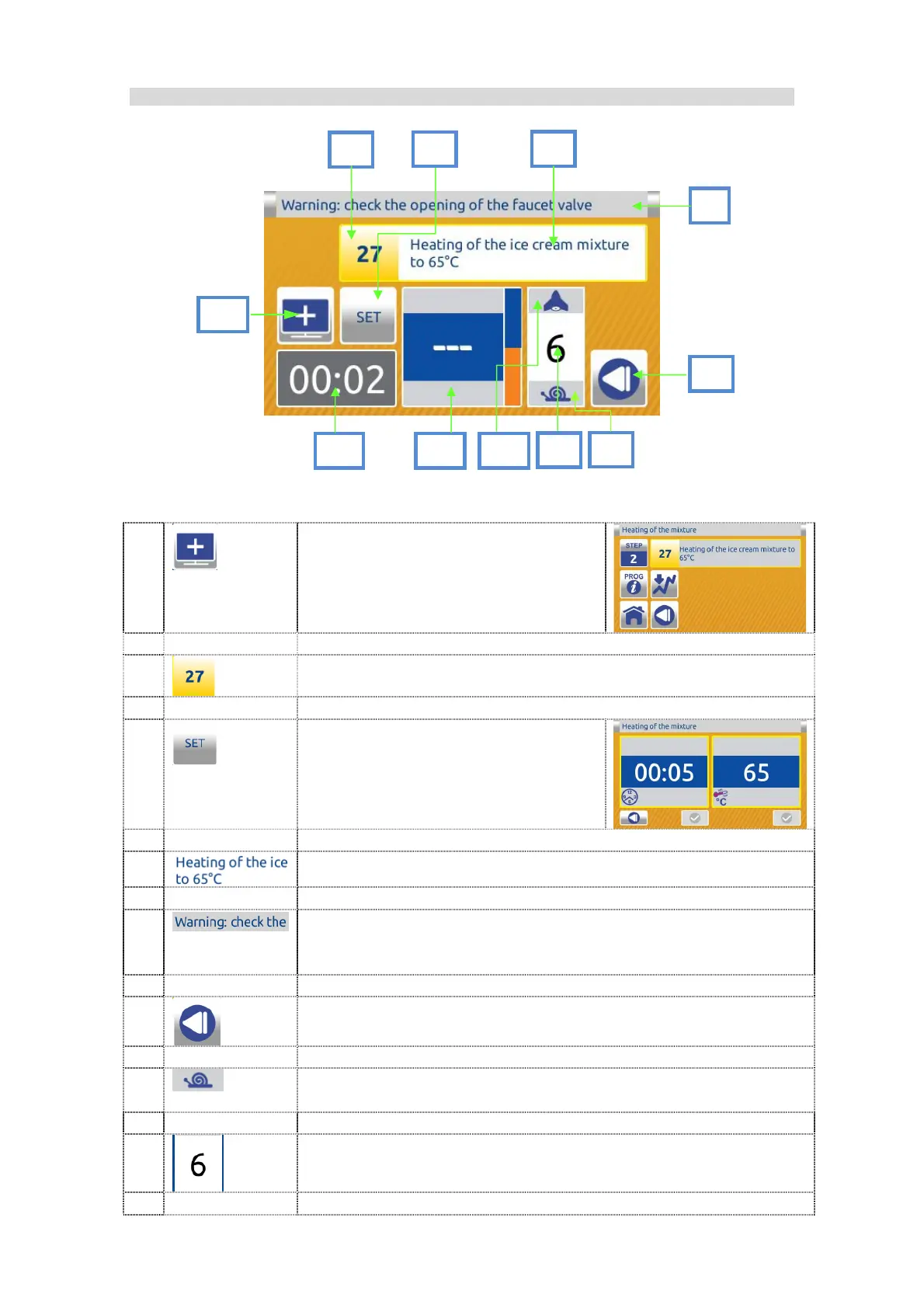
7.1.1.8 Active program screen:
DESCRIPTION:
1
PLUS button. Select this button to
enter in additional display.
2
PROGRAM NUMBER.
3
SET button.
Select this button to enter in
programs parameters of current
step.
4
PROGRAM NAME.
5
TUTOR MESSAGES help users giving them instructions
and information about the processing. They also provide
information on any errors and give warnings on operations.
6
Press BACK to return to the previous screen.
7
BUTTON SNAIL decreased the actual speed. If the button is
grey the decreasing is not allowed.
8
MIXER SPEED DISPLAY.
1
10
5
2
6
9
4 3
11
7
8


 To Next Page
 Loading...