93
9. On display appears the dual inactive Home
page.
Press the BACK button to return to the previous screen.
Press the HOME button to cancel the operation and return to the dual
inactive HOME screen.
10.2 CHANGING PARAMETERS (cooling part)
10.2.1 RESET TO THE FACTORY SETTING
The user can restore all the programs, all changes are lost.
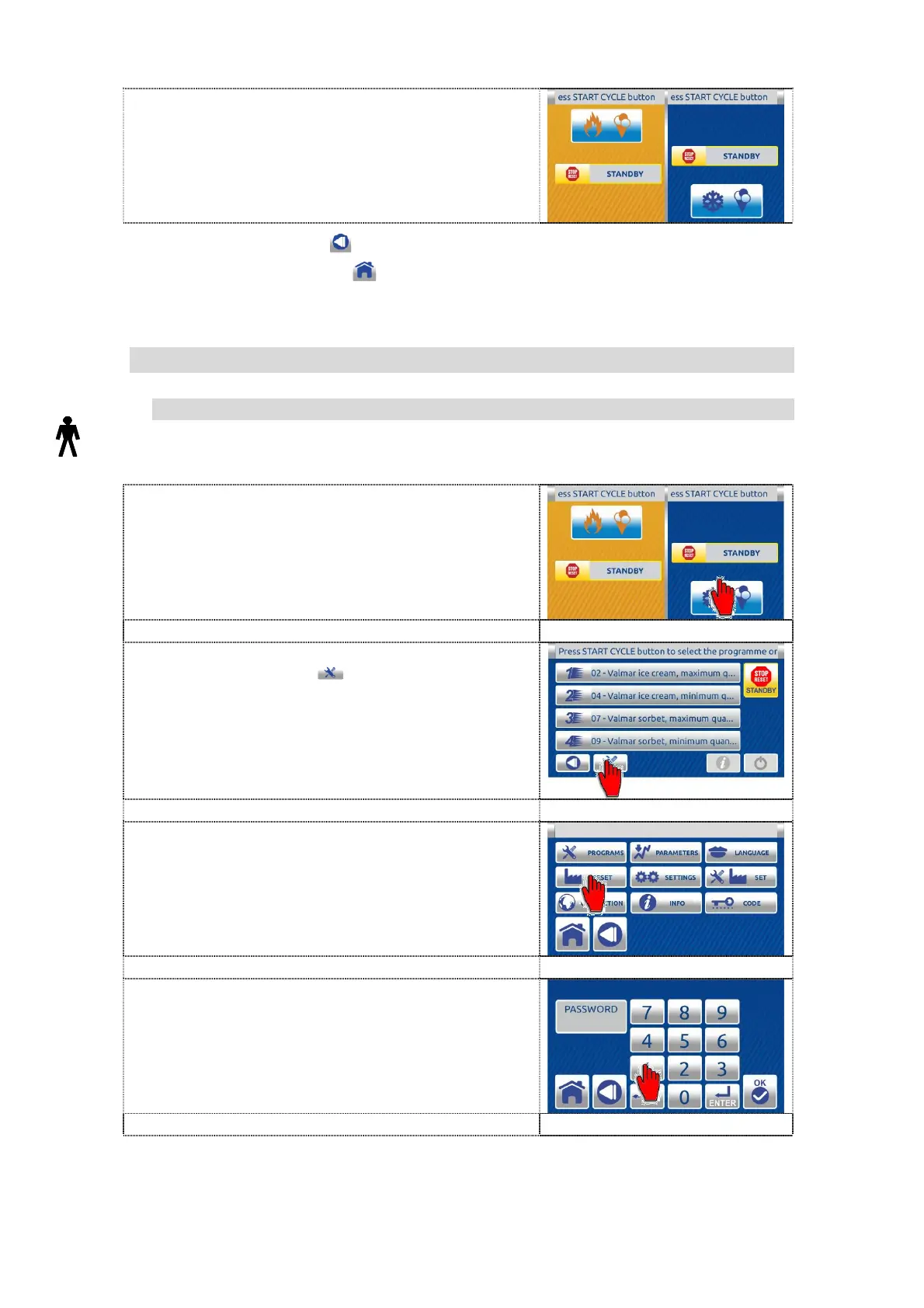
1. Press the right part on the dual inactive
HOME page (cylinder) to enter in the single
inactive home screen.
2. On the single inactive home screen press
the TOOLS button to enter in SETTINGS
screen.
3. Press the RESET button to enter in the
PASSWORD screen.
4. Enter the password - user code 111111.


 To Next Page
 Loading...