94
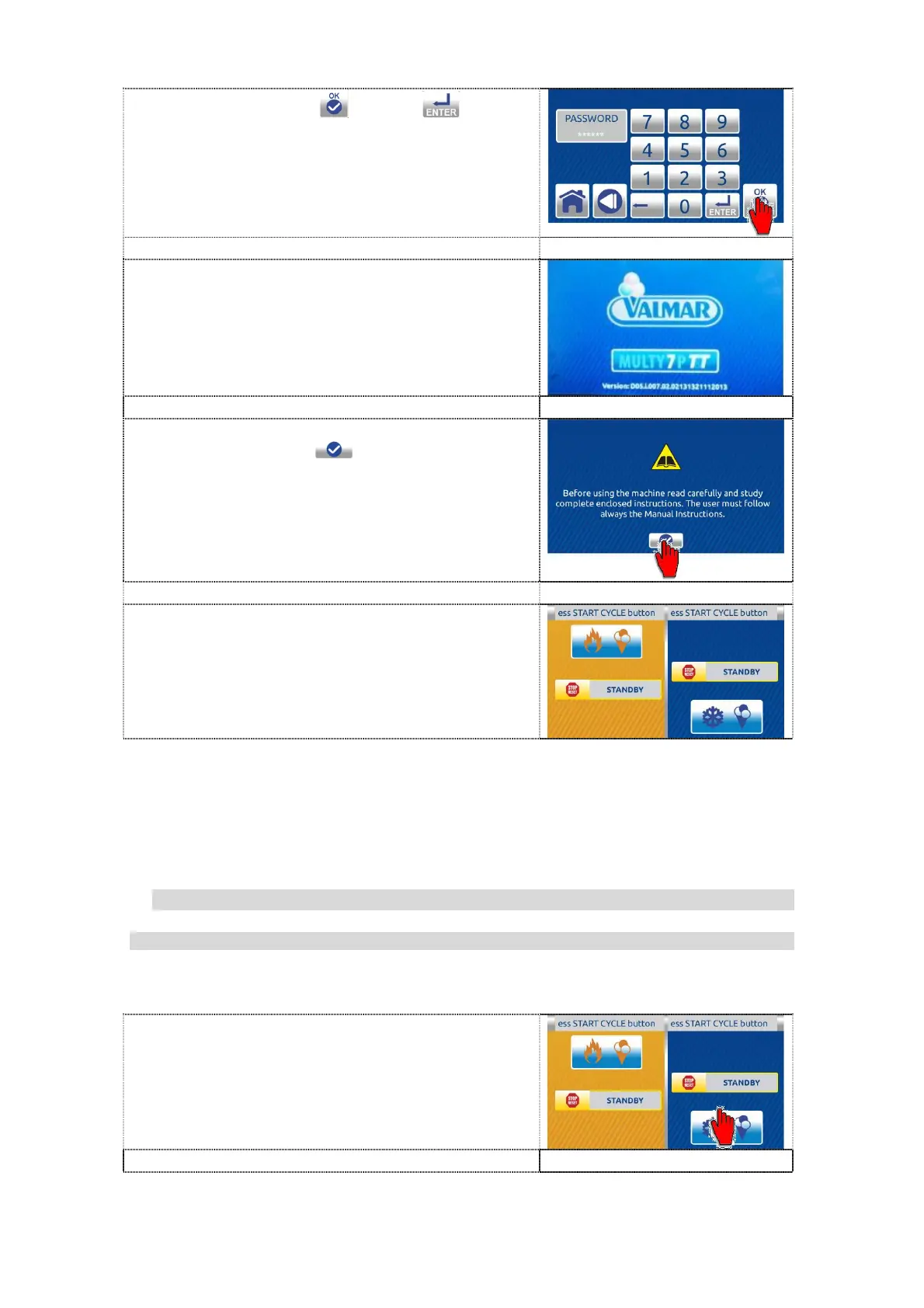
5. Press the confirem
or enter button.
6. Wait for the software to upload.
7. First carefully read the text and then press
the confirm button to confirm the
language chosen. The HOME screen is
displayed.
8. The machine is ready for use with
instructions in the selected language.
10.2.2 LOCK/UNLOCK THE ACCESS OF OPERATION
10.2.2.1 LOCK the access of operation on the machine
The user can lock access of operation on the machine.
1. Press the left part on the dual inactive
HOME page (kettle) to enter in the single
inactive home screen.


 To Next Page
 Loading...