33
DESCRIPTION
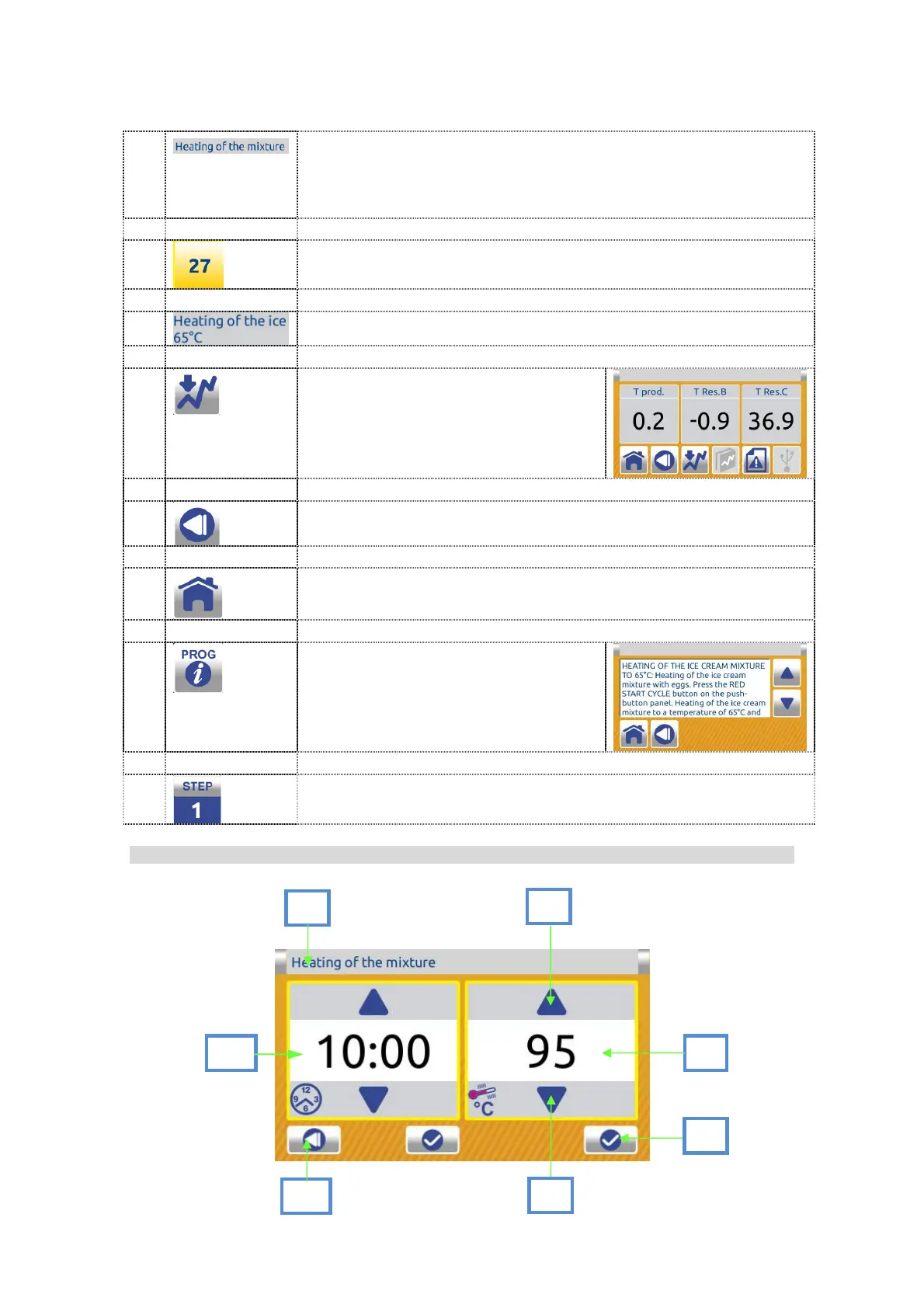
1
TUTOR MESSAGES help users giving them instructions
and information about the processing. They also provide
information on any errors and give warnings on operations.
2
PROGRAM NUMBER.
3
PROGRAM NAME.
4
Press the button to enter the
parameters screen (only for
Valmar technicians).
5
Press BACK to return to the previous screen.
6
Press HOME to return to the dual inactive home screen..
10
Press info to have a short program
description.
11
STEP NUMBER.
7.1.1.10 Active program parameters screen:
DESCRIPTION:
7
1
4
2
3
6
5


 To Next Page