84
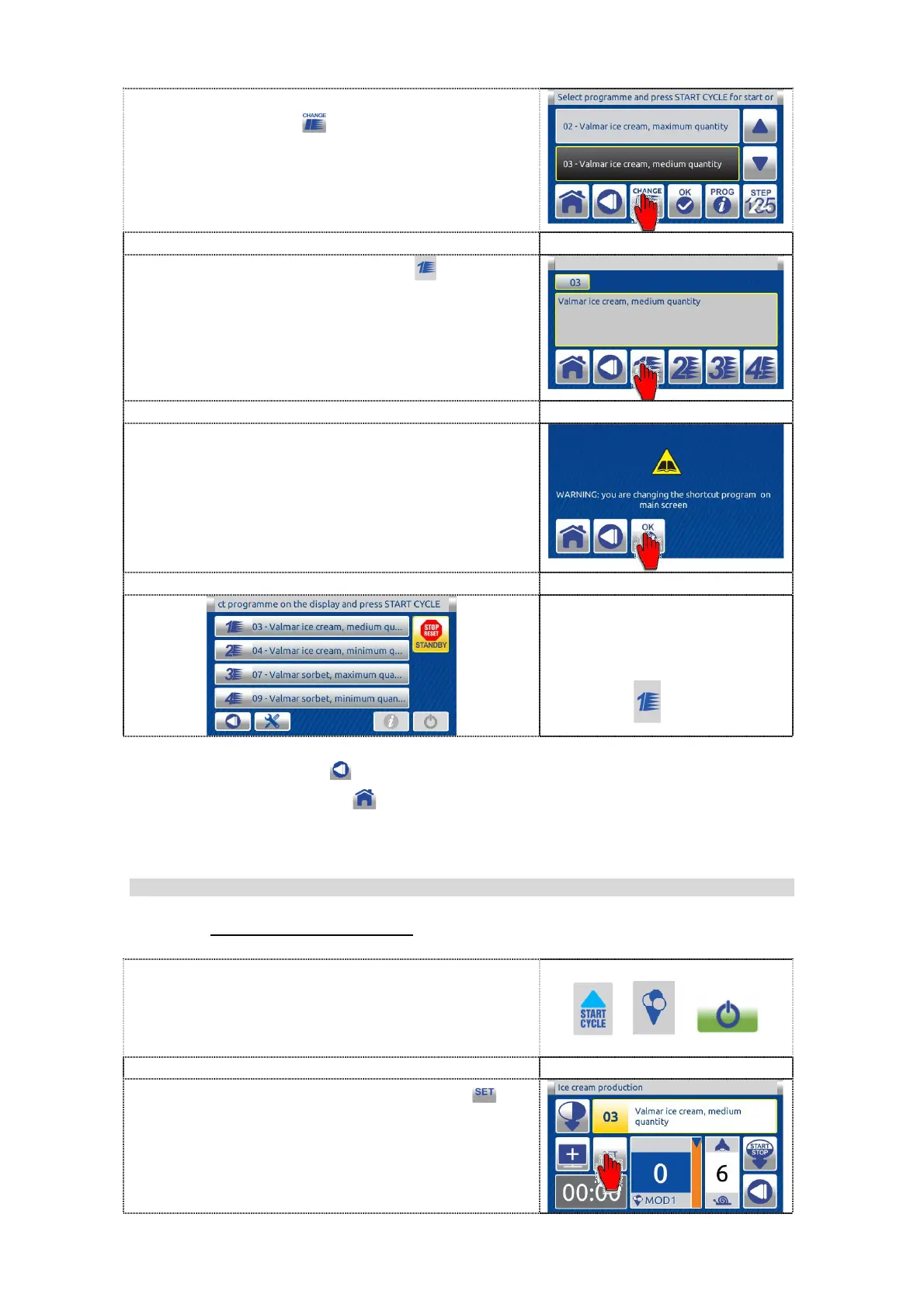
6. After selecting the program, press the
CHANGE button
to enter the following.
7. Press the shortcut button (e.g. ) to be
linked to the selected program.
8. First carefully read the text and then press
the OK button to confirm the changing.
Single inactive menu screen
with changed preset
program - from 2 to 3.
Press the BACK button to return to the previous screen.
Press the HOME button to cancel the operation and return to the dual
inactive HOME screen.
9.2.3.2 SETTING VALUE
9.2.3.2.1 CHANGING OF THE VALUE
1. Start the selected program by pressing one
of the three available buttons.
2. In running program press SET button


 To Next Page