85
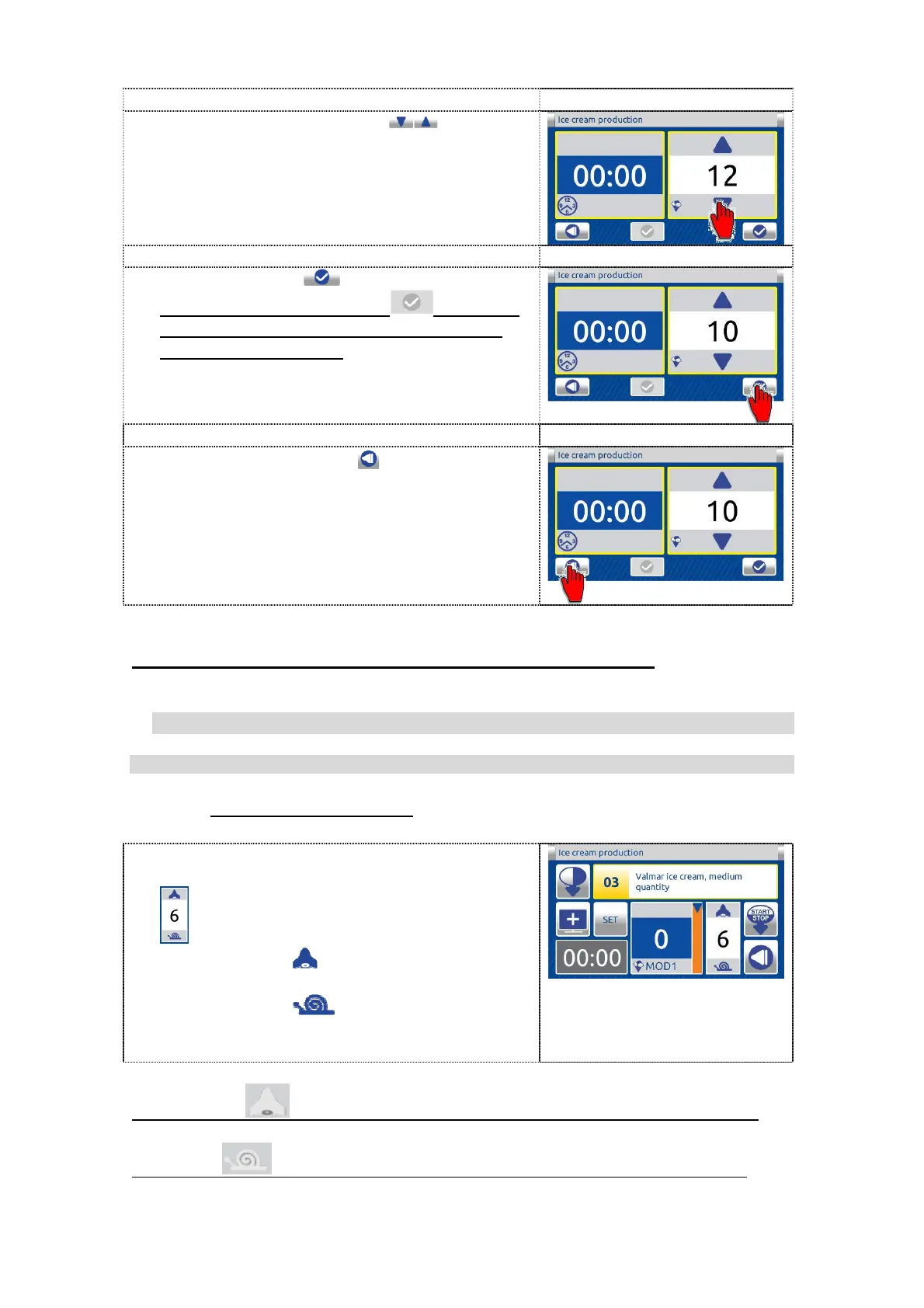
3. Modify parameters with the buttons.
4. Press OK button to confirem the value.
If the confirm button is grey this mean
that the possibility of the changing for this
parameter is disabled.
5. Press the BACK button to return to the
previous screen.
Higher is the value more hard ice-cream arises.
9.2.4 SETTINGS OF THE STEP
9.2.4.1 MIXING SPEED
9.2.4.1.1 CHANGING OF THE SPEED
In actual step you can change mixer speed.
For this you must use the regulation button
.
If you press the button you increase the
actual speed.
If you press the button you decrease
the actual speed.
If the racket - button is grey the increasing of the speed is not allowed.
If the snail
button is grey the decreasing of the speed is not allowed.


 To Next Page