23
(6) Figure Size / Radius
Select the size of the gure at Figure Size (6). The size is
displayed as the number of spots on one edge of the g-
ure. The available scale depends on the gure type. For
arcs the gure size can be changed using smart wheel or
by touching the pattern on the screen. Figure size changes
to Radius when the radius of the arc is adjustable.
(7) Distance
The spacing between the spots can be chosen at Distance
(7). The values for the distance are scaled as multiples of
the spot size.
(8) Selected Spot Size
The spot size installed by the revolver is displayed at Se-
lected Spot Size (8). To change the spot size, see section
6.1.4.
(9) Real Spot Size
The size of the spot on the retina depends on the used
contact lens. When the lens is selected the real spot size
on the retina is displayed on the screen.
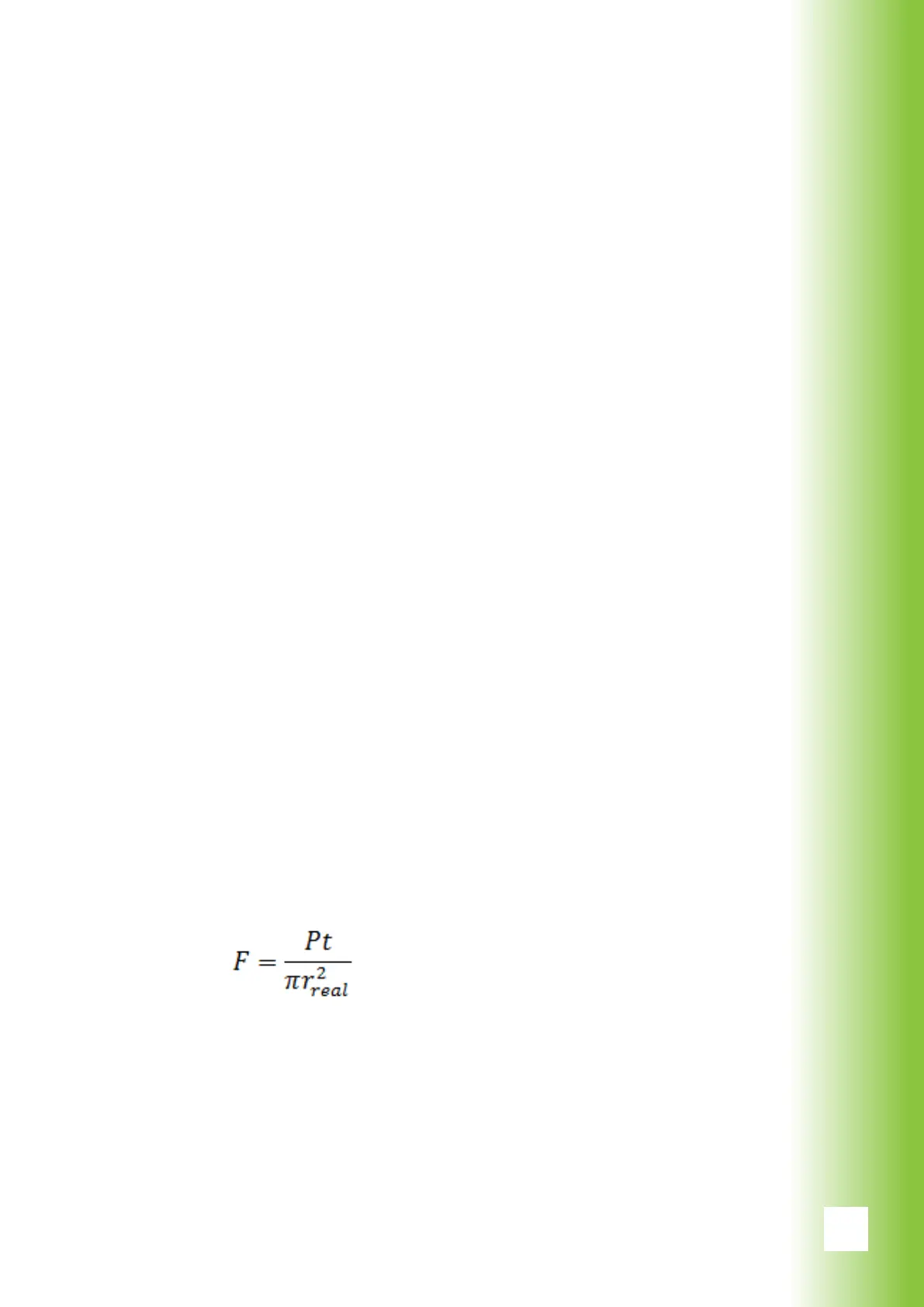
(10) Fluence
Displays the uence on the retina. Fluence depends on the
power, pulse duration and real spot size and is calculated
as follows
where P is the laser power, t is the pulse duration and r is
the real spot size
(11) Entering Treatment Mode
After the settings are made, press the top bar (11) to en-
able both pilot laser and treatment laser and to enter the
treatment mode.
(12) Fixation light (optional feature)
Fixation light is available with 100 μm and 200 μm arc pat-
tern. When xation light is ON, aiming beam draws a small
cross in the center point of the arc.
6. Using Valon



 To Next Page