24
6.2.3.Treatment Mode
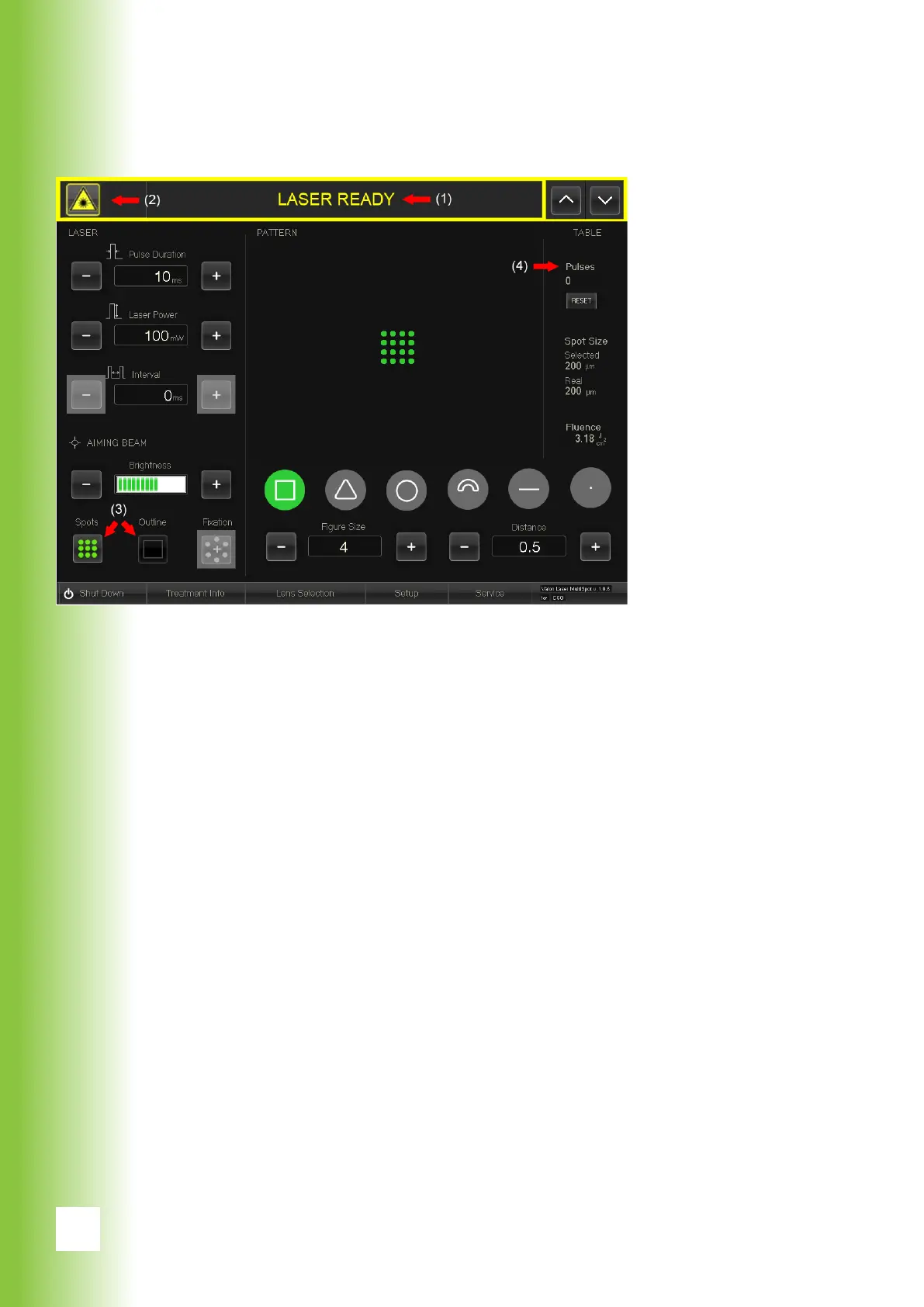
When the laser is enabled, the pilot laser is active and
draws the outline or shows all spots of the chosen pattern.
The treatment laser is ready and controllable via foots-
witch.
Settings can be changed without disabling the laser by us-
ing the touch screen or the smart wheel (see section 6.2.8).
(1) Laser status
The top bar (1) shows the laser status. Currently the status
is ”Laser enabled”. If the the treatment is over or there is a
longer pause in treatment, disable the laser by pressing the
laser status button.
(2) The Laser emission warning
The Laser emission warning (2) is shown on the top bar
when the treatment laser is active.
6. Using Valon



 To Next Page