6.3 Manage SD Card
Internal SD Card Format
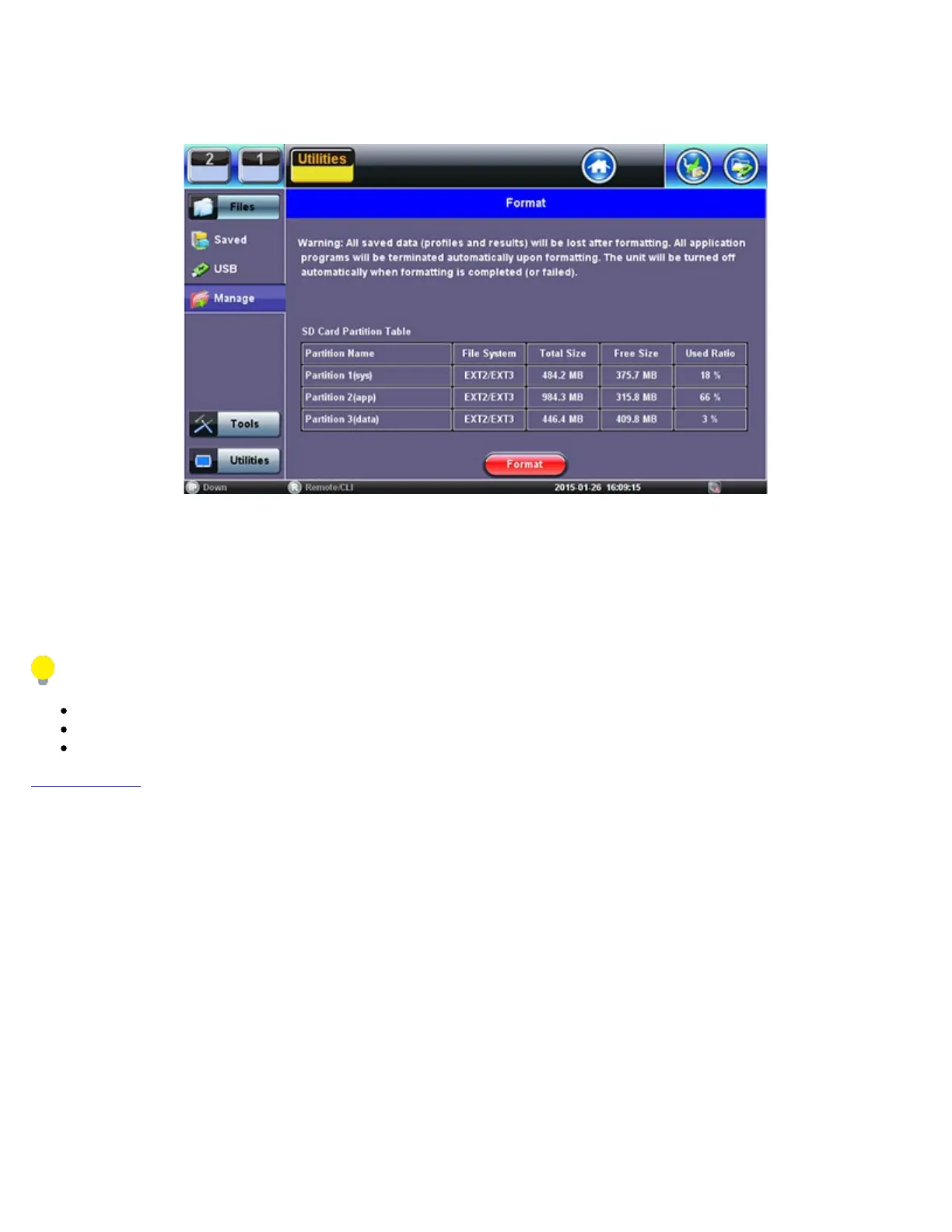
The Files >Manage tool under utilities provides SD card’s partition capacity information.
All the user information, such as test results, profiles, screenshots, protocol capture, etc., is stored in the Data partition (3). Use the
>Files >Saved >To USB backup utility or Delete function if the Data partition is nearly full.
The Format function is exclusively a maintenance tool. Use ONLY when instructed by a VeEX Customer Care representative. It
erases all the information stored in the test set.
The internal 2GB SD Card contains the System OS, all the Test Applications (Apps) and user’s data
Only the Data partition is accessible to users, through the test set’s functions
Do not remove or reformat the SD Card outside of the test set
Go back to TOC
TX300s_Platform_Manual_RevB00



 To Next Page