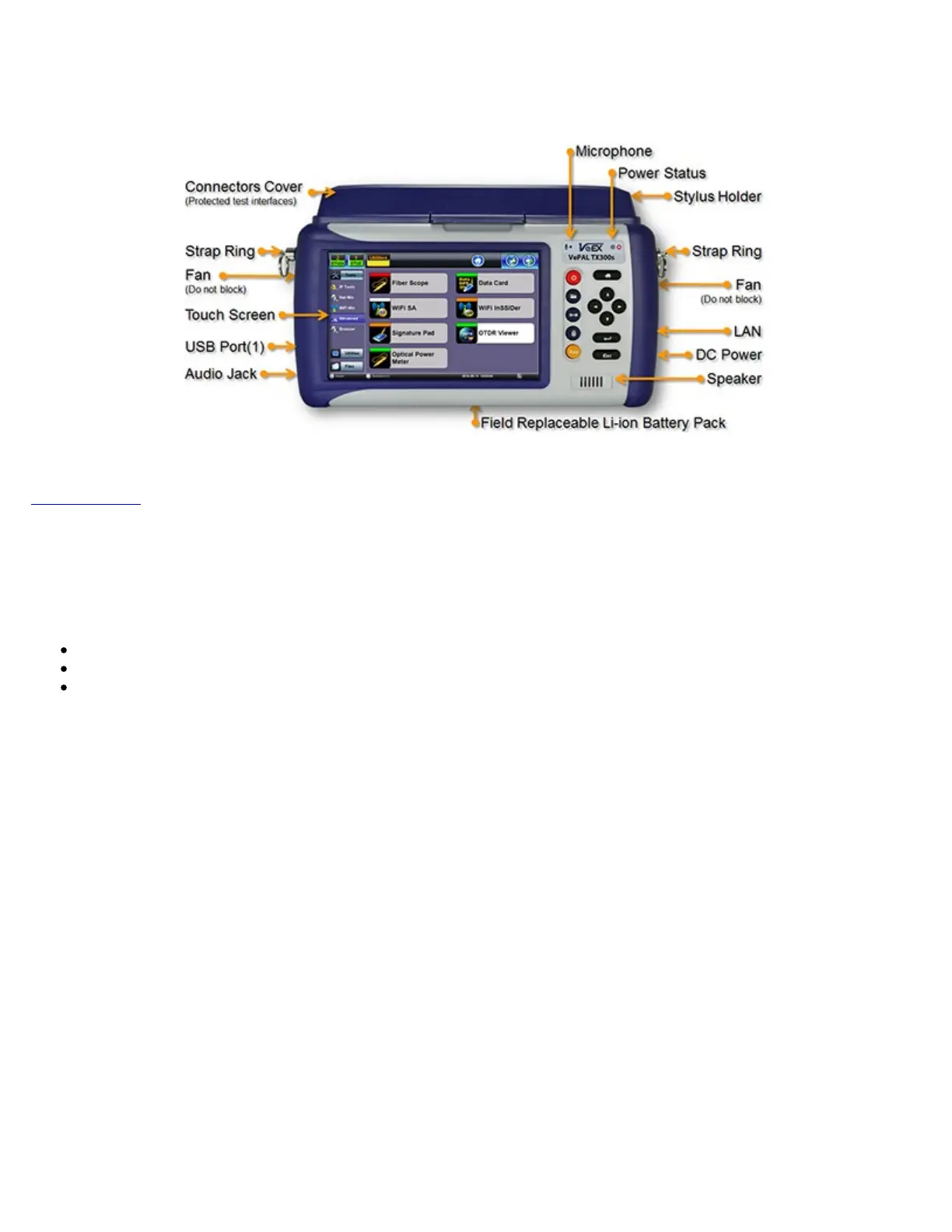
3.1 TX300s Overview
Go back to TOC
3.2 Front Panel
3.2.1 LEDs
Power LED: A single LED indicates the power state of the unit.
The LED is off when the unit is powered off.
The LED is green when the unit is powered on.
The LED is orange when the unit is connected to the AC Mains and powered off (charging).
Soft LEDs:
Each tests module offers detailed soft LEDs and indicators in its test application.
TX300s_Platform_Manual_RevB00



 To Next Page