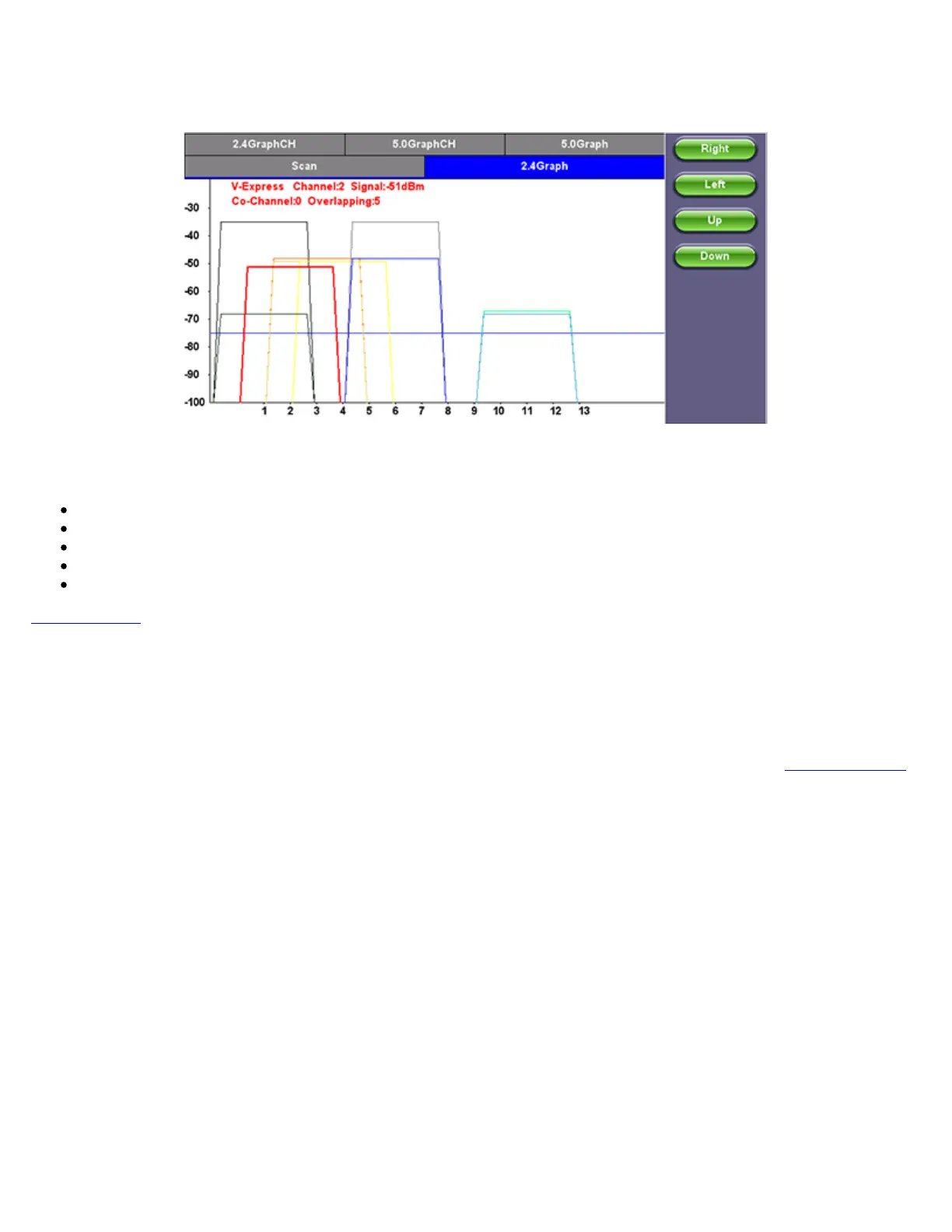
Graph
Use the Right/Left/Up/Down function keys or the arrow keys on the unit's keypad to navigate the graph and get additional
information for the access points. Detailed information for each Access Point includes:
SSID: name of the AP
AP's radio Channel number
Signal strength (dBm)
Number of co-channel: Number of APs using the same radio channel
Number of Overlapping APs: Number of APs using channels whose frequency band overlaps with the AP.
Go back to TOC
7.5.6 OTDR Viewer
This functionality allows the test platform to open and analyze standard OTDR .SOR files created by the TX300s-OTDR, RXT-4100
OTDR, FX300 OTDR or SunLite OTDR test sets. It can also be used to control the wireless OPX BOX OTDR via Bluetooth or USB
connection, offering full-featured OTDR functionality.
For more information about OTDR functions, see the OTDR Series: V300/RXT/FX100/MTTplus User Manual on
www.veexinc.com
7.5.7 GNSS Operation
GNSS Receiver Settings and Operation
This section explains the GNSS Receiver configuration and basic settings required to quickly verify proper module installation and
operation. Refer to the tables at the end of this document for application-oriented settings.
1. Install the portable antenna facing up, on a stable surface or mounting, with a wide unobstructed view to the sky or use a
professionally-installed in-building roof-top antenna feed.
2. Connect the active GPS or antenna to the GNSS Receiver module’s SMA connector. If a BNC-to-SMA or TNC-to-SMA
adapter is required, use flexible adapter cables (not rigid adapters) to prevent any mechanical stress.
3. Go to >Utilities >Settings >More >High Precision Clock >GNSS.
TX300s_Platform_Manual_RevB00



 To Next Page