Go back to TOC
7.5.5 WiFi inSSIDer
WiFi inSSIDer Home
1. Plug the WiFi adaptor into the USB port. Allow at least 30-45 seconds for the unit to detect the wireless adaptor and for the
software driver to load.
Products support USB wireless adaptors supplied by VeEX only and have the necessary software driver built into the test
set.
The WiFi InSSider supports 2.4GHz and 5.0GHz Bands. The home screen has tabs to display test results for both frequency bands
and also for graphical presentation of results for both.
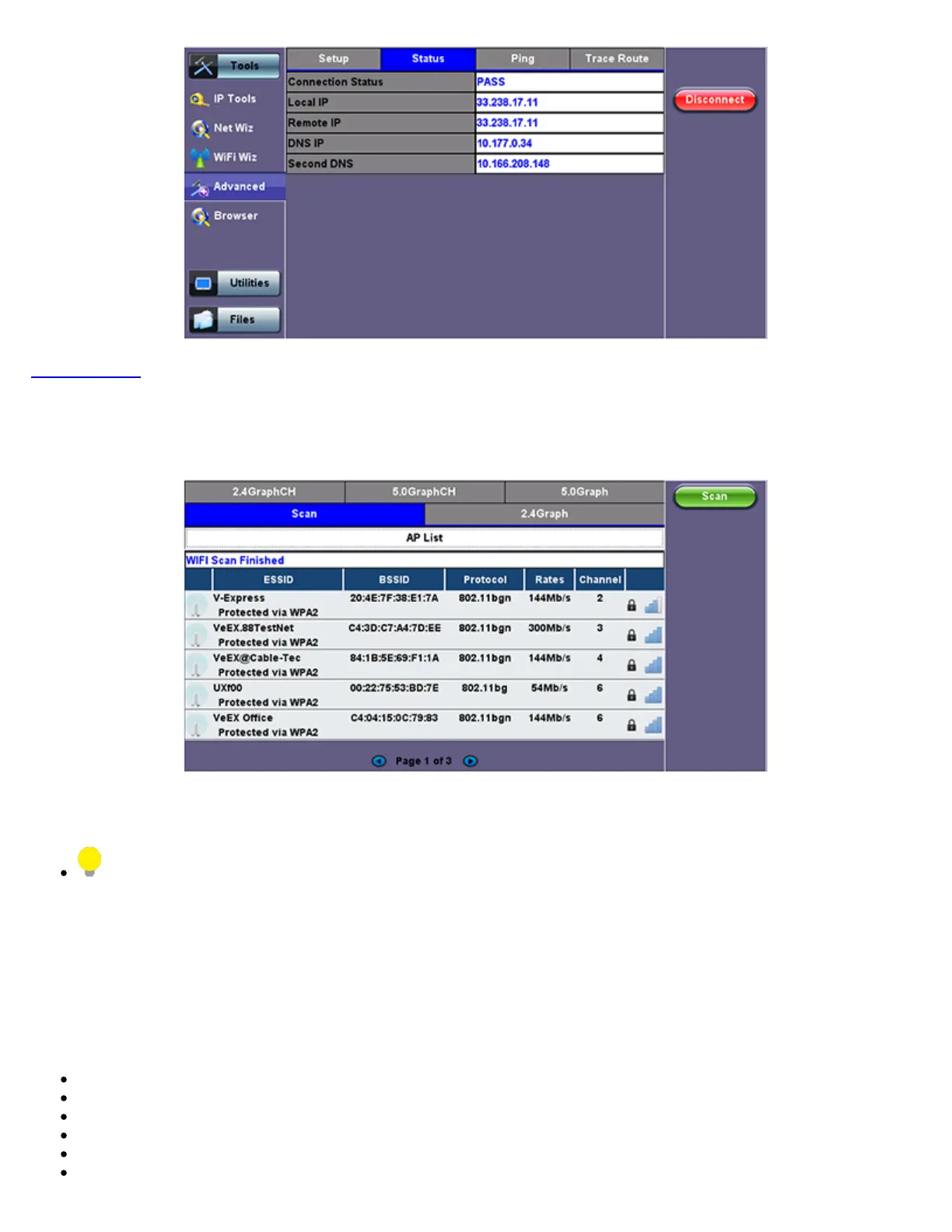
2. Tap the Scan button on the right side of the screen.
After the scan is completed, the unit displays the list of access points (AP) detected in the 2.4 GHz and 5GHz bands.
The following information is displayed for each AP:
SSID name of the AP
BSSID (MAC address) of the AP
802.11 protocol version supported by the AP
Max data rate supported by the AP
AP's radio channel number
Lock symbol indicates if security is set on the AP (WEP, WPA or WPA2).
When the AP is unsecured, no lock symbol is displayed
TX300s_Platform_Manual_RevB00



 To Next Page