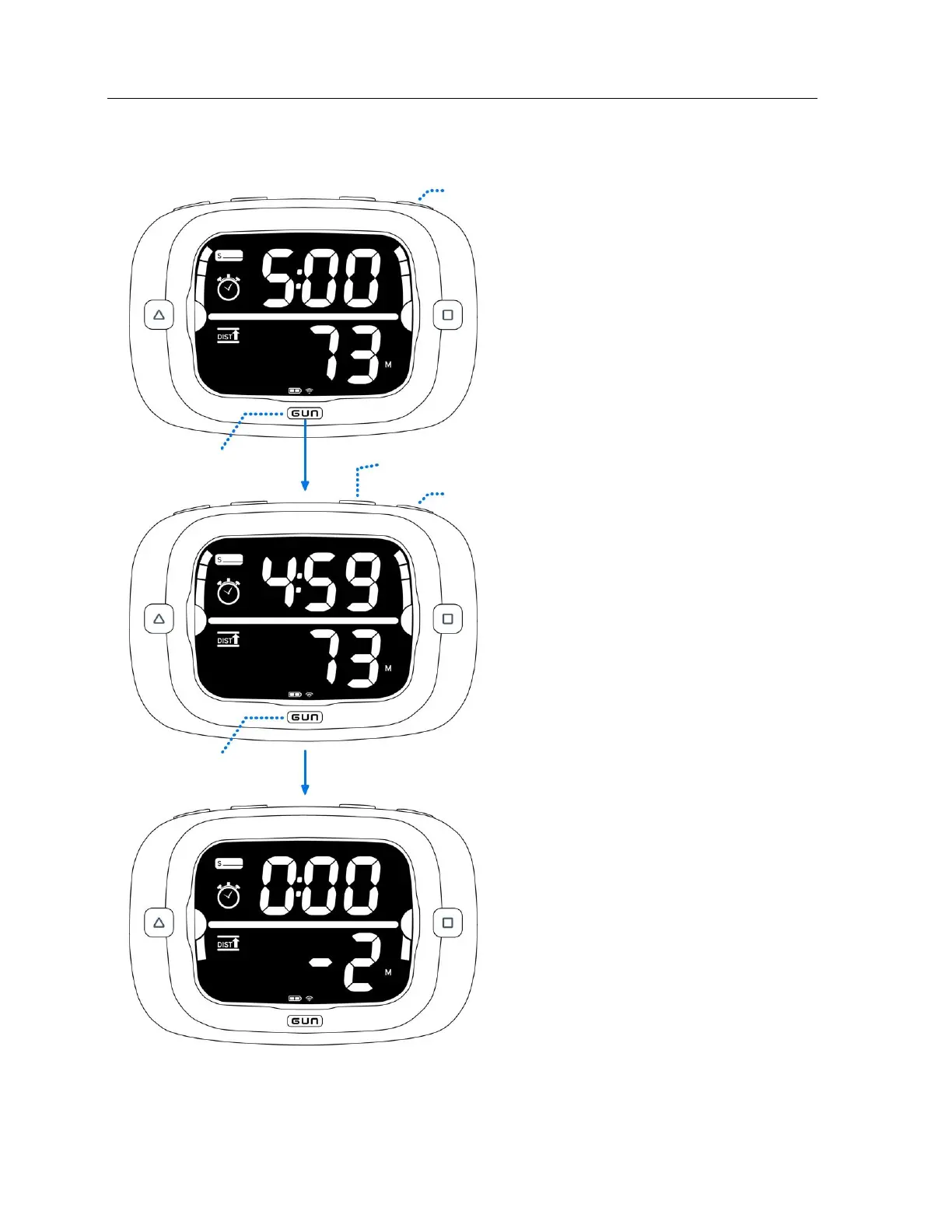
Timer Counting Down
Add one minute to the timer without
stopping the timer by pressing +1.
Reset timer by pressing RESET.
Sync timer by pressing GUN. The
timer will round down to the nearest
minute, 4:00 in this case.
Change the reset time by pressing +1
to scroll through the minutes. The
timer can be set to 1:00 ~ 15:00.
Start the timer by pressing GUN.
The timer will display the ‘Distance
to Line’ at 0:00 for 10 seconds after
the timer expires.
After the 10 seconds, the display will
switch automatically to race mode.


 To Next Page