Using ‘Line Square To’
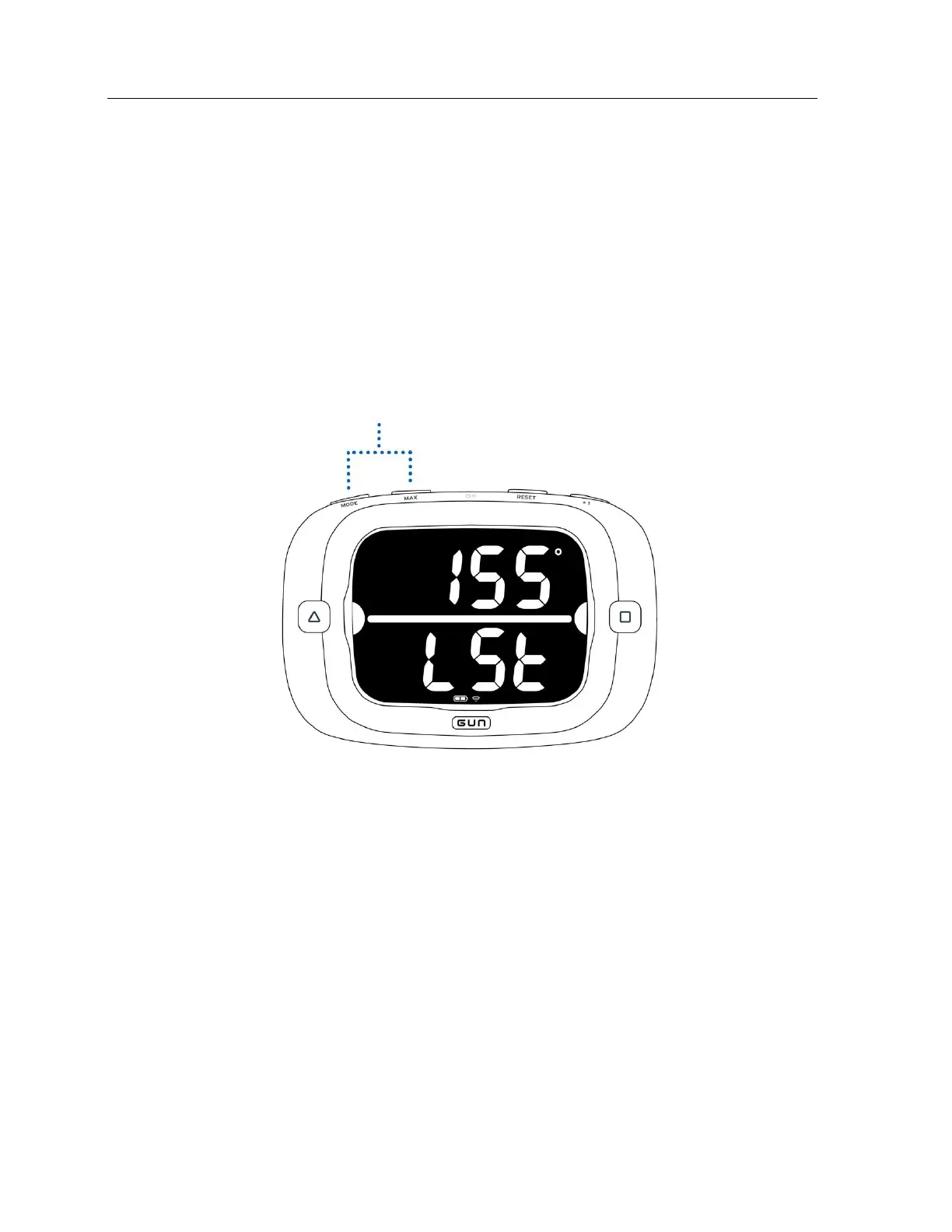
The ProStart features the ability display the magnetic bearing the starting line is square to.
With the start line set you can access the ‘Line Square To’ measurement by pressing MODE and MAX
button simultaneously (in either order). The ‘Line Square To’ measurement will now display on screen for
5 seconds before returning to Start Mode.
You can exit ‘ Line Square To ’ prematurely by pressing the RESET button.
Please see “Understanding ‘Line Square To’” section on page 33 for more information.


 To Next Page