When the ProStart’s direction output is set to COG, the ProStart’s top line will show COG with no leading
zeros, i.e. eleven degrees will be shown as 11° and three degrees will be shown as 3°.
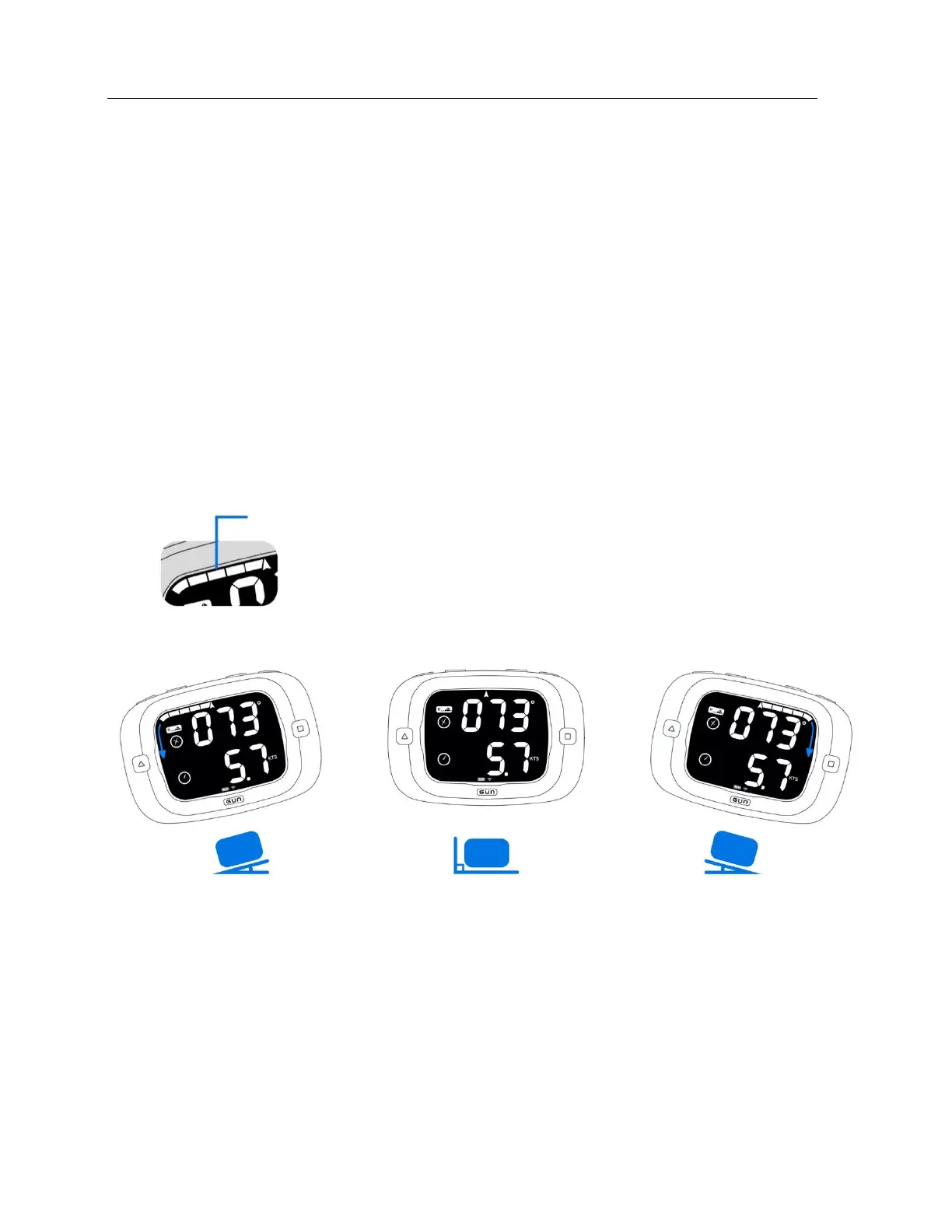
Race Mode Bar Graph
The user has the option of either displaying heel or shift angle on the bar graph while in Race Mode. By
default, the ProStart displays the heel angle. See ‘Setting Race Bar Graph Mode’ in the Configuration
section on page 25 for instructions on switching between heel angle and shift angle.
Heel Angle
Heel angle is displayed on the bar graph with each segment representing 2.5° of heel. To zero out the
heel angle, press RESET when the ProStart is in Race Mode (this will also zero the pitch angle which is
accessible only in Bonus Mode).
Heel angle is also recorded in the ProStart’s data storage. Heel to starboard is shown as positive degrees.
Heel to port is shown as negative degrees.
Shift Tracking
In Race Mode, the user has the option to substitute shift angle in place of heel angle on the bar graph.
See ‘Setting Race Bar Graph’ configuration section on page 25 for instructions on switching between heel
angle and shift angle.


 To Next Page